5
8
How to Steam (cont.)
10
13
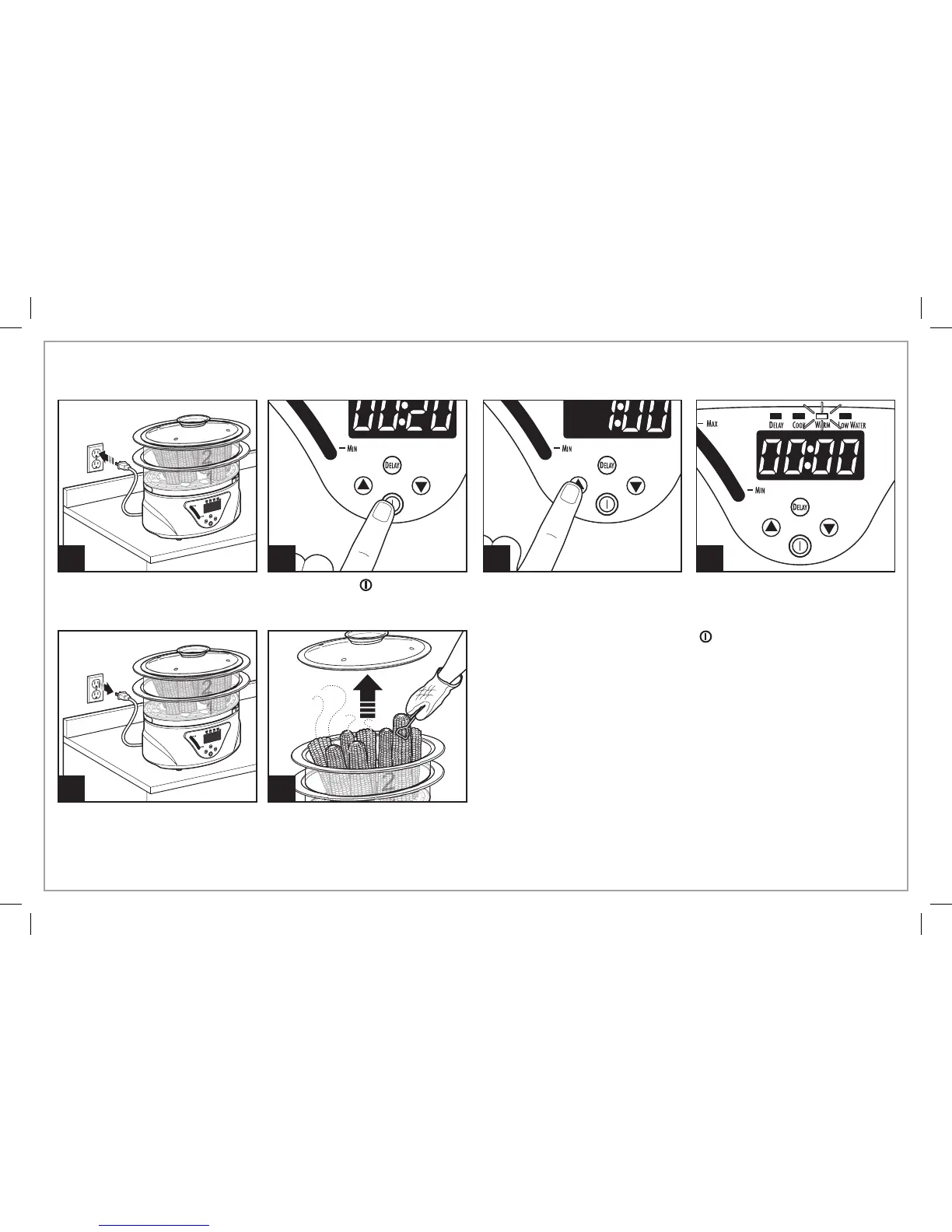
Press ON/OFF ( ) button to
initiate steaming cycle.
To adjust the desired cooking
time, press the up or down
arrows. Max steam time is 1 hour.
NOTE: If no adjustment is made
to cooking time, the unit will begin
steaming after approximately
5 seconds.
12
9
Product will beep when
plugged in and turned on.
Unit beeps when turned off and
beeps again when unplugged.
NOTE: Unit will automatically
shut off after 1 hour of keep warm
time.
11
The unit will switch to WARM
mode for up to 1 hour. The
WARM mode can be cancelled at
any time by pressing the ON/OFF
( ) button.
840243300 ENv13.indd 5 6/25/14 2:52 PM


 To Next Page