5
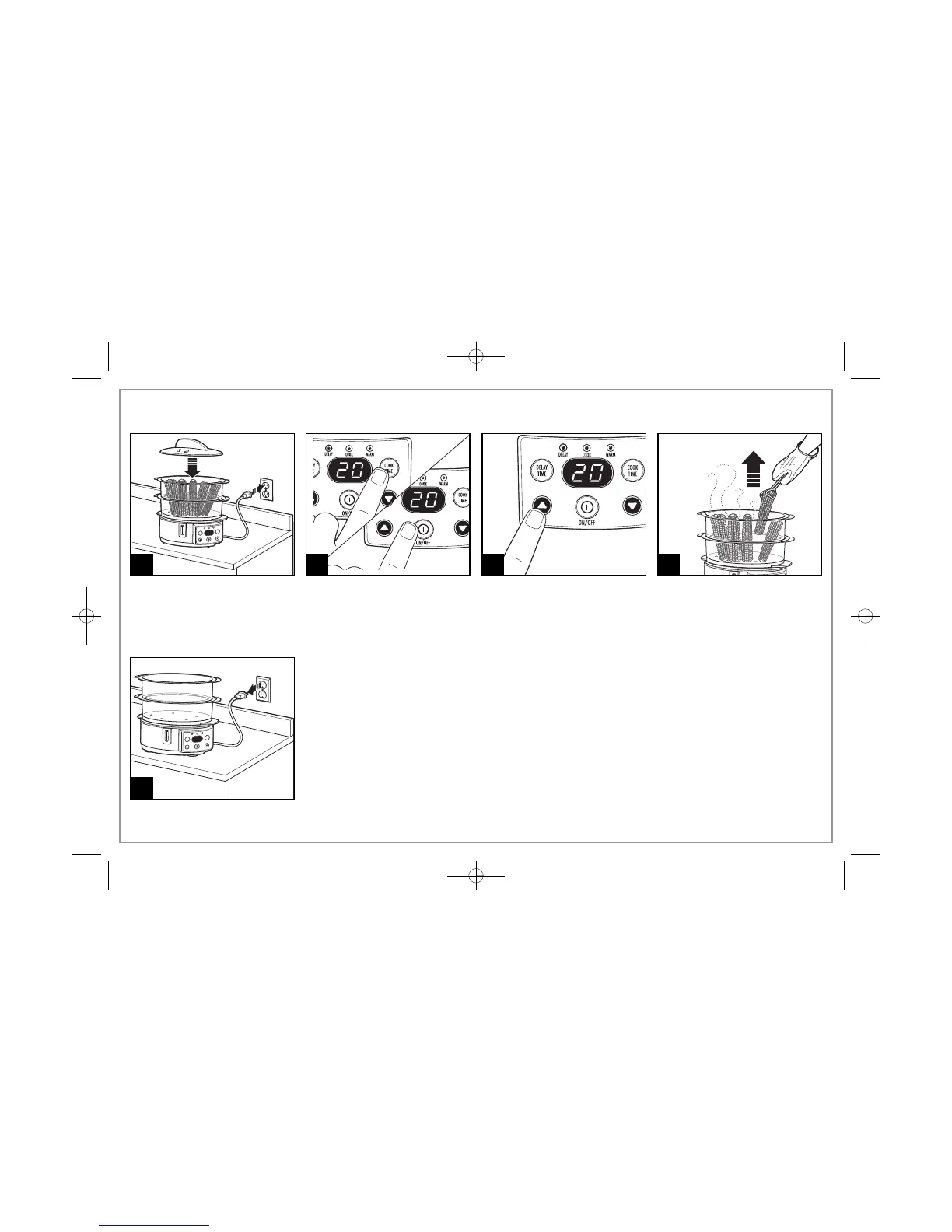
How to Set Cook Time
1 3 4
Press ON/OFF button or COOK
TIME button to initiate steaming
cycle.
To adjust the desired cooking
time, press the up or down
arrows.
NOTE: If no adjustment is made
to cooking time, the unit will begin
steaming after approximately
5 seconds.
5
2
A beep will sound when steaming
is complete. The unit will switch to
WARM mode for up to 1 hour.


 To Next Page