5
Using Your Blender
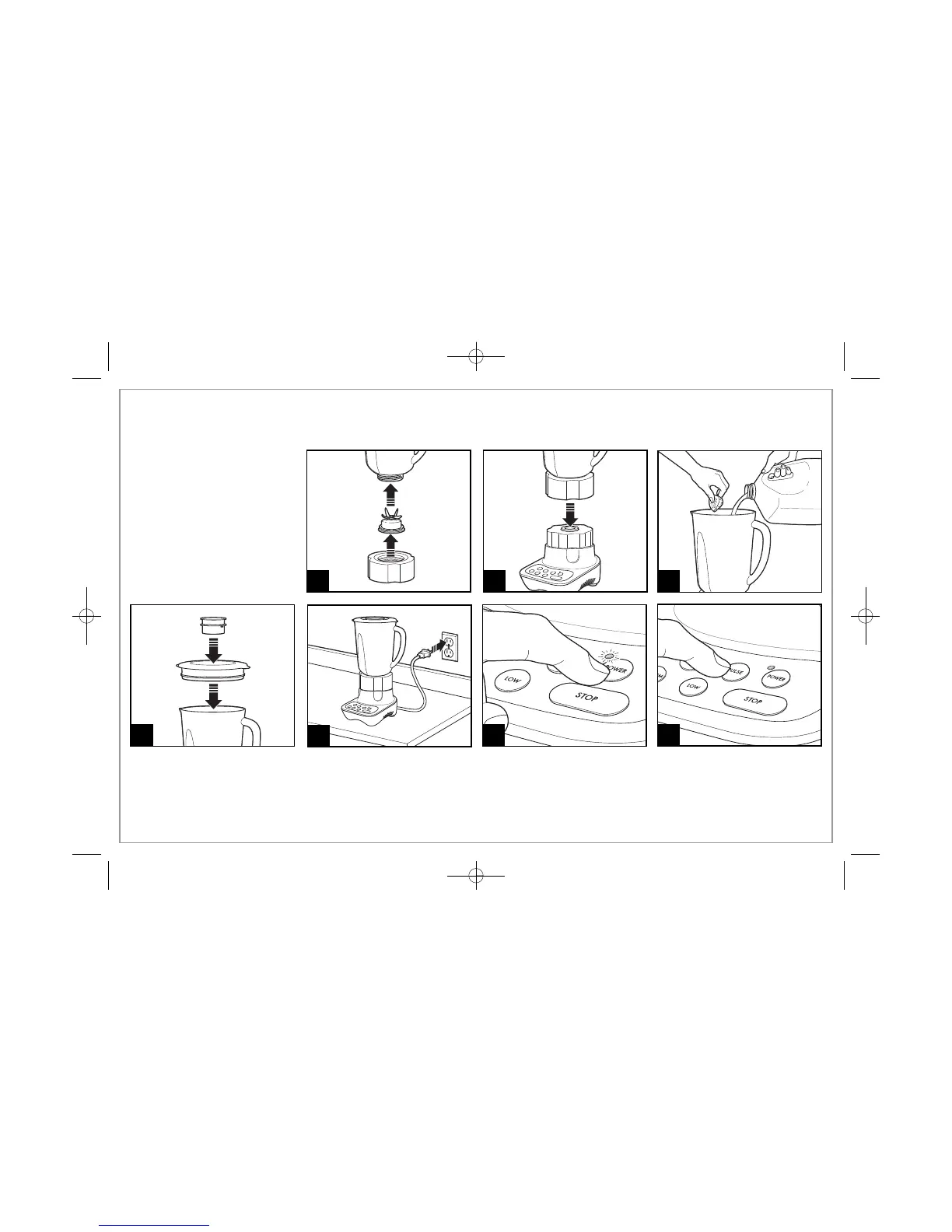
BEFORE FIRST USE: After unpacking the blender, follow the instructions
in “Cleaning Your Blender.”
IMPORTANT: Your blender jar
and cutting blade assembly are
subject to wear during normal
use. Always inspect jar for nicks,
chips, or cracks. Always inspect
cutting blade assembly for bro-
ken, cracked, or loose blades. If
jar or cutting blade assembly is
damaged, do not use. Call our
toll-free customer service number
to obtain replacement parts.
3
5
2
1
64
Push the POWER button. The
light next to the button will begin
to blink. This sends power to the
blender and makes it ready to
use. The blades will NOT start
rotating.
7
Choose your desired speed. Note
when using PULSE, the blender
will only run when the button is
held down.





 To Next Page