6
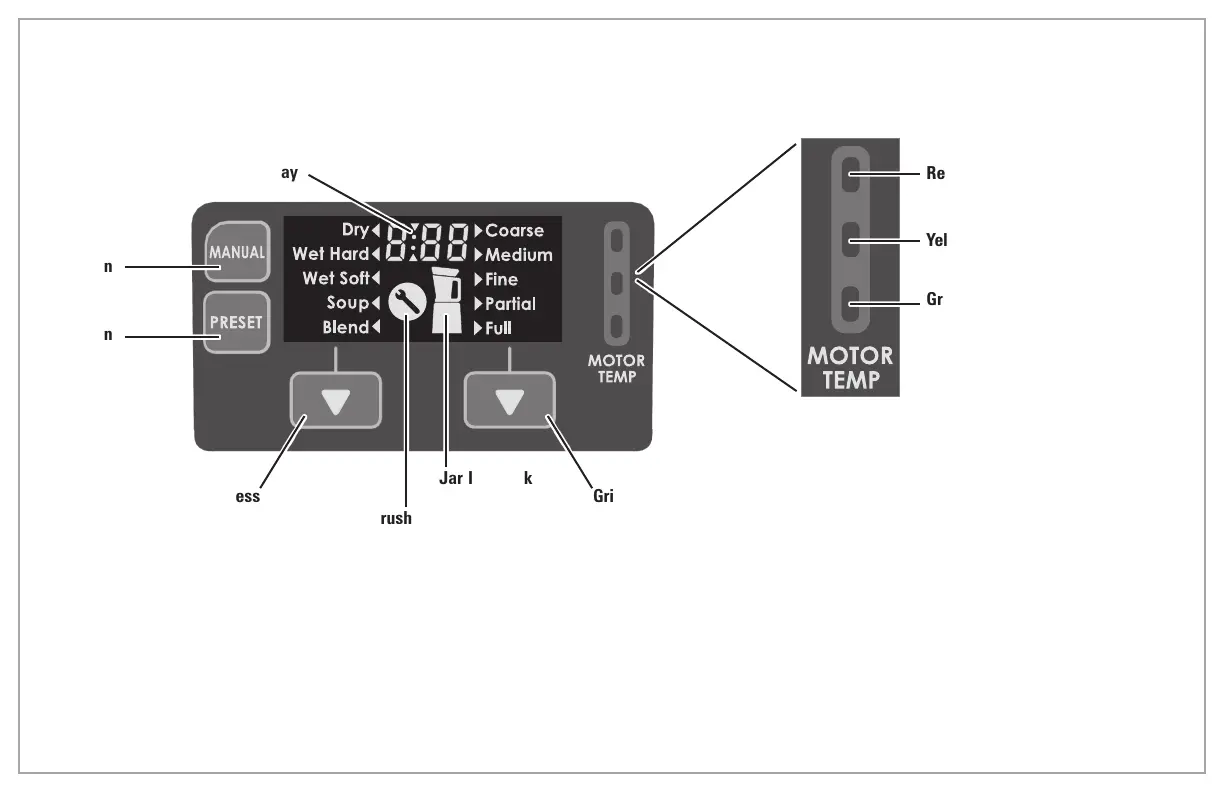
Control Panel
Timer Display
MANUAL
Selection
Button
PRESET
Selection
Button
Process
Selection
Button
Motor Brush
Replacement
Indicator
Jar Interlock
Status
Indicator
Grind
Selection
Button
Motor Temperature Status Indicator
Red – Motor will shut off. Let cool
before continuing.
Yellow – Motor temperature is
getting hot.
Green – Motor temperature is
normal.
Parts and Features (cont.)
Note: If yellow (or red) light comes on during
a cycle, continue cycle, but wait until unit
cools down to room temperature before
starting another cycle�


 To Next Page