9
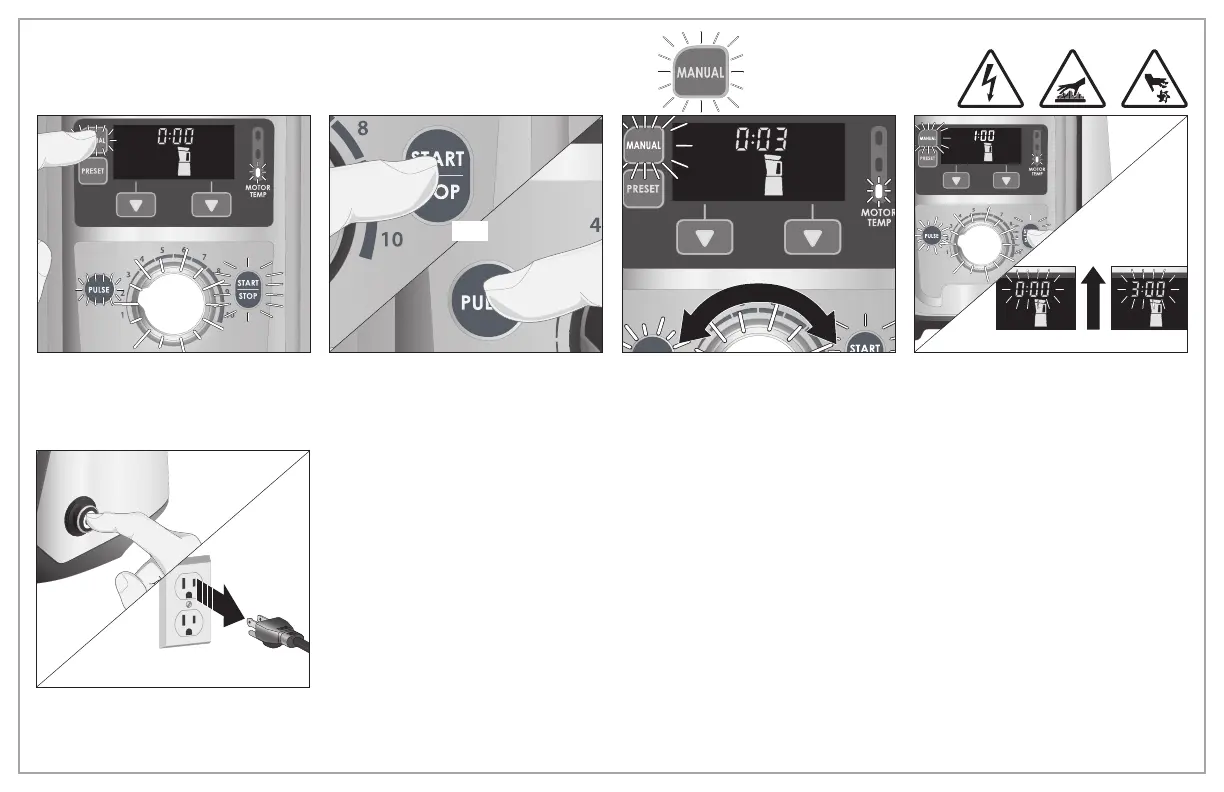
Operation – MANUAL
OR
1. If in PRESET operation, press MANUAL
Button. MANUAL operation is the
default setting when ON/OFF Button is
pressed.
2. Press START/STOP Button to begin
blending or press and pulse the PULSE
Button.
3. Turn Speed Selection Dial to increase or
decrease to desired speed.
4. Blender running time will count
up to 3:00 minutes MAX and will
automatically turn off. Or, press START/
STOP Button at any time to stop
Blender.
5. Press ON/OFF Button. Unplug from
outlet.


 To Next Page