4
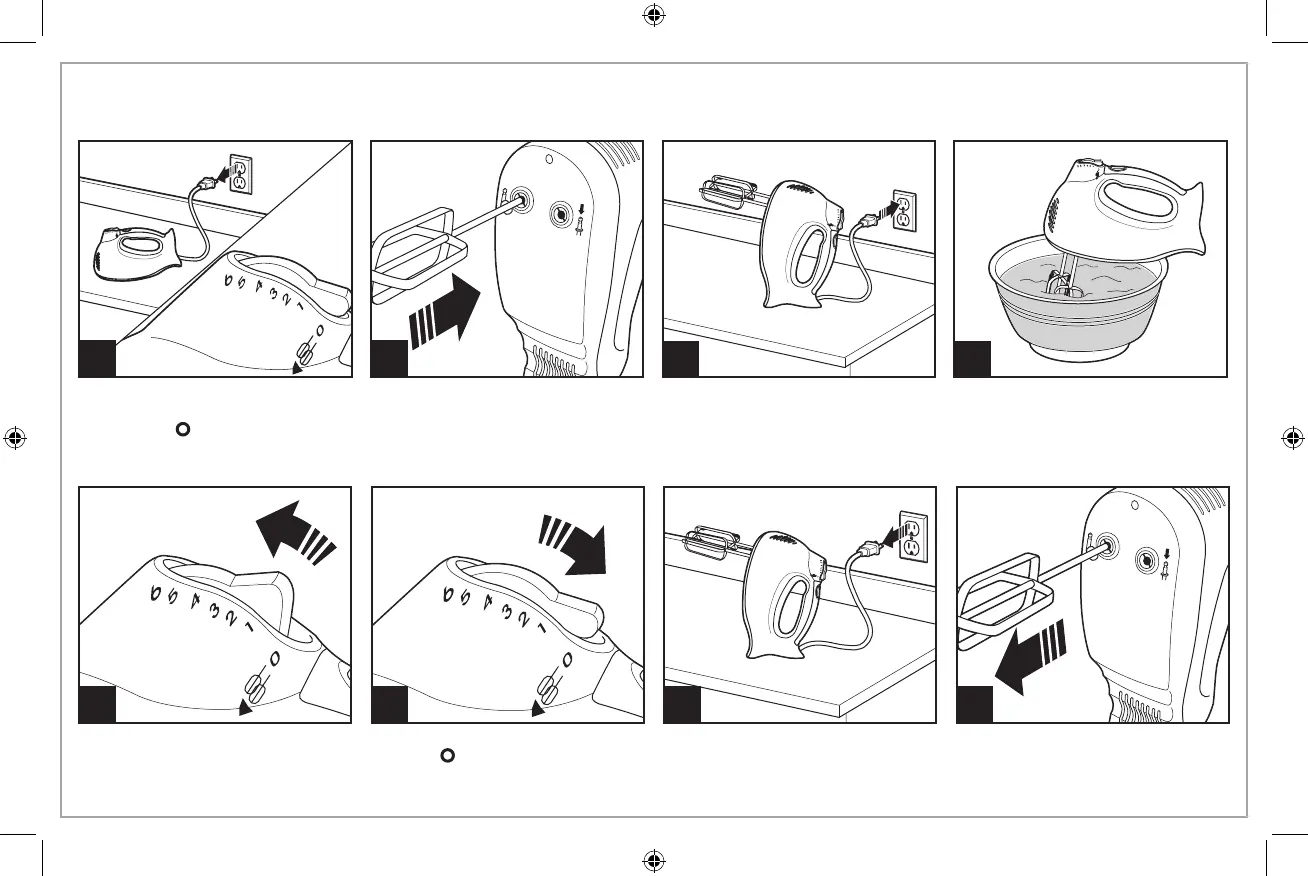
How to Use Your Hand Mixer
2
4
5
1
Always make sure mixer is
unplugged and speed control is
set to OFF ( ).
3
Move speed control to desired
speed. Start at 1 and increase
speed as needed.
6
When finished, turn speed control
to OFF ( ).
Unplug mixer. To eject attachments, push
straight down on the speed con-
trol.
Following diagrams on bottom
of mixer, insert desired attach-
ment(s) into proper openings on
bottom of mixer. Push and click
into place.
7 8



 To Next Page