98
IMPORTANT: The blender jar and cutting blade assembly are subject to
wear during normal use. Always inspect jar for nicks, chips, or cracks.
Always inspect cutting blade assembly for broken, cracked, or loose
blades. If jar or cutting blade assembly is damaged, do not use.
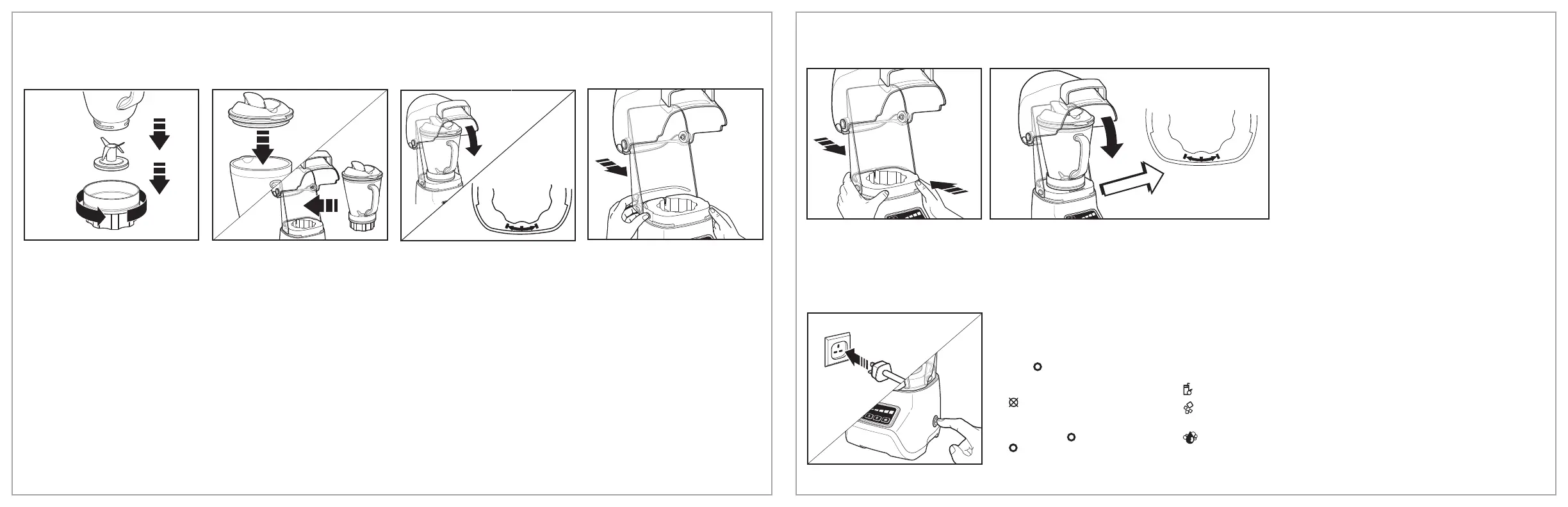
1. Make sure blender is
unplugged. Place blender
base on clean, dry surface.
Place cutting blade assembly,
blade side up, through
opening in blending jar before
twisting collar onto bottom of
jar. Add Ingredients.
2. Place lid on jar. Place blender
jar on base.
3. Jar handle should be placed
within the mark range.
4. To assemble back shield,
press both shield locking
buttons in while sliding back
shield around the base.
Using Your Blender
PROGRAM SETTINGS: Programs are optimized for recipe categories
and vary in blending speed and duration. The blender automatically
stops at the end of the program. Some recipes may require more or
less blending time.
(SMOOTHIE) – Blends frozen or fresh smoothies.
(ICE CRUSH) – Breaks ice into pieces small enough for slushies or
fine cocktails, using 1 to 1 1/2 cups (237 to 355 ml) ice cubes.
(
CLEAN) – Add 5 cups (1.2 L) warm water and two drops dish
detergent to blender jar before starting the program for easy cleaning.
Rinse and dry.
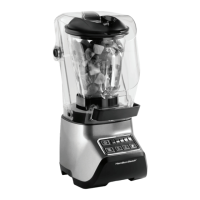
6. Close Quiet Shield. Blender will not operate until
the back Quiet Shield is locked at the right position
and the front shield door is completely in the
down position at the same time. Container handle
must be positioned inside marked range for quiet
shield to close and engage interlock.
5. To secure, press back shield
and blender base together.
7. Plug into outlet. Press ON (I)/
OFF (
) switch to turn on
power to blender. The control
panel will flash and CANCEL
(
) button will continue to
flash, indicating blender is
ready for blending. Press
ON (I)/OFF ( ) switch to OFF
( ) position anytime machine
is left unattended.
Using Your Blender (cont.)







 To Next Page