EasyManua.ls Logo

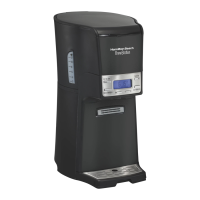
Hamilton Beach BrewStation 840123000 - User Manual

Hamilton Beach BrewStation 840123000
20 pages
Print Icon
To Next Page IconTo Next Page
Loading...
BrewStation
840123000
BrewStation Safety ........................ 2
Parts and Features ........................ 3
How to Make Coffee...................... 4
Optional Features .......................... 5
Cleaning Instructions .................... 7
Troubleshooting ............................ 9
Customer Service..........................10
In USA: 1-800-851-8900
In Canada: 1-800-267-2826
Thank You!
Thank you for purchasing a Hamilton
Beach BrewStation. What makes
BrewStation so unique is also what
makes it a little different in the
beginning. We hope you enjoy your
BrewStation.
Questions?
Call us first – our friendly associates
are ready to help you. Please don’t
return your product to the store.
840123000 ENv01.qxd 12/17/03 3:16 PM Page 1

Questions and Answers

  • W
    William EatonJul 29, 2025
    Why is my Hamilton Beach Coffee Maker not brewing?
    • W
      wolfjosephJul 29, 2025
      Your Hamilton Beach Coffee Maker may not be brewing due to several reasons: the water reservoir might be empty, the unit could be unplugged, there might have been a power outage, or a power surge may have occurred. In the case of a power surge, unplug the unit and then plug it back in. If you have a clock model, you may need to press the Auto ON/OFF button twice until the light glows. If the clock is blinking in program mode, press PROG once, then press ON/OFF until the indicator light glows.
  • B
    Billy CoxAug 14, 2025
    Why does my Hamilton Beach BrewStation 840123000 Coffee Maker coffee tastes bad?
    • T
      Tamara WhiteAug 14, 2025
      The taste of your coffee may be poor due to several reasons. It could be that the coffeemaker needs cleaning, you are using coffee grounds that are not automatic drip, the coffee-to-water ratio is unbalanced, or the water quality is poor. For unbalanced coffee-to-water ratio adjust for your personal preference. Try using filtered or bottled water to make coffee.

Summary

BrewStation Safety

IMPORTANT SAFEGUARDS

Essential safety precautions for operating electrical appliances to prevent fire, shock, or injury.

Consumer Safety Information

Guidance on household use, polarized plugs, extension cords, and circuit loading for safe operation.

Parts and Features

How to Make Coffee

Optional Features

Water Filter

Instructions for preparing, using, and replacing the water filter for optimal coffee taste.

Permanent Filter

Guide to using the reusable permanent filter as an alternative to disposable paper filters.

Optional Features (cont.)

To Set Clock

Step-by-step instructions for setting the clock on the BrewStation model.

To Program Automatic Brew

Guide to programming the automatic brew feature for scheduled coffee making.

Cleaning Instructions

To Clean the Inside of the BrewStation

Procedure for cleaning the internal components using vinegar to remove mineral deposits.

Cleaning Instructions (cont.)

To Clean Coffee Tank and Filter Basket

Washing recommendations for the coffee tank, drip tray, and filter basket in soapy water.

To Remove Coffee Stains from Coffee Tank

Using commercial cleaners and descalers to remove stubborn coffee stains from the coffee tank.

To Clean Coffee Grounds from Coffee Tank

Method for flushing coffee grounds from the dispensing mechanism to prevent clogs.

Troubleshooting

Customer Service

Limited Warranty

Details of the product's limited warranty, coverage, and claim procedures.

Hamilton Beach BrewStation 840123000 Specifications

General IconGeneral
BrandHamilton Beach
ModelBrewStation 840123000
CategoryCoffee Maker
LanguageEnglish

Related product manuals