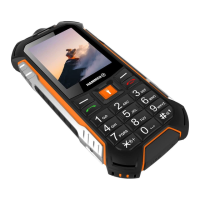
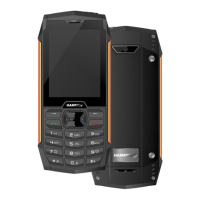
SKRÓCONA INSTRUKCJA OBSŁUGI SMARTFONA
HAMMER Iron 2
Nr partii: 201807
Tworzymy dla Ciebie.
Dziękujemy za wybranie urządzenia marki HAMMER. Produkt został
zaprojektowany z myślą o Tobie, dlatego robimy wszystko, aby korzystanie z
niego sprawiało Ci przyjemność. Zadbaliśmy, aby elegancja, funkcjonalność oraz
wygoda użytkowania łączyły się z przystępną ceną. W trosce o Twoje
bezpieczeństwo zalecamy uważne przeczytanie poniższej instrukcji obsługi.
Dane producenta:
mPTech Sp. z o. o.
ul. Nowogrodzka 31
00-511 Warszawa
Polska
E-mail: pomoc@myphone.pl
Infolinia: (+48 71) 71 77 400
Punkt dostarczania sprzętu:
mPTech Sp. z o. o.
ul. Krakowska 119
50-428 Wrocław
Polska
Wyprodukowano w Chinach
Instrukcja obsługi
Rzeczywisty produkt, dołączone do
niego akcesoria oraz niektóre jego
funkcje mogą różnić się od
prezentowanych na zdjęciach i
opisach w niniejszej instrukcji. Pełna
wersja instrukcji dostępna jest na
stronie produktu:
www.myphone.pl/iron2_an7
Aby otworzyć tę stronę wystarczy
zeskanować znajdujący się obok kod
QR.
1. Spis treści
1. Spis treści .......................................................................................................... 1
2. Bezpieczeństwo .............................................................................................. 2
3. Korzystanie z instrukcji obsługi ................................................................ 4
4. Ważne informacje .......................................................................................... 4
5. Zawartość zestawu ........................................................................................ 5
6. Przed pierwszym uruchomieniem ............................................................ 5
6.1 Montaż kart(y) SIM .......................................................................................... 5
6.2 Montaż karty pamięci ..................................................................................... 5

 Need help?
 General

 To Next Page