6
There are 5 brightness levels that can be selected:
Pressing the ame button on the control panel will cycle
through the ame settings.
The “ ” buttons on the remote will increase /
decrease ame output.
The thermostat knob controls the thermostat setting.
Turning the knob clockwise will increase
thermostat setting. Rotating the knob
counterclockwise will decrease the
thermostat setting.
When the heater reaches the thermostat setting it will
turn off until the room cools at which point the heater
will turn back on.
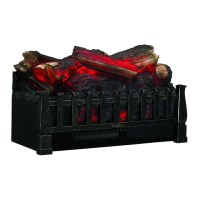
This button on the remote control plays or pauses the
undulating emberbed effect.
Operation
Operation
3 4
Turning the heat on and off
The HEAT button will turn ON/ OFF the heater.
Push the Power button to supply power to all
functions of the replace and put the unit in a
standby mode.
Push the Power button again to turn off all functions.
1 2
Powering the replace
NOTE:
Holding the heater button on the control
panel for 10 seconds will disable the heater
function.
NOTE:
All previous settings are held in memory, so the
next time you power up the replace, the unit will turn on
with the same settings.
Adjusting the ame
NOTE:
The control panel can be accessed at the right side of the replace.
Adjusting the thermostat
5
Playing the emberbed undulation effect


 To Next Page