36
EN
WIFI CONNECTION
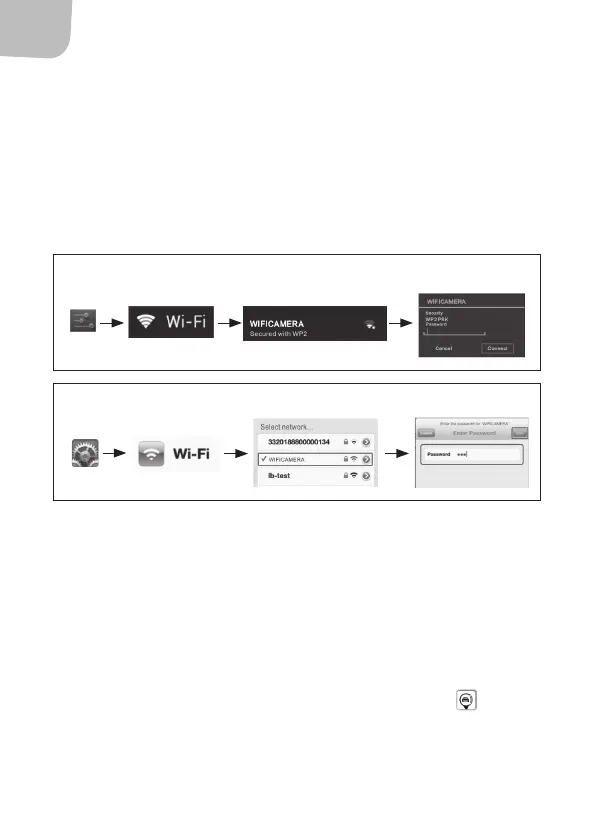
1. Start the car.
2. Press the icon for settings on the smartphone.
3. Press WiFi, select WIFICAMERA and connect the phone with WiFi
to the reversing camera. SSID for the reversing camera is
WIFICAMERA. Enter the password for the unit (standard
password is 88888888).
SHOW VIDEO IMAGE FROM THE REVERSING CAMERA.
NOTE:
• The image quality and updating frequency are aected by the
processor speed, available memory, software version and number
of active programmes in the phone.
• If the image is black or does not move, close the app and check
that the WiFi connection is normal. Press the app icon again to
activate the software interface.
Android
IOS Apple



 To Next Page