ENGLISH
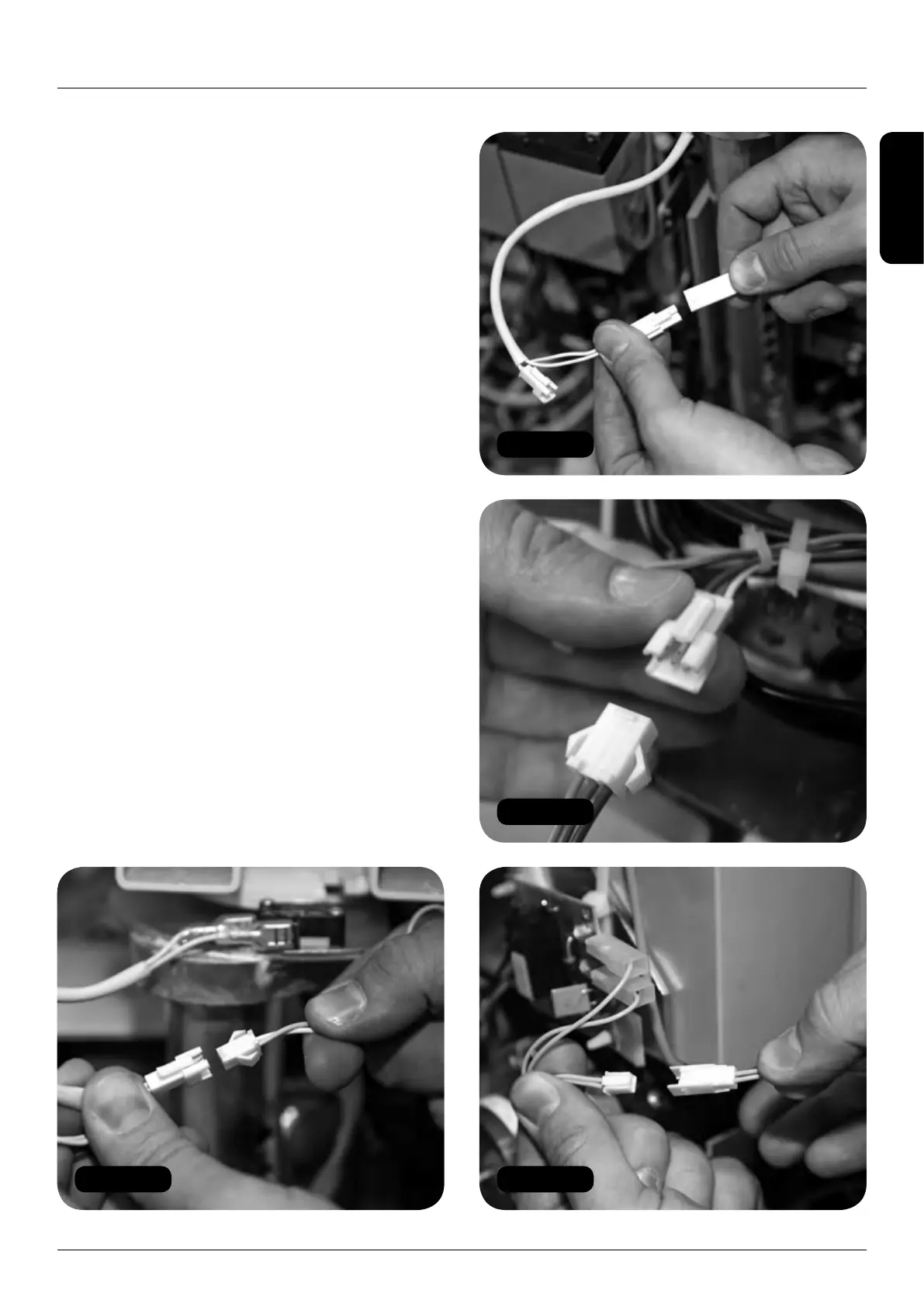
Figure 59
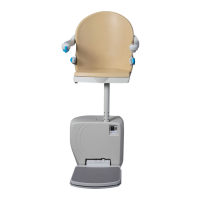
Figure 60
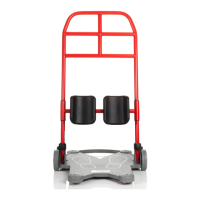
Figure 61
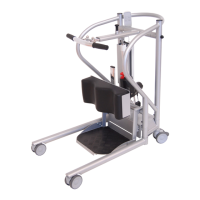
Figure 62
HANDICARE 2000 SIMPLICITY / STYLE INSTALLATION MANUAL 21
Electrical connections 2000 Simplicity seat (manual)
Electrical connections
2000 Simplicity seat
(manual)
Items required: Tools required:
• None • None
1 Make seat and footplate electrical connections:
a Connect the power switch (2 x red).
b Connect the diagnostic display (red, black
and yellow).
c Connect the key switch loom from the power
pack (orange and green) to the swivel switch
loom connector (2 x white). (Figure 59).
d Connect the seat to the swivel switch loom
connector (white) (Figure 60).
e Connect the toggle loom (orange, blue and
green) (Figure 61).
f Connect the infra-red receivers on the left
and right sides of the pack (blue sleeved).
Powered footplate only
g Connect the powered footplate looms
(twin yellow) (Figure 62).
h Connect the motor cables (red and black)
as per diagram on page 52.


 To Next Page