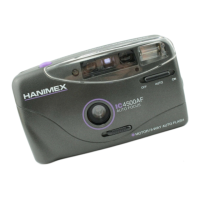
Loading Film
1. Slide the lens caver switch to open lens caver.
2.
Open the back caver by sliding the back caver latch downwards.
3.
lnsert the film cartridge
in
to the film chambe
r.
·
4. Pull a short length
of
film out until the tip
is
resting over the take-up
spool
Ensure that the
fi
lm lies flat across the film plane.
5. Depress and release the shutter button to rotate the take-up spool to
engage the
film. Check that the sprocket teeth engage the film
perforation and close the back caver.
6. Depress the shutter button a few times to advance the
film until the
number
"1" appears
in
the frame counter.
Auto Winding
Alter each exposure, lift your linger from the shutter button and the film
will
advance
to
the next frame automatically. The film counter a Iso maves
to
the next frame number.
3


 To Next Page
 Loading...