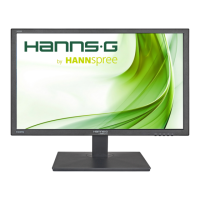
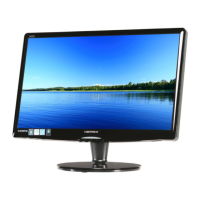
This document serves as a comprehensive user manual for the Hanns.G HE247 LCD Monitor, providing essential information for its safe and effective operation, installation, and maintenance. The monitor is designed to offer a crisp, clear display for various applications, emphasizing energy efficiency and ergonomic design.
Function Description
The Hanns.G HE247 is a 60cm / 23.6" wide-screen TFT color LCD monitor. Its primary function is to serve as a visual output device for computers and other compatible systems. It supports both analog (VGA) and digital (DVI) input sources, allowing for flexible connectivity with a wide range of devices. The monitor is equipped with an internal universal power supply, enabling operation in different voltage areas (100/120V AC or 220/240V AC) without requiring user adjustment. Integrated audio capabilities, if present in the specific model, allow for sound output directly from the monitor, eliminating the need for external speakers in some setups. The monitor also features a Plug & Play DDC2B capability, which allows it to communicate its identity and display capabilities to the host system, simplifying setup and configuration.
Usage Features
The monitor offers a variety of features designed to enhance the user experience:
- Display Quality: The HE247 provides a crisp and clear display, suitable for Windows environments. It is a GP Green Product and EPA ENERGY STAR® certified, indicating its commitment to environmental protection and energy efficiency.
- Ergonomic Design: The monitor incorporates an ergonomic design, allowing for comfortable viewing. Users can adjust the monitor's viewing angle from -5° to 15° to find their preferred position.
- Space-Saving Design: Its compact case design contributes to space-saving, making it suitable for various desk setups.
- On-Screen Display (OSD) Menu: The monitor features an intuitive OSD menu, accessible via front panel control buttons. This menu allows users to customize various display settings to their personal preferences.
- Brightness/Contrast Adjustment: Users can adjust the brightness and contrast values to suit their viewing environment. An "Active Contrast" option automatically detects dark and light areas of an image to enhance contrast for clearer, sharper visuals, especially for high-contrast images or videos.
- Preset Modes: The monitor offers preset modes such as PC, MOVIE, GAME, and ECO, allowing users to quickly optimize display settings for different content types. The ECO mode further enhances energy saving.
- Input Source Selection: Users can easily switch between analog (VGA) and digital (DVI) input sources through the OSD menu. For models with digital inputs, an "Auto Search" function can automatically detect the active signal.
- Color Settings: The monitor provides options to adjust color temperature (WARM, NATURE (6500K), COOL) or fine-tune individual RGB color levels (Red, Green, Blue) to achieve desired color accuracy.
- Image Adjustment: For VGA input, an "Auto Adjust" function optimizes horizontal position, vertical position, clock, and phase, ensuring a perfectly aligned and stable image.
- Aspect Ratio Control: When the screen's aspect ratio is distorted, the "Aspect Ratio" function allows users to choose between "FULL" for a full-screen display or "FIT" to scale the image proportionally, which may result in black bands but preserves the original image scale.
- Sharpness Adjustment: Users can adjust the sharpness of the display from -2 to 2 to achieve desired image clarity.
- Video Mode: For video transmission, particularly when using HDMI or HDMI to DVI ports, users can select "VIDEO MODE" or "PC MODE." "PC MODE" is recommended for viewing videos with complete images, as "VIDEO MODE" might slightly cut off the edges. This feature is specifically for inputs supporting HDCP video (YUV format).
- Response Time: Certain models offer a "Response Time" function with settings like MINIMUM, INTERMEDIATE, and MAXIMUM, allowing users to optimize the display's response for fast-moving content.
- OSD Customization: The OSD menu itself can be customized, including language selection, horizontal and vertical positioning, transparency, and time-out duration. Users can also choose from different color combinations for the OSD window.
- Audio Input Management: For models with HDMI input, the "AUDIO INPUT" setting allows users to select between HDMI and PC audio input. If no sound is outputted via HDMI, switching to PC audio input and ensuring the audio cable is connected to the monitor's LINE IN port is recommended.
- Volume Control: For models with incorporated audio, the volume level can be adjusted through the OSD menu. A "MUTE" function is also available.
- DDC/CI Support: The monitor supports DDC/CI (Display Data Channel/Command Interface), which allows for communication between the monitor and the computer, enabling automatic configuration and control.
- Factory Reset: A "FACTORY RESET" option is available to restore all monitor settings to their default values.
- Information Display: The monitor can display information such as horizontal frequency, vertical frequency, and resolution.
Maintenance Features
Proper maintenance ensures the longevity and optimal performance of the Hanns.G HE247 LCD Monitor:
- Cleaning: To keep the monitor looking new, it should be periodically cleaned with a soft cloth. Stubborn stains can be removed with a cloth lightly dampened with a mild detergent solution. It is crucial to unplug the monitor before cleaning to prevent electric shock. Strong solvents like thinner, benzene, or abrasive cleaners should never be used, as they can damage the cabinet.
- Storage and Shipping: It is recommended to save the original shipping box and packing materials. These will be useful if the monitor ever needs to be shipped, ensuring maximum protection during transit. The monitor should be repackaged as it was originally packed at the factory.
- Environmental Considerations: The monitor should not be installed near heat sources (radiators, air ducts), in direct sunlight, or in areas with excessive dust or mechanical vibration/shock. Proper ventilation is essential; slots and openings on the cabinet should not be blocked or covered to prevent overheating. The monitor should not be placed on soft surfaces like beds or sofas, or near radiators/heat registers. If placed in a bookcase or cabinet, adequate ventilation must be provided.
- Power Management: To protect the monitor from power surges, it should be unplugged during lightning storms or when it will not be used for extended periods. Power strips and extension cords should not be overloaded, as this can lead to fire or electric shock.
- Safety Precautions: Users are warned against opening the monitor cabinet due to dangerously high voltages inside. All servicing should be referred to qualified personnel. No objects should be pushed into the monitor's slots, and liquids should never be spilled on it. The wall socket for the power cord should be easily accessible.
- Troubleshooting: The manual provides a comprehensive troubleshooting section for common problems such as no power, no Plug & Play, display issues (dark/bright, bouncing, color defects), and no sound. Solutions often involve checking cable connections, adjusting OSD settings, or ensuring the computer's video card and drivers are properly configured.
- Windows 7 Compatibility: Specific addendum for Windows 7 users addresses display problems, recommending checks for PC hardware and video card compatibility, and installation of the latest Windows 7 video drivers. It also suggests using recommended display resolutions.

 Need help?
 General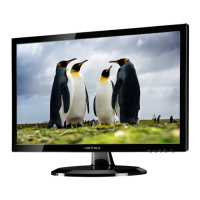

 To Next Page