This document serves as the User's Manual for the Hanns.G HS246 (HSG1315) LCD Display, providing comprehensive instructions for its operation, installation, and maintenance. It is designed to guide users through setting up and utilizing the monitor effectively, ensuring a smooth and optimal viewing experience.
Function Description
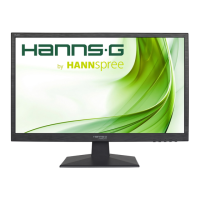
The Hanns.G HS246 (HSG1315) is a 59.8cm / 23.6" Wide Screen PLS Color Monitor, primarily designed for displaying visual content from a computer or other compatible devices. Its core function is to provide a crisp and clear display, particularly optimized for Windows environments. The monitor incorporates High-Definition Multimedia Interface (HDMI™) technology, allowing for high-quality digital audio and video transmission. It supports various input sources including VGA, HDMI, and Audio, making it versatile for different setups. The monitor is equipped with an internal universal power supply, enabling operation in both 100/120V AC and 220/240V AC voltage areas without requiring user adjustment. It also features Plug & Play DDC2B capabilities, which allow it to communicate its identity and display capabilities to the host system, ensuring proper configuration.
Usage Features
The monitor is designed with several features to enhance user experience and convenience:
- Ergonomic Design: The monitor allows for adjustment of the viewing angle, ranging from -5° to 20°, to achieve optimal viewing comfort. Users are advised to hold the stand firmly when adjusting the angle to prevent the monitor from toppling.
- Control Panel: The front panel of the monitor includes several control buttons:
- MENU/Enter: Activates the On-Screen Display (OSD) menu and confirms selections.
- Adjust (Left/Right Arrows): Used to change input sources and audio volume when the OSD is off, or to navigate through adjustment icons and modify functions when the OSD is active.
- AUTO Button: Returns to the previous OSD menu and performs auto-adjustment for VGA input, optimizing horizontal position, vertical position, clock, and phase.
- Power Button: Turns the monitor ON or OFF.
- On-Screen Display (OSD) Menu: The OSD menu provides extensive options for customizing the display:
- BRIGHTNESS/CONTRAST: Adjusts the contrast and brightness levels to suit user preferences.
- Color Temp: Allows selection of color temperature values (9300/6500/5500) or user-defined RGB levels.
- USER: Enables fine-tuning of individual Red, Green, and Blue color levels.
- Auto Adjust: Automatically optimizes display settings for VGA input, including H-POSITION, V-POSITION, CLOCK, and PHASE.
- Color Adjust: Optimizes CONTRAST, BRIGHTNESS, and COLOR TEMP.
- IMAGE SETTING:
- H-position: Shifts the screen image horizontally (for VGA only).
- V-position: Shifts the screen image vertically (for VGA only).
- Clock: Reduces vertical flicker of characters (for VGA only).
- Phase: Reduces horizontal flicker of characters (for VGA only).
- OSD SETTING:
- Language: Changes the OSD menu language.
- OSD H. Pos. / OSD V. Pos.: Adjusts the horizontal and vertical position of the OSD menu itself.
- OSD Timer: Sets the OSD timeout duration (3 to 60 seconds).
- Transparency: Adjusts the transparency of the OSD menu.
- SYSTEM:
- Mode: Selects display modes such as PC, GAME, or MOVIE (availability depends on the model).
- Audio Volume: Adjusts the sound level for models with incorporated audio. A warning is provided regarding the risk of hearing damage at high volumes.
- Signal Source: Allows switching between analog (VGA) and digital (HDMI) input sources.
- Aspect Ratio: Changes the display aspect ratio (16:9, AUTO, 4:3).
- Active Contrast: Toggles the active contrast function On or Off.
- RESET: Resets all monitor settings to their default values.
- Connectivity: The monitor offers multiple connection options for flexibility:
- VGA input for analog video signals.
- HDMI input for digital video and audio signals.
- Audio input for connecting to a PC's audio output.
- DC input for power.
- Power Management: The monitor features a power indicator that shows green for "Power On mode" and orange for "Power Saving mode," helping users monitor power consumption. It is also a GP Green Product, indicating energy efficiency.
- Troubleshooting Guide: The manual includes a comprehensive Q&A section for general problems and error messages, offering possible solutions for common issues like "Power LED is not on," "No Plug & Play," "The display is too dark or too bright," "Picture bounces or a wave pattern is present," "No video or no picture," "Missing primary colors," "Screen image not centered or sized properly," "Picture has color defects," "Screen resolution needs adjustment," and "No sound outputted." Specific guidance is provided for Windows 7/Windows 8 display problems, recommending driver updates and trying different display resolutions.
Maintenance Features
Proper maintenance is crucial for the longevity and optimal performance of the monitor:
- Cleaning: The monitor should be cleaned periodically with a soft cloth. Stubborn stains can be removed with a cloth lightly dampened with a mild detergent solution. Strong solvents like thinner, benzene, or abrasive cleaners should never be used as they can damage the cabinet. For safety, the monitor should always be unplugged before cleaning.
- Storage and Handling:
- Users are advised to save the original shipping box and packing materials, as they are useful for safely transporting the monitor if needed. For maximum protection, the monitor should be repackaged as it was originally packed at the factory.
- The monitor should not be installed near heat sources (radiators, air ducts), in direct sunlight, or in areas with excessive dust or mechanical vibration or shock.
- Ventilation: Slots and openings in the back and bottom of the cabinet are provided for ventilation. These openings must not be blocked or covered to ensure reliable operation and prevent overheating. The monitor should not be placed on a bed, sofa, rug, or similar surface, nor near or over a radiator or heat register. If placed in a bookcase or cabinet, proper ventilation must be provided.
- Power Safety:
- The power cord must be of the correct type for the user's area.
- Power strips and extension cords should not be overloaded to prevent fire or electric shock.
- The unit should be unplugged during lightning storms or when it will not be used for long periods to protect it from power surges.
- The wall socket should be easily accessible and near the equipment.
- Liquid and Object Intrusion: Never spill liquids on the monitor or push any objects into the cabinet slots, as this could cause short circuits, fire, or electric shock.
- Servicing: Users should not attempt to service the monitor themselves. Opening or removing covers can expose users to dangerous voltages and other hazards. All servicing should be referred to qualified service personnel.
- Environmental Responsibility: Hanns.G emphasizes its commitment to environmental protection and encourages users to recycle the product appropriately at the end of its life. The manual provides information on where to find more details about recycling.

 Need help?
 General





 To Next Page
