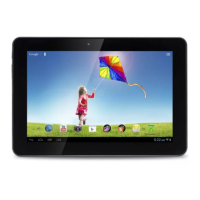
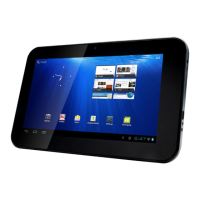
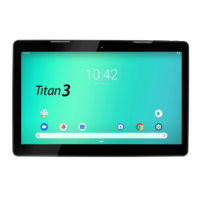
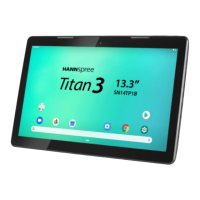
This document describes the HANNspad SN14TP4 (HSG1416), a tablet PC designed for various multimedia and productivity tasks.
Function Description:
The HANNspad SN14TP4 is a versatile tablet PC that allows users to browse the internet, manage applications, view media, and perform other computing tasks. It features a front camera for video chatting and self-portraits, and a back camera for taking pictures and recording videos. The device includes built-in speakers for audio output and a microphone for audio input. Connectivity options include Wi-Fi for internet access, Bluetooth for connecting to other devices, and USB ports for data transmission and charging. It also supports HDMI output for connecting to external displays.
Important Technical Specifications:
- Operating System: Android 10
- Processor: MTK8183 Cortex-a73 Octa 2.0 GHz
- Memory: 3GB
- Storage: 32GB eMCP internal storage, expandable via Micro SD card (up to 32GB)
- Display: 13.3 inch, 1920x1080 resolution, Capacitive type, Multi-touch LCD Panel with LED backlight, 250 cd/m² brightness
- Cameras: Front camera: 5MP, Rear camera: 5MP (AF)
- Connectivity:
- WLAN: 802.11 a/b/g/n+ac
- Bluetooth: BT5.0
- USB 2.0: USB-A to Type-C cable
- Type-C Port: Connects to a PC using the supplied Type-C cable.
- Micro USB Port: Connects to a PC using the supplied USB cable.
- HDMI Input: Output images using HDMI cable (sold separately) to an HDMI television or display device.
- Audio: 3.5mm earphone jack, 8ohm, 1W x2 speakers
- Battery: 3.7V Li-Polymer, 10000mAh
- Battery Life: >= 5 hours @ 720p Video playback, WiFi off, WebCam off, brightness 80%, Volume 50%
- Battery Operating Temperature: Standard charge: 0~450C, Discharge: 0~550C
- Adaptor: AC 100V~240V, DC 5V/3A
- Dimensions: 336.1mm x 219.2mm x 11.8mm
- SAR Value: Highest CE SAR value for the device is 0.7 W/Kg (SAR limit is 2.0 W/Kg)
- Compliance: Radio Equipment Directive 2014/53/EU, EMC Electromagnetic Compatibility Directive 2014/30/EU, Low Voltage Directive 2014/35/EU.
Usage Features:
- Power Management: To power on, press and hold the power key for 3 seconds. To power off, press and hold the power key until the option menu appears, then select "Power off" and tap OK. The device uses a built-in polymer battery that should be fully charged before first use. Charging time is approximately 6 hours for the first two charges, and 4.5 hours for subsequent charges.
- Navigation: The Android interface includes a Status Bar for notifications and system icons, a Widget (Google Search) for text input search, and default Android applications accessible by tapping their icons. The Navigation Bar includes a Back key to return to the previous screen, a Home key to return to the Home screen, and a Switch app key to view recently accessed applications or directly access an icon.
- Wi-Fi Connectivity: The device easily connects to Wi-Fi networks. To configure, drag down the status bar, tap SETTINGS, and turn on Wi-Fi. The device will search for available networks. Tap an access point name to connect; if protected, enter the password. The device remembers previously connected networks and automatically connects when in range.
- Data Transfer: Connect the device to a PC using the supplied USB-A to Type-C cable for data transfer or to power up the device. Note that the device may not turn on if battery power is below 4%.
- Micro SD Card Usage: The device supports up to 32GB Micro SD card expansion. To insert, place the card with prints facing the front of the device and push until firmly seated. To remove, push the card slightly inward to release it, then gently pull it out.
- Application Management:
- Adding Shortcuts: Long press an application icon from the application menu and drag it to the Home screen.
- Moving Shortcuts: Long press an application icon on the Home screen until gridlines appear, then drag to the desired location.
- Removing Shortcuts: Long press an application icon on the Home screen, drag it towards the "X" at the top of the screen until it turns red, then release.
- Creating Folders: Drag one application icon over another similar application icon and release to automatically create a folder.
- Customizing Home Screen: Long press the touch-screen to access the Wallpaper option menu and choose a default wallpaper or a photo stored on the device.
- Preventing Hearing Loss: Caution is advised when using earphones or headphones at high volume for prolonged periods to prevent permanent hearing loss. The device complies with EN 50332-1 and/or EN 50332-2 standards for sound pressure levels.
Maintenance Features:
- Battery Care:
- Avoid high temperatures (over 35°C) or low temperatures (below 0°C).
- Stop using the device immediately if the battery appears "inflated" and contact a repair center.
- Only use the device within suitable operating temperature environments (preferably not exceeding 40°C).
- Avoid constantly depleting the battery to the point of forced shut down.
- If not used for 1-2 months, keep the tablet charged to at least 40-50%.
- Discharge and then charge the battery once a month if the device will not be used for a long time.
- Battery damage from depletion or unauthorized chargers is not covered by warranty.
- Do not attempt to replace the battery yourself; it should only be replaced by HANNspree or an authorized service provider.
- Do not incinerate the battery.
- General Device Care:
- Avoid violent knocks to the main machine.
- Do not let the device come into contact with chemicals like benzene or thinner.
- Keep the device away from strong magnetic or electric fields, direct sunlight, or heating appliances.
- Never privately disassemble, repair, or modify the device.
- Do not use the device and earpiece during bicycling, car, or motorcycle driving.
- Charge the device when the battery icon shows no power, the system automatically shuts down, the operating button does not respond, or the red battery icon is displayed.
- System Firmware Update: Android devices automatically receive over-the-air (OTA) updates. To manually check for updates, go to Settings > System > System update > Check for update.
- Factory Reset: To reset the device to factory defaults, go to Home screen > Settings > System & Reset options > Erase all data (factory reset). Leave the "erase SD card" option unchecked and tap "Erase all date" twice. This will permanently erase all information on the device.
- Recycling Information: The device contains recyclable materials. Dispose of the battery properly; do not throw it in municipal waste. Contact relevant institutions for recycling information. Further details are available at http://www.hannspree.eu/.

 Need help?

 To Next Page
 General