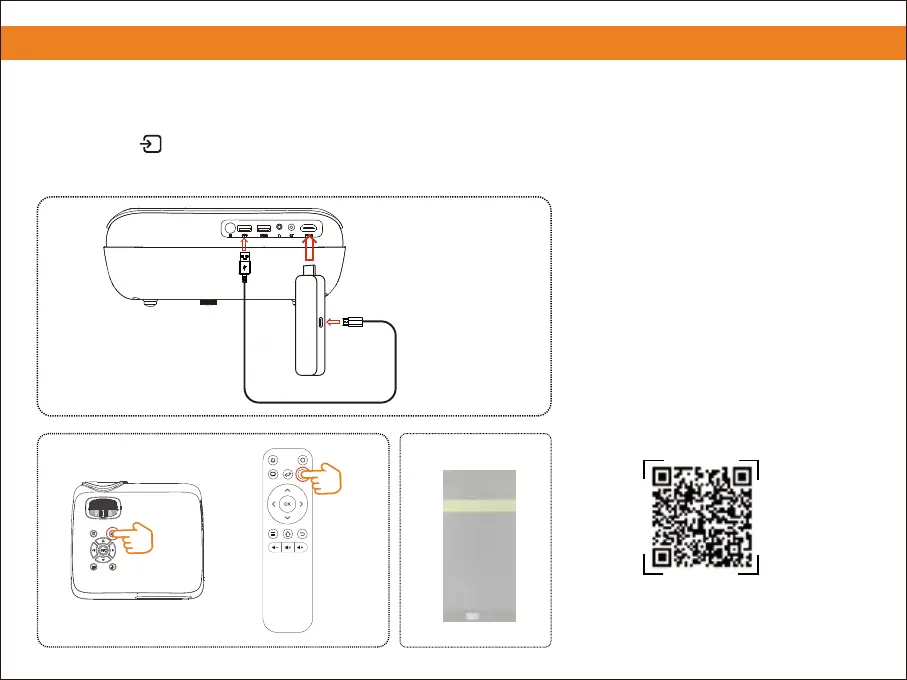
7. Connecting to a Streaming Stick
① Plug the power cord in the TV stick.
② Plug the 'USB' and 'HDMI' from the TV stick in the projector.
③ Press the button and choose 'HDMI'.
10
Please scan the QR code to watch
the video for detailed steps.
Note: If you want to adjust the volume of
the projector, use the remote control that
comes with the projector.
Streaming Stick
② ②
①
③
③
Input Source
Media Player
Enter
AV
HDMI
or


 To Next Page