
 Need help?
Do you have a question about the Hardy HI 4050 and is the answer not in the manual?
Introduces the manual and the HI 4050 Weight Controller, emphasizing safety procedures.
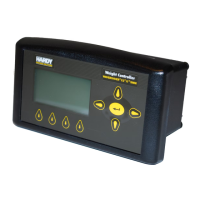
Details the HI 4050 as a single-channel weight controller with various configurations.
Covers EtherNet/IP, DeviceNet, Modbus TCP/IP, RIO, ControlNet, and PROFIBUS protocols.
Explains technology to eliminate vibratory forces for stable weight readings.
Describes electronic calibration without certified test weights.
Procedure for inspecting and verifying package contents.
Covers installing the unit in a panel, wall, or DIN rail.
Instructions for connecting load cells and signal cables.
Details for connecting AC and DC power supplies.
Instructions for installing and wiring various network option cards.
Steps for setting up Ethernet connectivity and IP addressing.
Instructions for configuring IP addresses for LAN or Direct Connection.
Step-by-step guide for DeviceNet setup via web or front panel.
Setting up analog output card via web or front panel.
System for protecting access and functions via codes.
Steps before calibration, including mechanical and electrical checks.
Electronic calibration without certified test weights.
Calibration using physical test weights.
Explanation of the mapping process, equations, and data types.
Detailed example of mapping to a network output.
Mapping Boolean variables and operations.
Using command interface for parameter read/write.
Pre-operation checks for installation and calibration.
Overview of the physical front panel interface and buttons.
Zeros the scale to within tolerance.
Sets Net Weight to 0.
Configuring set points for operations.
List and explanation of common error messages.
Using IT software for diagnostics.
Troubleshooting steps for blank display.
Procedure for downloading and installing firmware.
Explanation of GMT and time zones.
 General
| Brand | Hardy |
|---|---|
| Model | HI 4050 |
| Category | Controller |
| Language | English |

 To Next Page
