
 Need help?
Do you have a question about the Harman dbx di1 and is the answer not in the manual?
Brief welcome and introduction to the dbx di1 direct box.
Connecting instruments like bass or guitar directly to a PA system.
Details the controls and connectors on the front of the unit.
Details the connectors and switches on the rear of the unit.
Covers battery installation, power source selection, and LED indicators.
Details input and output connector types and connections.
Adjusts signal level to prevent overload from hot sources.
Eliminates ground loop hum by disconnecting ground connection.
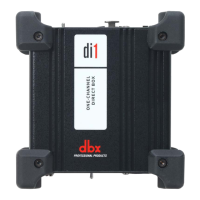
The dbx di1 Active Direct Box is a versatile tool designed to ensure audio signals reach their intended destination free from unwanted noise and in a balanced format, making it ideal for both studio and live sound applications. Its primary function is to convert an unbalanced audio signal, such as that from an electric guitar or bass, into a balanced audio signal suitable for transmission over longer distances without signal degradation. This conversion is crucial because balanced signals are less susceptible to noise pickup, especially common-mode noise induced by external electromagnetic fields or ground loops.
A key aspect of the di1's functionality is its impedance matching capability. Instruments with passive pickups, like many electric guitars, typically have high-impedance outputs. Driving a long cable with a high-impedance signal can lead to significant signal loss and increased noise. The di1 addresses this by converting the high-impedance output of an instrument to a low-impedance output, thereby improving the ability to run longer cable lengths with greater signal integrity. This makes it possible to connect instruments directly to a mixing console's mic pre-amp input, bypassing the need for a microphone and offering a cleaner, more direct signal path.
The di1 is also an integral part of the HARMAN Connected PA™ system, which leverages ioSYS™ technology. This integration allows the di1 to automatically identify and configure with other connected PA equipment via a single app, simplifying setup and control. This feature is particularly beneficial for musicians who want to achieve a great sound quickly and efficiently, allowing them to focus more on their performance.
One of the most common applications for the di1 is the direct insertion of an instrument into a PA system. For instance, getting the signal from a bass guitar into the PA system is often challenging with microphones due to the difficulty in miking low frequencies effectively. Using a DI box like the di1 provides a superior solution, ensuring a clear and robust bass signal. Similarly, it's highly effective for connecting acoustic guitars with pickups or guitar signal processors directly to the PA. This direct connection also allows the front-of-house engineer to adjust the instrument's signal for the PA system independently, without affecting the sound the musician hears on stage.
The di1 offers several usage features that enhance its flexibility and performance. It includes an attenuation switch, which allows the incoming source signal to be attenuated by 20 dB or 40 dB. This is particularly useful when dealing with "hot" signals that might otherwise overload the direct box, ensuring a clean signal without clipping. Another important feature is the ground lift switch. This switch enables or disables a continuous connection between the input and output ground connections. By lifting the ground, users can effectively eliminate ground loop hum problems that often arise between interconnected audio devices, leading to a quieter signal.
For input, the di1 provides both TS (Tip/Sleeve) and XLR unbalanced connectors on the front panel, accommodating a wide range of instruments and audio sources. On the rear panel, it offers both TS unbalanced and XLR balanced outputs. The TS unbalanced "Link Input" connector serves as a parallel output of the incoming signal, allowing for pass-through connection. This is convenient for on-stage monitoring, such as connecting to an on-stage bass amplifier while simultaneously sending the balanced signal to the mixer. The XLR output connector is wired for standard balanced connections: Pin 1 for Ground, Pin 2 for (+) Signal, and Pin 3 for (-) Signal, ensuring compatibility with professional mixing consoles and other receiving units.
Powering the di1 is flexible, with options for a standard 9V battery or phantom power. The unit features a secured battery compartment with a removable metal cover for easy installation or replacement of a 9V battery. A battery LED indicator illuminates to confirm that battery power is enabled and the unit is ready for operation. Additionally, a phantom power LED indicator lights up when phantom power (ranging from +18V DC to +48V DC) is detected from the connected mixer. A selector switch allows users to choose between battery power, 48V phantom power, or the Connected PA option. To preserve battery life, it is recommended to set this switch to 48V or CPA when not in use, as these options disable the battery power. The sturdy metal chassis ensures durability, making it suitable for the rigors of both studio and road use.
In terms of maintenance, the di1 is designed for straightforward operation. The battery compartment is easily accessible for battery replacement. The robust metal chassis provides protection for the internal components, minimizing the need for frequent maintenance. Users are encouraged to register their product online and retain their original purchase receipt for warranty service. In case of technical issues, dbx provides technical support and service. Before returning a product for service, users should refer to the manual to ensure correct installation and operating procedures have been followed. If service is required, obtaining a Return Authorization Number from dbx Technical Support is mandatory. After the warranty period, a reasonable charge will be applied for parts, labor, and packing. For returns, using the original packing material, marking the package as "DELICATE INSTRUMENT, FRAGILE!", insuring it properly, and shipping prepaid are recommended practices to ensure the device arrives safely for service.
 General
| Ground Lift | Yes |
|---|---|
| Signal to Noise Ratio | > 100 dB |
| Type | Direct Box |
| Input Connectors | 1/4" |
| Output Connectors | XLR |
| Frequency Response | 20Hz - 20kHz |
| Output Impedance | 600 ohms |
| Attenuation | -40dB |
| Power Supply | Passive, no power required |
| Input | 1/4" unbalanced |
| Output | Balanced |

 To Next Page