
 Need help?
Do you have a question about the Harman JBL BAR 2.0 PLUS and is the answer not in the manual?
Details the buttons and status lights on the soundbar for operation and feedback.
Describes the various ports on the soundbar for audio input, power, and updates.
Explains the functions of each button on the soundbar's remote control for easy operation.
Instructions for positioning the soundbar on a flat, stable surface.
Step-by-step guide for securely mounting the soundbar onto a wall.
Methods for connecting the soundbar to a television via HDMI or optical cable.
Guide to pairing and connecting the soundbar with Bluetooth-enabled devices.
Details on how to power the soundbar on, its standby mode, and automatic wake-up features.
Instructions for initial setup and connection of the optional JBL Bar 2.0 Subwoofer.
How to enjoy TV audio through the soundbar speakers after connecting.
Steps to stream audio wirelessly from a Bluetooth device to the soundbar.
How to adjust the bass level for the soundbar and subwoofer.
Adjusting audio delay to synchronize sound with video content.
Explanation of smart mode for rich sound effects and how to switch to standard mode.
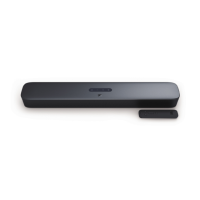
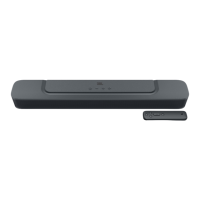
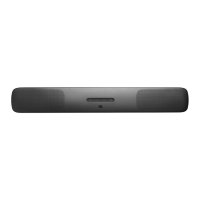
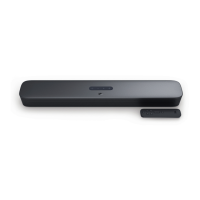
The JBL Bar 2.0 Plus is a soundbar designed to enhance your home entertainment system with an extraordinary sound experience. This owner's manual provides comprehensive instructions for setting up, operating, and maintaining the device, ensuring you can make the most of its features.
The JBL Bar 2.0 Plus functions primarily as a soundbar, delivering high-quality audio for your television and other digital devices. It is designed to provide a rich sound experience, making movies, music, and TV shows more immersive. The soundbar can be connected to your TV via an HDMI ARC cable or an optical cable, offering flexibility in setup. For wireless audio streaming, the soundbar supports Bluetooth connectivity, allowing you to play audio from your smartphone, tablet, or laptop.
The device features a set of controls and indicators on its top panel, including power, volume adjustment, and source selection. These controls allow for easy interaction with the soundbar. The included remote control provides additional convenience, offering dedicated buttons for TV source, Bluetooth, bass level adjustment (if a subwoofer is connected), smart sound mode, volume, and mute functions.
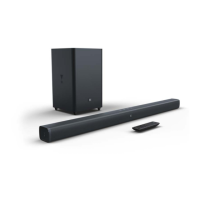
A key feature of the JBL Bar 2.0 Plus is its ability to integrate with a JBL BAR 2.0 SUB subwoofer (sold separately), providing enhanced bass performance. The manual details the first-time setup for connecting this subwoofer, ensuring a seamless audio experience.
The soundbar also supports a "Smart mode" for sound settings, which applies EQ settings and JBL Surround Sound for rich sound effects, ideal for most TV programs. For content like news or weather forecasts, a "Standard mode" can be selected to reduce sound effects, providing clearer audio.
Setting up the JBL Bar 2.0 Plus is straightforward. For desktop placement, the soundbar should be placed on a flat and stable surface. If wall-mounting is preferred, the manual provides detailed step-by-step instructions and a wall-mounting template to ensure proper installation. It's crucial to ensure the wall can support the soundbar's weight and that cables are properly connected before mounting.
Connecting the soundbar to your TV is facilitated by either the supplied HDMI cable or an optical cable (sold separately). The HDMI ARC connection is recommended for optimal performance, as it supports digital audio and video with a single connection. Users are advised to enable HDMI-CEC and HDMI ARC on their TV for full compatibility.
Bluetooth connectivity allows for wireless audio streaming from various devices. The pairing process is simple: select the Bluetooth source on the soundbar, enable Bluetooth on your device, and search for "JBL Bar 2.0 Plus." The soundbar will automatically reconnect to the last paired device when the Bluetooth source is selected again. For connecting a new device, the soundbar can be put into pairing mode by pressing and holding the Bluetooth button on the soundbar or remote control.
The soundbar includes an "Auto standby" feature, which puts the device into standby mode after 10 minutes of inactivity, conserving power. It also has an "Auto wakeup" function, allowing it to automatically turn on when the TV is switched on (if connected via HDMI ARC) or when audio signals are detected from an optical cable.
For controlling the soundbar, users can utilize the provided remote control or, if their TV supports HDMI-CEC, their TV remote control for basic functions like volume and power. The manual also includes instructions for "TV remote control learning," enabling users to program their TV remote to control the soundbar even if HDMI-CEC is not supported.
An "Audio sync" function is available to synchronize audio and video, preventing any delay between the sound and the visual content. This can be adjusted using the remote control to ensure a perfectly synchronized experience.
The JBL Bar 2.0 Plus is designed for ease of maintenance. The manual emphasizes important safety instructions, such as verifying line voltage before use, avoiding extension cords, and handling the AC power cord gently. It explicitly states that there are no user-serviceable components inside the product, and opening the cabinet may void the warranty and present a shock hazard. In case of accidental water ingress, users are advised to disconnect the unit from the AC power source immediately and consult an authorized service center.
Software updates are a key maintenance feature, ensuring optimal product performance and user experience. JBL may offer software updates in the future, which can be installed via a USB storage device. The manual provides clear instructions on how to download the update file to the root directory of a USB device and connect it to the soundbar to initiate the update process.
In case of issues or to remove personalized settings, the soundbar can be restored to its factory default settings. This is done by pressing and holding specific buttons on the soundbar for more than 10 seconds, effectively resetting all customized configurations.
Troubleshooting tips are provided to address common issues such as the unit not turning on, unresponsive buttons, no sound, distorted sound or echo, and Bluetooth connection problems. These tips guide users through basic checks and solutions, such as verifying power connections, selecting correct audio input sources, resetting Bluetooth, and enabling audio sync. For remote control issues, checking battery levels and reducing distance/angle to the main unit are suggested. These features aim to help users resolve minor problems independently, reducing the need for professional service.
 General
| Type | Soundbar |
|---|---|
| Channels | 2.0 |
| Total Power Output | 80W |
| Soundbar Output Power (Max @THD 1%) | 80W |
| Bluetooth | Yes |
| Bluetooth Version | 4.2 |
| Bluetooth Profile | A2DP, AVRCP |
| HDMI ARC | Yes |
| HDMI HDCP Version | 2.2 |
| Bluetooth Frequency Range | 2.402GHz - 2.480GHz |
| USB Rating | 5V/0.5A |
| Connectivity | Bluetooth, HDMI ARC, Optical |
| Power Supply | 100-240V, 50/60Hz |
| Supported File Formats | mp3, wav |




 To Next Page