WHAT’S
IN THE
BOX
GUIDE
DE
DÉMARRAGE
RAPIDE
POWER ON AND
AUTOMATICALLY ENTER PAIRING MODE
Choose
"JBL TUNE760NC"
to connect
ON
Settings Bluetooth
Bluetooth
DEVICES
JBL TUNE760NC
Now Discoverable
Connected
Choose "JBL TUNE760NC" to connect
Manual pairing mode
POWER OFF
Siri
®
/Google Assistant/Bixby
ENTER PAIRING MODE WITH THE 2
nd
DEVICE
*
(Maximum 2 devices)
led
behaviors
Wired
listening
Manual
Pairing
TUNE
760
NC
ANC
ON
Settings Bluetooth
Bluetooth
DEVICES
JBL TUNE760NC
Now Discoverable
Connected
TECH
SPEC
>
5S
×1
>
2S
×1×1
>
2S
>
2S
×1
×1
>
2S
>
2S
Low battery
CHARGING
FULLY CHARGED
BT CONNECTING
BT connected
POWER ON/OFF
×2
ANC ON
power
on &
connect
BUTTON COMMAND
Multi-point
connection
1
To switch music source, pause the
music on the current device and select
play on the 2
nd
device.
2
Phone call will always take priority.
3
If one device goes out of bluetooth range
or powers off, you may need to manually
reconnect the remaining device.
4
SELECT “forget this device” on your
bluetooth devices to disconnect
multi-point.
1
st
bluetooth device
2
nd
bluetooth device
Choose "JBL TUNE760NC" to connect
ON
Settings Bluetooth
Bluetooth
DEVICES
JBL TUNE760NC
Now Discoverable
Connected
Charging
×2
2S
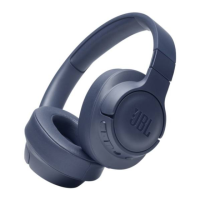
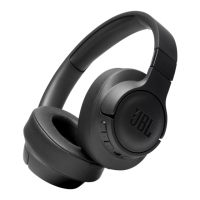
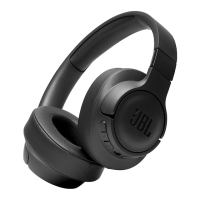
Model: TUNE760NC
Driver size: 40 mm Dynamic Driver
Power supply: 5 V 1 A
Weight: 220 g / 0.485 lbs
Headset battery type: Polymer Li-ion battery (610 mAh / 3.7 V)
Charging time: < 2 hrs from empty
Music play time with BT on and ANC on: 35 hrs
Music play time with BT on and ANC off: 50 hrs
Frequency response: 20 Hz - 20 kHz
Impedance: 32 ohm
Sensitivity passive mode: 103 dB SPL/1 mW
Sensitivity active mode: 95 dB SPL/1 mW
Maximum SPL: 95 dB
Microphone sensitivity: -30 dBV/Pa
Bluetooth version: 5.0
Bluetooth profile version: A2DP 1.3, AVRCP 1.5, HFP 1.6
Bluetooth transmitter frequency range: 2.4 GHz - 2.4835 GHz
Bluetooth transmitted power: < 10 dBm
Bluetooth transmitted modulation: GFSK, π/4 DQPSK , 8DPSK
Maximum operation temperature: 45 °C

 Need help?



 To Next Page
 General