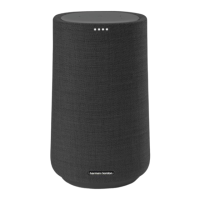
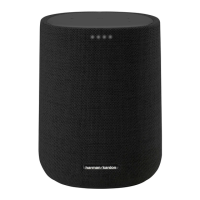
Citation ONE x1
Front / 正面
Lights when active
通电时亮灯
1
PRODUCT TOUR / 产品概述
2
Top / 顶部
Microphones
麦克风
Bluetooth
蓝牙
Mic mute/ unmute
麦克风静音/解除静音
Volume
音量
Play/Pause, stop timers,
alarms and responses
短按(不超过2秒):播
放、暂停;停止
计时器、闹钟或响应
<2s
Regional power cord x1
电源线 x1
Bottom / 底部
Reset
长按(超过5秒):
系统重置
Power connector
电源插口
Wi-Fi Status
Wi-Fi
状态
>5s
Download APP / 下载 APP
Push to talk to
Xiaowei Voice Assistant
长按(超过2秒):
可直接与腾讯小微
语音助手开始对话
>2s
STATUS INDICATORS / 状态指示灯
HK Cita�on / Surround
Simple setup with the “HK Citation / Surround” App on iOS and Android.
通过“HK Citation / Surround” App 在iOS 和 Android 系统上轻松完成设置。
* 您可通过扫描二维码或直接搜索“HK Citation / Surround” App, 在 iOS 和 Android (百度手机助手) 系统上均可
免费下载。
HK Cita�on / Surround
Open with browser
在浏览器打开
Open with browser
在浏览器打开
HK Cita�on / Surround
Wi-Fi status indicator
Wi-Fi 状态指示灯
Excellent
Recommended
Weak or disconnected
最佳
推荐
微弱或断开
已唤醒
正在聆听
正在搜索
麦克风关闭
腾讯小微状态指示灯
Connect to power
接入电源
HK Citation / Surround
iOS / Android
适用于iOS及安卓系统
3
GET STARTED / 开始使用
Add the Citation ONE to your home Wi-Fi network and set up Voice Assistant:
On your iOS or Android device, launch the “HK Citation / Surround” app.
Follow the app instructions to complete Wi-Fi setup. You can associate Citation ONE with during or after
first-time setup (See Section ).
*Make sure that you have updated the “HK Citation / Surround” app to the latest version, and have enabled the Bluetooth and
location service (iOS /Android).
将Citation ONE 接入您的家庭无线网络并与 语音助手绑定:
在您的iOS或安卓设备上,开启 “HK Citation / Surround” app 。
按屏幕提示完成Wi-Fi设置。Citation ONE与 的绑定可在首次设置时或之后进行(参见第 部分)。
*请确定已将 “HK Citation / Surround” app更新至最新版本,且已开启蓝牙和位置服务(适用于iOS及安卓系统)。
5
4
QQ MUSIC STREAMING THROUGH Wi-Fi / 通过Wi-Fi播放QQ音乐
Enable QPlay:
1. On your iOS or Android device, launch the QQ Music app.
2. On the main page, search for“设置”(Settings) by entering“设置”(Settings) in the search box. Then,
select“QPlay与车载音乐 > 音箱 > 开启”(QPlay and Car audio > Speaker > On).
Stream music:
1. In the QQ Music app, start music playback.
2. On the player screen, tap and then the QPlay icon on the pop-up screen to select “Citation ONE” as speaker.
开启QPlay:
1、在您的iOS或安卓设备上,开启QQ 音乐 app。
2、在主页面的搜索框中输入“设置”搜索“设置”。然后选择“QPlay与车载音乐 > 音箱 > 开启”。
传输音乐:
1、在QQ 音乐 app 中,开启音乐播放。
2、在播放屏幕,点击 ,然后在弹出界面中点击 QPlay 图标 选择“Citation ONE”为播放音箱。
iOS / Android
适用于iOS及安卓系统
5
Connect to power
接入电源
Activated
Listening
Responding
Microphone muted
Xiaowei status indicator

 Need help?
 General


 To Next Page