
 Need help?
Do you have a question about the Harman Kardon ONYX STUDIO 2 and is the answer not in the manual?
Details the purpose and operation of each button on the Onyx Studio 2 speaker.
Step-by-step guide to wirelessly connecting external devices via Bluetooth.
Instructions for making and receiving calls using the device's built-in microphone.
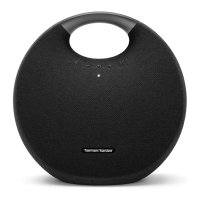
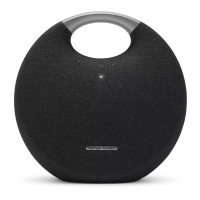
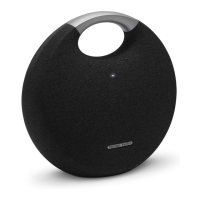
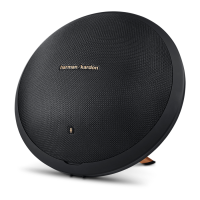
The Harman Kardon Onyx Studio 2 is a portable Bluetooth speaker designed to deliver a rich and immersive audio experience. This device serves as a versatile audio hub, allowing users to enjoy their favorite music wirelessly from various Bluetooth-enabled devices, as well as providing hands-free calling capabilities. Its sleek and distinctive design, characterized by a circular form factor with integrated feet, makes it a stylish addition to any home or office environment, while its portability ensures that high-quality sound can accompany you wherever you go.
At its core, the Onyx Studio 2 functions as a high-fidelity wireless speaker. It connects seamlessly with smartphones, tablets, laptops, and other Bluetooth devices, streaming audio with clarity and depth. The speaker is engineered to produce a balanced sound profile, capable of delivering robust bass, clear mid-tones, and crisp highs, ensuring that all genres of music are reproduced faithfully. The internal acoustic design, featuring multiple transducers and passive radiators, contributes to its ability to fill a room with sound, creating an engaging listening experience.
Beyond music playback, the Onyx Studio 2 integrates a hands-free calling system. This feature transforms the speaker into a sophisticated conference call device or a convenient way to answer personal calls without needing to pick up your phone. Equipped with a built-in microphone, the speaker allows for clear voice transmission, while its audio output ensures that the caller's voice is heard distinctly. This functionality is particularly useful in group settings or when multitasking, providing a seamless transition between music and communication.
The device is powered by a built-in rechargeable battery, offering the freedom of wireless operation for extended periods. This makes it an ideal companion for outdoor gatherings, picnics, or simply moving it from room to room without the hassle of power cords. When the battery runs low, the speaker can be easily recharged using the provided power adapter, ensuring minimal downtime. The inclusion of a power adapter also allows for continuous operation when connected to a power source, making it suitable for stationary use as well.
Operating the Onyx Studio 2 is intuitive, thanks to its clearly marked and easily accessible control buttons. The top panel of the speaker houses a series of tactile buttons that provide direct control over various functions.
Power On/Off and Bluetooth Pairing: A dedicated power button, typically located on the side or top, allows users to turn the device on or off. This button also doubles as the Bluetooth pairing activator. To initiate pairing, users typically press and hold the power button for a few seconds until an indicator light or an audible cue signals that the speaker is in pairing mode. This makes it straightforward to connect new devices or re-establish connections with previously paired ones. The quick start guide indicates that holding the power button for more than 3 seconds will power it on, and holding the Bluetooth button for more than 2.5 seconds will force it to pair.
Volume Control: Separate buttons for increasing (+) and decreasing (-) volume are prominently featured, allowing for precise adjustment of the audio output. These buttons provide immediate feedback, enabling users to tailor the sound level to their preference or the environment.
Hands-Free Call Management: A dedicated call button facilitates the hands-free calling feature. When an incoming call is received, a simple press of this button answers the call, routing the audio through the speaker and enabling communication via the built-in microphone. Another press typically ends the call. This integration streamlines communication, making it effortless to switch between music and conversations.
Bluetooth Connectivity: The Bluetooth button, often marked with the universal Bluetooth symbol, is central to the wireless functionality. A short press can activate or deactivate Bluetooth, while a longer press can force the speaker into pairing mode, making it discoverable by other devices. The pairing process is designed to be user-friendly, with visual cues (like a flashing LED) indicating the pairing status. Once paired, the speaker maintains a stable wireless connection, ensuring uninterrupted audio streaming.
The design of the Onyx Studio 2 also incorporates practical elements for ease of use. The speaker's stable base ensures it remains upright on various surfaces, preventing accidental tipping. The overall form factor is optimized for portability, with a comfortable grip that allows for easy transportation. The inclusion of a removable cover, as shown in the manual, suggests potential access to ports or components, though its primary function might be aesthetic or protective.
Maintaining the Harman Kardon Onyx Studio 2 is relatively simple, focusing on keeping the device clean and ensuring proper charging practices to prolong its lifespan.
Cleaning: The exterior of the speaker can be wiped down with a soft, dry, or slightly damp cloth to remove dust and smudges. It is important to avoid using harsh chemicals, abrasive cleaners, or excessive moisture, as these can damage the finish or internal components. Regular cleaning helps maintain the aesthetic appeal of the device and prevents dust buildup from affecting performance.
Battery Care: The integrated rechargeable battery is a key component for portability. To maximize battery life and performance, it is recommended to fully charge the speaker before its first use. While the device can be used while charging, it's generally good practice to avoid completely draining the battery frequently. If the speaker is to be stored for an extended period, it's advisable to charge it to about 50-70% capacity rather than leaving it fully discharged or fully charged, as this can help preserve battery health over time. The manual indicates a battery charge time of 5 hours, which provides a clear expectation for recharging.
Software Updates (if applicable): While not explicitly detailed in the provided snippets, many modern Bluetooth speakers may offer firmware updates to improve performance, add new features, or fix bugs. Users should refer to the official Harman Kardon website or support channels for information on any available software updates and instructions on how to apply them, if applicable.
Storage: When not in use, store the speaker in a cool, dry place, away from direct sunlight, extreme temperatures, and high humidity. Protecting the device from physical impacts and spills will also contribute to its longevity.
In summary, the Harman Kardon Onyx Studio 2 is a well-rounded portable Bluetooth speaker that combines high-quality audio performance with practical hands-free calling capabilities. Its user-friendly controls and robust design make it an enjoyable and convenient device for both music enthusiasts and those seeking a versatile communication tool. Proper care and maintenance, particularly regarding cleaning and battery management, will ensure that the speaker continues to deliver an excellent audio experience for years to come.
 General
| Brand | Harman Kardon |
|---|---|
| Model | ONYX STUDIO 2 |
| Product Type | Portable Bluetooth Speaker |
| Frequency Response | 60Hz – 20kHz |
| Battery Life | Up to 5 hours |
| Bluetooth Version | 3.0 |
| Dimensions | 280mm x 161mm x 260mm |
| Bluetooth Transmitter Frequency Range | 2402MHz – 2480MHz |
| Bluetooth Transmitter Modulation | GFSK, π/4 DQPSK, 8DPSK |
| Battery Charge Time | 5 hours |
| Built-in Microphone | Yes |
| Battery Type | Lithium-ion |
| Bluetooth Transmitter Power | ≤ 4dBm |
| Power Supply | 19V, 2A |
| Signal-to-Noise Ratio | 80dB |
| Input Power | 19V, 2A |
| Auxiliary Input | 3.5mm |


 To Next Page