
 Need help?
Do you have a question about the Harman Spark and is the answer not in the manual?
Guide to downloading the mobile application from app stores.
Steps for creating a user account and entering vehicle information within the app.
Process for registering the HARMAN Spark device using a QR code or IMEI.
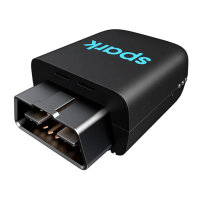
Instructions on locating and connecting the HARMAN Spark to the vehicle's OBD-II port.
Guidance on starting the vehicle to complete the device activation process.
Details on core functionalities like Wi-Fi hotspot, Watchit, Geofences, Virtual Mechanic, and Driving Score.
Explanation of LED status lights for GPS, Wi-Fi, and cellular connectivity.
Description of device states: Normal, Sleep, and Shutdown modes.
Information regarding product warranty, customer support, and regulatory compliance.
Details on FCC compliance, radiation exposure, and California Proposition 65 warning.
 General
| Category | Automobile Accessories |
|---|---|
| Connectivity | 4G LTE |
| GPS | Yes |
| Compatibility | OBD-II port compatible vehicles |
| Features | Driving behavior analysis |
| Bluetooth Version | Bluetooth 4.1 |
| Charging Time | Not applicable |
| Device Type | OBD-II device |

 To Next Page