688
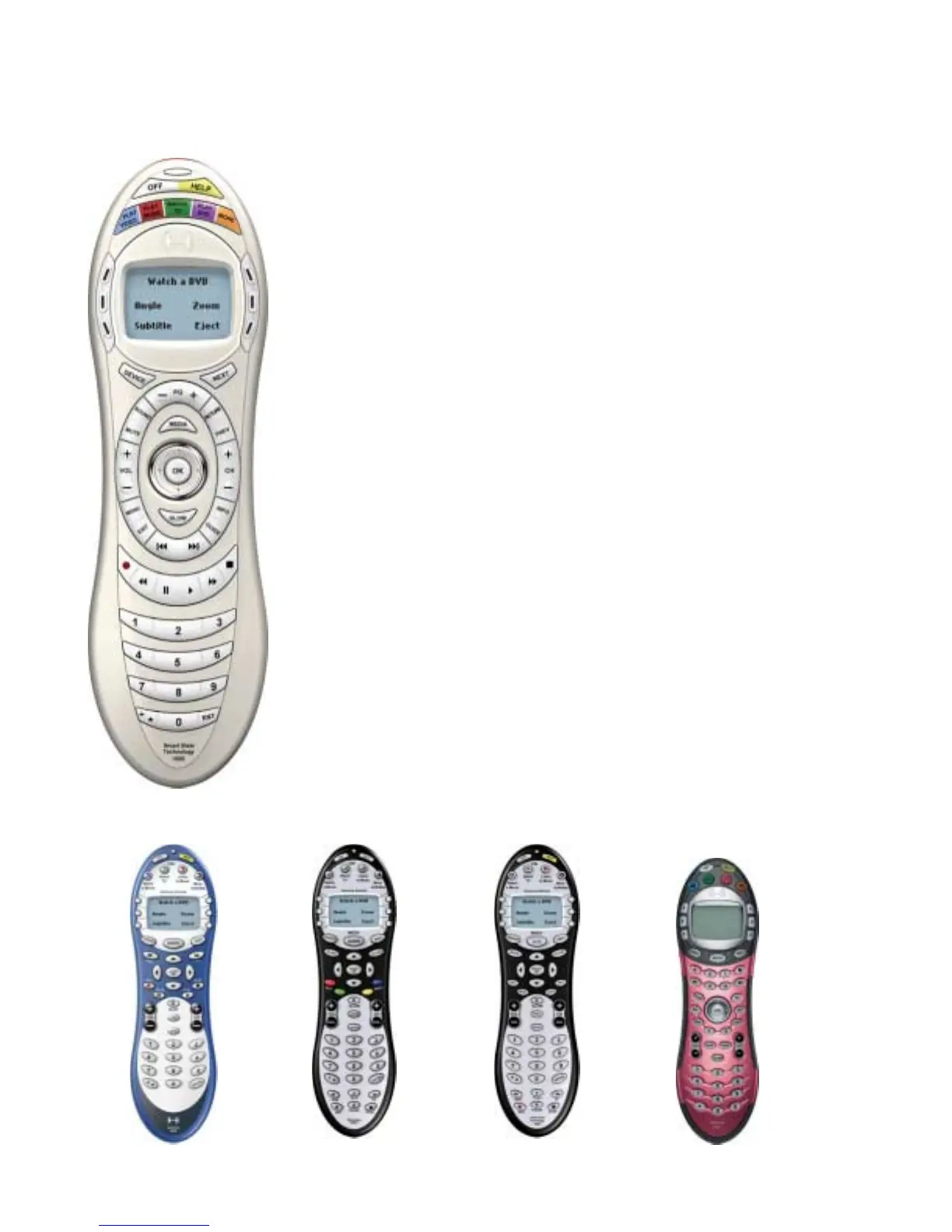
• USB Connector: Downloads your configuration from the
Harmony web site.
• Status Light: Illuminates when the Harmony remote is
sending commands.
• OFF: Turns all devices off with one button press.
• HELP: Asks you simple questions so that your Harmony
remote can fix problems you are having with an activity.
• Activity Buttons: Select an activity and the Harmony remote
will set up your entertainment system.
• Custom Buttons: Use the buttons at the side of the display to
select the corresponding command. Use the NEXT button to
display more commands.
• LCD: Displays help, infrared (IR) commands and media
listings.
• Device: Lists all your devices in the LCD, and allows you to
select and fully control any device directly.
• Guide (Media): Gives access to media listings such as the
Harmony Electronic Program Guide (EPG) or CD Jukebox
Media Listings. Note: There is an additional charge for these
features. Call the Harmony Support Team toll free at 1-866-
291-1505 to find out how to get these additional features.
• Next: Shows more choices in the LCD.
• Sound: Controls special sound features.
• Picture: Controls special picture features.
• Glow: Backlight glow.
• Infrared Learning Port: Use this port to teach the Harmony
remote commands from your original remote.
676 628 655 659


 To Next Page