
 Need help?
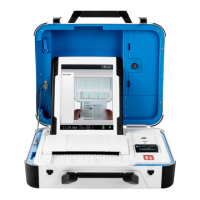
Do you have a question about the Hart InterCivic Verity Scan and is the answer not in the manual?
Instructions for assembling the folded ballot box by unlatching clips, pulling open, and pressing side panels.
Placing the Verity Scan on the ballot box, securing it, connecting power, and logging seals.
Connecting to UPS, powering on the device, and verifying startup procedures.
Understanding the screen layout, status indicators, poll worker button, and printer.
Steps for opening polls, printing and verifying Zero reports, and reopening.
Processes for hand-marking ballots, scanning, and handling special ballot types.
Procedures for suspending and closing polls, including necessary reports.
Connecting the printer, loading paper, and handling tray extenders.
Assembling the booth components, including legs and privacy screens.
Placing, securing, and connecting power and printer cables to the Touch Writer.
Connecting to UPS, powering on the device, and logging security seals.
Understanding screen layout, status indicators, poll worker button, and Verity Access.
Steps for opening polls, printing Zero reports, and reopening polls on the Touch Writer.
Activating ballots, voter interaction, making selections, and printing the ballot.
Handling write-ins, idle timeouts, spoiling ballots, and accessing help.
Procedures for suspending and closing polls on the Touch Writer, including reports.
 General
| Input Format | Paper Ballots |
|---|---|
| Connectivity | USB, Ethernet |
| Operating System | Proprietary |
| Scan Resolution | 200 DPI |
| Type | Optical Scan |
| Output Format | Digital Image |
| Paper Size | Standard Ballot Size |
| Data Storage | Internal Storage |
| Power Supply | AC power |

 To Next Page
