EasyManua.ls Logo

Hart Scientific 9105 - User Manual

Hart Scientific 9105
65 pages
Print Icon
To Next Page IconTo Next Page
Loading...
9105 / 9107
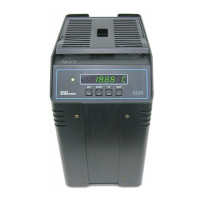
Dry-well Calibrator
User’s Guide
Rev. 2A2801

Table of Contents

Questions and Answers

  • J
    jtranJul 28, 2025
    Why is the temperature readout on my Hart Scientific 9105 Measuring Instruments not accurate?
    • R
      Richard WashingtonJul 28, 2025
      If the temperature readout on your Hart Scientific Measuring Instruments doesn't match the actual well temperature, first, rotate the unit slowly while it's stable. If there's no change, calibration might be needed, so contact Hart Scientific Customer Service. If the display changes significantly during rotation, RF energy from another unit nearby could be the cause. Try moving the unit to a different location and rotating it again. If the temperature is then correct or deviates differently, use a comparison test to rule out errors. If RF energy is present in the room, move the unit to a different location and rotate the unit again. If the temperature is correct in this new area or deviates differently than the first area, use the comparison test to eliminate any possible errors.
  • F
    fosterjamieAug 2, 2025
    What to do if the display flashes any error code on Hart Scientific 9105 Measuring Instruments?
    • S
      Sally AndersonAug 2, 2025
      If your Hart Scientific Measuring Instruments unit displays an error code, try initializing the system by performing a Master Reset Sequence. If the unit continues to show the error code after the reset, it needs professional attention. Contact a Hart Scientific Authorized Customer Service Center to get a return authorization and instructions on how to return the unit for service.
  • M
    Matthew SantosAug 6, 2025
    Why is the red LED on the display of my Hart Scientific 9105 Measuring Instruments blank?
    • M
      mahoneyjoseAug 6, 2025
      If your Hart Scientific Measuring Instruments unit shows a blank red LED, ensure the unit is receiving power.
  • R
    richard43Aug 10, 2025
    How to fix an incorrect temperature reading on Hart Scientific 9105 Measuring Instruments?
    • D
      dawn75Aug 10, 2025
      If your Hart Scientific Measuring Instruments unit is displaying an incorrect temperature, it might need to be re-initialized. Power the unit on and watch the display. If the first number shown is less than “ ”, it has been re-initialized. You'll need to re-program the unit for R0, ALPHA, and DELTA using the numbers from the Report of Calibration that came with the unit.
  • C
    courtney93Aug 14, 2025
    Why does my Hart Scientific 9105 Measuring Instruments unit heat up so slowly?
    • M
      Matthew BlackAug 15, 2025
      If your Hart Scientific Measuring Instruments unit is heating slowly, check the Scan and Scan Rate settings. The Scan feature might be enabled with a low Scan Rate setting.
  • B
    Bryan HallAug 18, 2025
    What to do if the display is off on Hart Scientific 9105 Measuring Instruments?
    • T
      Tiffany WarnerAug 18, 2025
      If your Hart Scientific Measuring Instruments display is off, begin by checking the fuses. Then, verify that the power cord is securely plugged into both the unit and the power outlet.
  • S
    Sierra JenkinsAug 23, 2025
    What does it mean when “ ” or “ ” is displayed on Hart Scientific 9105 Measuring Instruments?
    • A
      Andrew LarsonAug 23, 2025
      If your Hart Scientific Measuring Instruments display shows an “ ” or “ ” symbol, preventing the set-point from scanning, it means the external switch is open. To resolve this, turn the Switch Test off by pressing the “DOWN” button on the front panel.

Summary

Before You Start

Safety Information

General safety rules and definitions of warnings/cautions to avoid hazards.

Safety Guidelines

Quick Start

Unpacking

Instructions for unpacking and verifying instrument components.

Set-up

Procedures for placing and connecting the calibrator.

Power

Instructions on connecting the power cord and turning on the unit.

General Operation

Calibrator Set-Up

Procedures for preparing and powering on the calibrator.

Setting the Temperature

Detailed steps to set the desired temperature for calibration.

Calibrating Probes

Methods for calibrating temperature probes using the dry-well.

Controller Operation

Reset Cut-out

Procedures for resetting the over-temperature safety cut-out.

Temperature Set-point

How to set the target temperature for the calibrator.

Cut-out

Configuring the adjustable over-temperature cut-out safety feature.

Test Probe Calibration

Comparison Methods

Methods for comparing probe readings to the calibrator.

Calibration Procedure

Calibration Procedure

Step-by-step guide for calibrating the dry-well.

Calibration

The process of adjusting calibration parameters for accuracy.

Troubleshooting

Troubleshooting

Common problems, causes, and solutions for the dry-well.

Hart Scientific 9105 Specifications

General IconGeneral
BrandHart Scientific
Model9105
CategoryMeasuring Instruments
LanguageEnglish