Need help?
Do you have a question about the HARTMANN TRESORE HS 460 Series and is the answer not in the manual?
Provides essential instructions for safe placement, environment, and usage.
Highlights critical safety precautions regarding weight and moving parts.
Details the parts of the safe's control panel, including display and keypad.
Guides through the initial checks, securing, and battery installation for operation.
Provides information on optional I-buttons and the Smart Safe System features.
Procedures for locking and opening the safe using a code.
Details using the master I-button and the mechanical emergency key.
Explains common error messages and their resolution.
Outlines the four types of I-buttons: owner, master, time, and data keys.
Details the owner's key function, its importance, and initialization process.
Explains the master key's role in emergency opening and assignment.
Provides instructions for deleting individual or all assigned master keys.
Describes the functionality of the time (yellow) and data (black) I-buttons.
Introduces the Smart Safe System and its minimum software requirements.
Guides through the process of installing the Smart Safe System software.
Details encoder connection, driver installation, and the software's user interface.
Explains how to configure initial settings using Holders, Audit Trail, and Clock Adjustment.
Step-by-step instructions for registering an I-button holder in the system.
Guides on setting the safe's date and time using the time card and encoder.
Explains how to transfer opening operation data from the safe to a PC.
Covers data transfer confirmation, viewing data, and important scanning notes.
Lists common issues with safes, their causes, and suggested solutions.
Provides instructions for cleaning the safe and lubricating its hinges.
Offers guidance on the proper and eco-friendly disposal of the appliance.
Details the guarantee period and conditions that may invalidate it.
This document provides operating instructions for the HARTMANN TRESORE HS 460 series hotel safes. It covers everything from initial setup and daily operation to emergency procedures, maintenance, and disposal. The safe is designed to be secure and user-friendly, with options for both code-based and I-button access, as well as a comprehensive Smart Safe System for logging operations.
The HARTMANN TRESORE HS 460 series hotel safe is a security device designed for storing valuables. Its primary function is to provide secure storage, accessible via a user-defined 3-6 digit code or an I-button. The safe also features an emergency opening system for situations like forgotten codes or technical malfunctions, which can be activated using a master I-button, a mechanical emergency key, or the Smart Safe System.
A key feature of the HS 460 series is its integration with the optional Smart Safe System. This system logs all opening operations in a database, archiving them according to the customer code used and the type of key (I-button or mechanical key). It also records the date and time of each opening operation, providing a comprehensive audit trail. This functionality is particularly useful for hotels or businesses requiring detailed access logs.
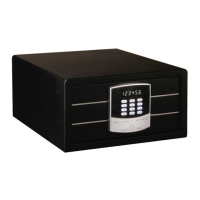
The safe's control panel includes a display, a keypad, an I-button contact, an emergency power supply connection, and a mechanical emergency lock. The positions of the emergency power supply and emergency lock are swapped if the door is hinged on the left.
The HS 460 series supports a 3-6 digit user code for locking and unlocking. It operates on battery power, with the battery compartment located on the rear of the door. The system provides error messages on the display, such as "Err" for incorrect code entries. After four consecutive incorrect entries, the safe enters a one-minute hold time, during which it cannot be opened.
The Smart Safe System requires a PC with Windows 7 or Windows 8 as the operating system. It utilizes an encoder with both USB (DS9490R) and serial (DS9097U) ports for connecting to a PC. The system includes an installation CD, USB and serial interfaces, an encoder, a black data card, and a yellow time card. The software drivers for the encoder come in 32-bit (WinUSB_32) and 64-bit (WinUSB_64) versions, depending on the Windows operating system.
The data card (black) can store up to 300 opening operations, which can then be transferred to a computer for viewing and analysis. The time card (yellow) is used to program the safe with the correct date and time.
The HS 460 series uses four different types of I-buttons, each with specific functions:
Before use, the safe must be securely fixed to a flat, solid surface using the supplied fixing material. Batteries must be inserted correctly into the battery compartment. The display will show "Good" upon startup, then "Okay" when ready for use. Incorrect inputs can be corrected using the "clear" key. The owner's I-button (red) must be initialized by holding it against the receiver while the safe is open, confirmed by an audible beep.
To lock the safe, close the door, enter a 3-6 digit code, and press "close." The safe will close automatically, and "CLSD" will appear on the display. The code can be reassigned each time the safe is locked. To open, enter the code used to lock the safe. The safe will open automatically, and "OPEN" will appear.
The appliance is marked according to European Directive 2002/96/EC for waste electrical and electronic equipment. It must not be disposed of with normal household waste. It should be taken to a special waste collection center for electronic appliances. Packaging materials are reusable and should be disposed of according to waste instructions, kept out of reach of children. Remove the mains plug and any locks before disposal to prevent hazards to children.
The guarantee period is 12 months from the date of purchase. It is rendered invalid if installation and operating instructions are not followed, if the appliance is modified, or if non-original spare parts are used. The guarantee does not cover personal injury or property damage due to non-observance of the operating manual or incorrect use. Product characteristics may change without advance notice.
 General
| Brand | HARTMANN TRESORE |
|---|---|
| Model | HS 460 Series |
| Category | Safes |
| Language | English |

 To Next Page