EasyManua.ls Logo

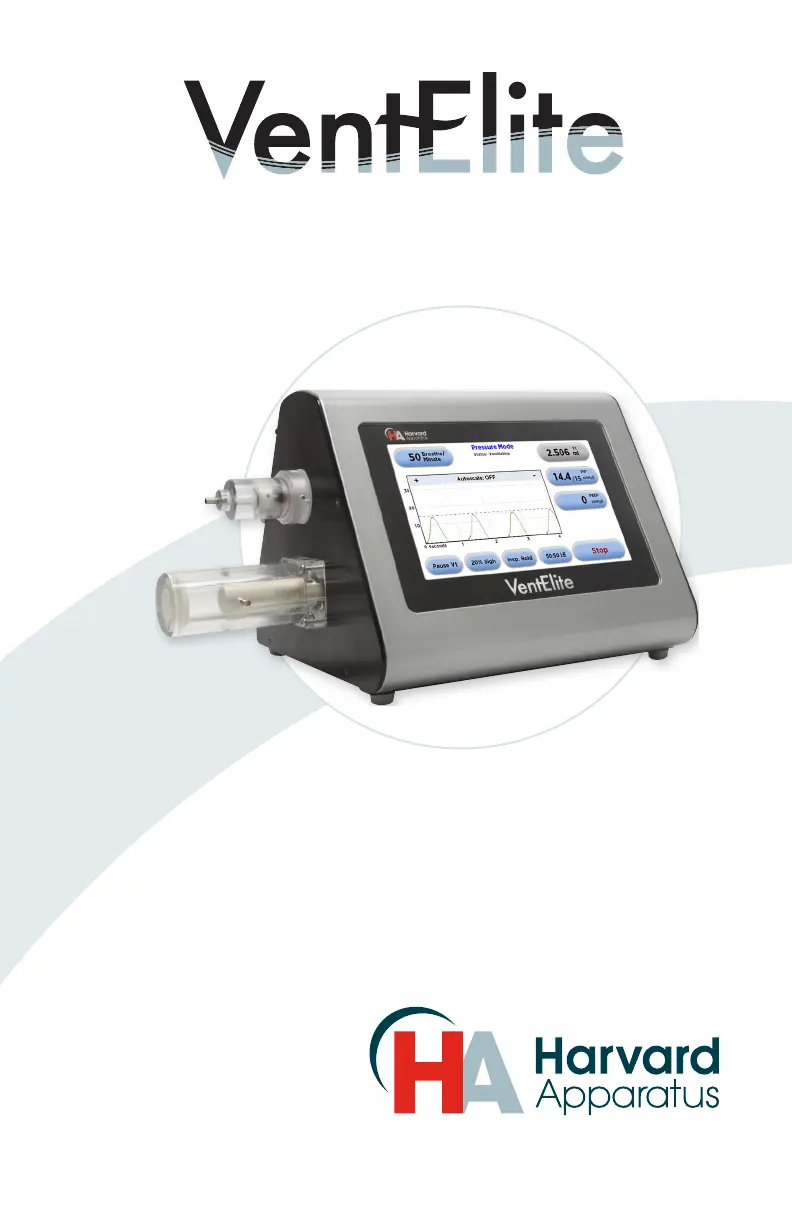
Harvard Apparatus VentElite 55-7040 - User Manual

Default Icon
32 pages
Print Icon
To Next Page IconTo Next Page
Loading...
Publicaon 5420-009 REV-1.0
User’s Manual
VentElite 55-7040

Questions and Answers

  • A
    Austin LaneAug 6, 2025
    How to troubleshoot Harvard Apparatus VentElite 55-7040 Laboratory Equipment that will not power on?
    • M
      Melanie McdanielAug 6, 2025
      If your Harvard Apparatus Laboratory Equipment unit won't power on, first ensure that the power supply cord is securely plugged into both the unit and the outlet. Then, verify that the outlet is live.
  • C
    Christopher StevensAug 13, 2025
    What to do if Harvard Apparatus VentElite 55-7040 shows over pressure?
    • J
      John BurnsAug 13, 2025
      If your Harvard Apparatus Laboratory Equipment indicates over pressure, check for any blockages or kinks in the tubing. Also, make sure the tubing connecting the ventilator and the animal is sufficiently short.
  • M
    Maria ButlerAug 19, 2025
    What to do if Harvard Apparatus Laboratory Equipment indicates under pressure?
    • L
      Lance HaynesAug 19, 2025
      If your Harvard Apparatus Laboratory Equipment shows under pressure, check the tubing for any leaks. Also, inspect the intubation or tracheotomy site for any leaks.
  • B
    Blake BanksAug 28, 2025
    What to do if Harvard Apparatus VentElite 55-7040 shows occlusion?
    • S
      Sharon BallAug 28, 2025
      If your Harvard Apparatus Laboratory Equipment indicates an occlusion, check for any blockages present between the ventilator and the animal.

Summary

Warranty & Repair Information

Warranty Details

Details the two-year warranty period, repair or replacement options, and limitations.

Repair Facilities & Parts

Information on obtaining replacement parts and reconditioning services from Harvard Apparatus.

General Safety Summary

Power Supply & Grounding

Ensures proper use of the approved power supply and grounding for electrical safety.

Connection & Operation Safety

Guidelines for making proper connections, observing terminal ratings, and avoiding exposed circuitry.

Equipment Orientation & Circuitry

Instructions on proper equipment orientation and avoiding contact with internal electronic circuitry.

Introduction

Theory of Operation

Explains the design goals and intended use of the VentElite for animal research applications.

Features

Volume Control Mode

Delivers a known volume of gas per inspiration stroke, controlled by frequency and I:E ratio.

Pressure Control Mode

Delivers gas until a user-defined pressure limit is reached, adjusting stroke volume automatically.

Tidal Volume (Vt)

Adjustable tidal volume range from 50 µl to 5 ml with user-selectable units.

Respiratory Rate (BPM)

Adjustable respiration rate from 10 to 300 breaths per minute.

Adjustable I:E Ratio

User-selectable ratio of inhalation to exhalation times, from 20% to 80%.

Sigh Breath

Introduces a larger tidal volume to help expand collapsed alveoli, configurable by frequency and volume.

PEEP Setting

Positive End-Expiratory Pressure is user-selectable up to 10 cmH₂O.

Inspiratory;Expiratory Hold

User-selectable option to hold inspiratory or expiratory phase for defined time.

Safety Alarms

Provides visual and audible alarms for various conditions like over pressure, occlusion, and high PEEP.

Installation

Initial Setup

Steps for unpacking, inspecting, and connecting the VentElite unit and its power cord.

Location Requirements

Specifies environmental conditions and clearance needed for proper ventilator placement.

Installation Procedures

Typical Operation

Describes the VentElite's intended use for small animals and operating environments.

Ventilator Connections

Overview of connection ports on the piston, cylinder, and valve outlet.

Installation Connections

Airway Tubing Connections

Details on connecting Source, To Animal, From Animal, and Exhaust tubing.

Operation

Getting Started

Instructions for powering on the VentElite and waiting for the valve assembly to home.

Mode Selection

Guide to selecting between Volume Mode and Pressure Mode via the settings screen.

Operation Settings

Respiration Rate Setting

How to set the respiration rate using the keypad or arrows.

Pressure Mode Operation

Instructions for selecting and confirming the Pressure Mode.

Operation Parameters

Tidal Volume Setting

Procedure for setting tidal volume and selecting units (µl or ml) in Volume Mode.

Peak Inspiratory Pressure (PIP)

How to set the desired peak inspiratory pressure in Volume Mode.

Operation Configuration

I:E Ratio Configuration

Steps to adjust the inspiration to expiration time ratio.

Sigh Breath Configuration

How to set sigh breath percentage or frequency.

Operation Control

Inspiratory;Expiratory Hold

Setting the time for inspiratory or expiratory hold.

PEEP Setting

PEEP Configuration

Procedure for setting the Positive End-Expiratory Pressure.

Operation Monitoring

Audible Alarms

Guide to muting individual or all audible alarms.

System Information

Viewing the current software version of the VentElite.

Operation Display

Backlight Adjustment

Setting the display brightness percentage.

Operation Software

Upgrade Software

Instructions for updating the VentElite software via a PC.

Operation Modes & Scales

Y-Axis Scale Adjustment

Selecting the desired y-axis scale for pressure display.

Operation Execution

Running the VentElite

Initiating ventilation and understanding the 'Ramping' and 'Ventilating' statuses.

Pause Vt Function

Temporarily turning off volume adjustment in Pressure Mode for animal adjustments.

Maintenance

Cleaning instructions for exterior surfaces and the valve head.

Troubleshooting Guide

Common Troubleshooting Issues

Addresses issues like unit not powering on, under pressure, over pressure, and occlusion.

Appendix A: Starting Tidal Volumes in Pressure Mode

Appendix B: Pressurized Gas Usage

Appendix C: Digital I;O

Appendix D: Error Codes

Appendix E: Driver Installation

Harvard Apparatus VentElite 55-7040 Specifications

General IconGeneral
BrandHarvard Apparatus
ModelVentElite 55-7040
CategoryLaboratory Equipment
LanguageEnglish