My Devices
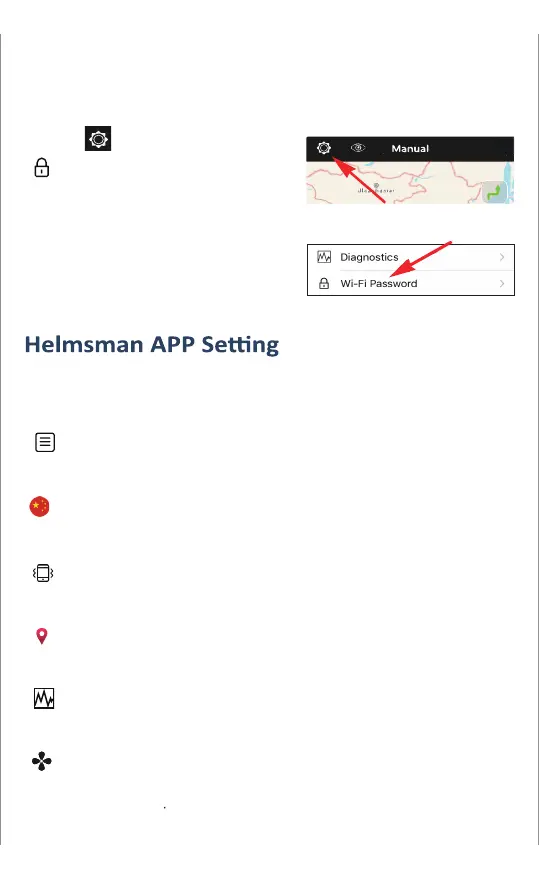
Wi-Fi Password
Diagnostics
Navi Mode
Vibration
China Optimization
P. 3
Set-up your own WI-FI password
( avoid interference of other HM-connectors )
Tap button, select
and change it.
After change the password,
you have to reconnect power
of the motor and repower on
the HM-connector for the
system to recognize the new
WI-FI password.
To avoid risks and enhance the control experience, it’s highly
recommended to learn about the APP setting before rst use.
The online instructions describe the latest navigation system
functions and troubleshooting.
Fixed the deviation of coordinates, please enable this function
in mainland China.
Smart phone will vibrate when you operate the APP in vibration
mode.
You can select a suitable mode for navigation in dierent
environment.
The operation log will be updated to Helmsman Data Center. It
helps us to improve product quality and after service.
Lists the information of the devices which have been
connected to your cell phone.
Instructions


 To Next Page