What’s in your box?
Installation
Smart Changing Pad
Safety strap
Pad cover
Before you start,
you’ll need:
Setting up your
Smart Changing Pad
A smartphone
An iPhone (running iOS8 or
higher) or Android (running
Ice Cream Sandwich version
4.0 or higher) smartphone.
Home WiFi
The Smart Changing Pad will
connect to an 802.11 b/g/n
2.4GHz network. If you’re
having trouble, check your
router documentation to verify
that you’re broadcasting on
2.4GHz and that you have MAC
address filtering turned off.
The Hatch Baby app
You can download the Hatch Baby App in the
Apple App or Google Play store.
Place the pad on a hard, flat surface, free from
obstructions — it shouldn’t be touching the
wall or sides
of your
changing table.
Open up the Hatch Baby app in your
smartphone and start creating your
account by adding in your information.
Then click on the Next button.
Then add in your baby’s information and click
on the Finish button to create your account.
You will then be asked if you’d like to connect
a Smart Changing Pad to your smartphone.
Turn on your Smart
Changing Pad by
tapping the LCD,
then click on the
Got It button. Then
click on Connect in
your app.
Pull out the battery tab.
On your phone, go to your settings and
connect to the HATCHBABY-XXXX network.
Please note: It might take a few moments for
the HATCHBABY-XXXX network to appear in
your WiFi network list.
Connect the safety strap.
PLEASE NOTE: Your Smart Changing Pad is a
sensitive piece of equipment. Dropping it, sitting
or leaning on it, or putting more than 44lbs
(20kg) on it could permanently damage it.
NEED
SCREEN
NEED
SCREEN
NEED
SCREEN
Smart
Changing Pad
QUICK START
GUIDE

 Need help?
 General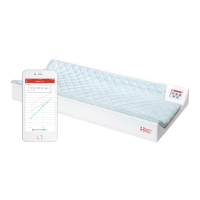

 To Next Page