• 07 •
Adding Water to Dishwasher
NOTE: This machine supports two water supply options: from a faucet and from the built-in water tank .
Supplying Water from a Faucet
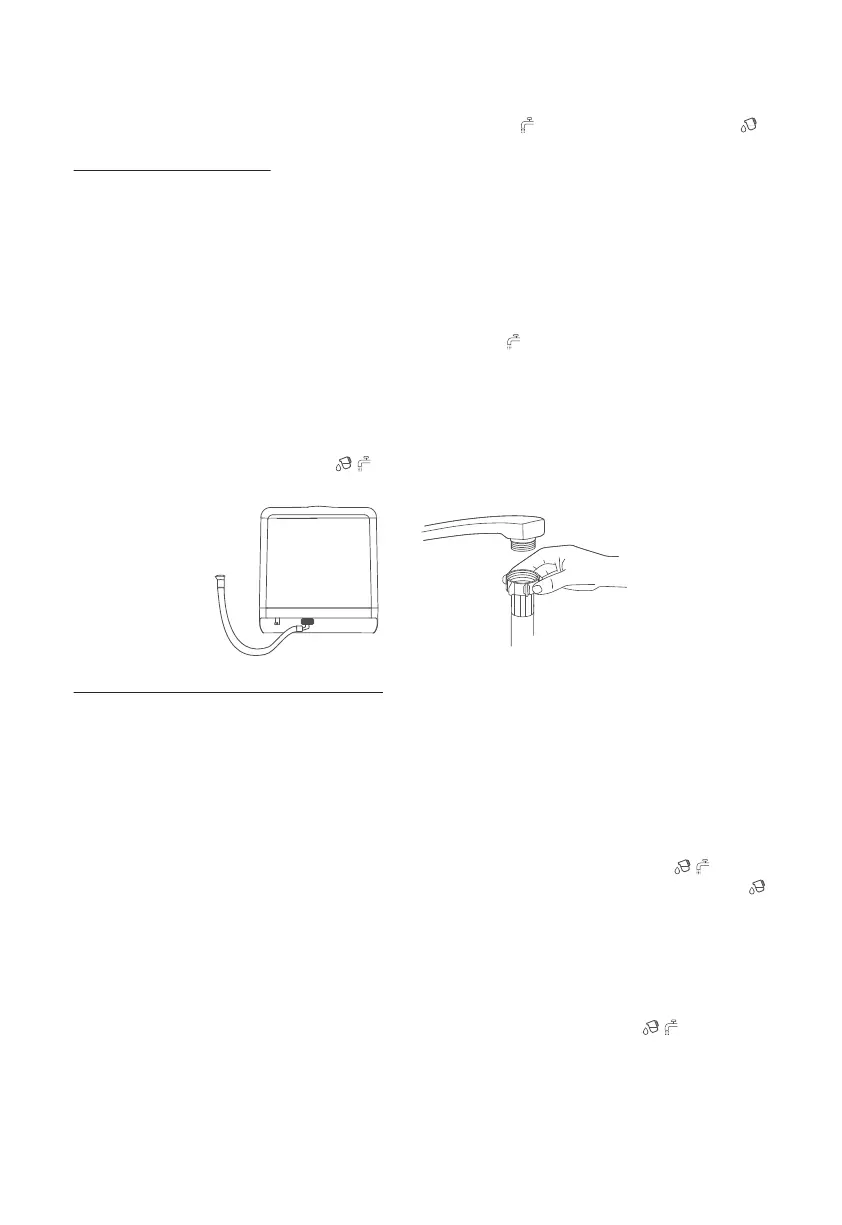
1. Remove the silica gel plug from the water inlet on the back of the machine. Then, attach one end of the water
inlet hose onto water inlet of the machine.
2. Connect the other end of the water inlet hose to your faucet and make sure it is fastened tightly in place.
Note: If the included water inlet hose does not fit your faucet, you may need to buy a faucet adapter from a
plumbing supply manufacturer. If you are unsure of what to do, please feel free to contact our after-sales
service team.
3. Turn on the dishwasher and press the Mode button to choose a wash cycle. Then, press the Start/Pause
button to start the wash cycle. The panel will display a white indicator , meaning the faucet is properly
connected and turned on.
NOTES:
1. While supplying water from a faucet, DO NOT disconnect the faucet. Otherwise, the wash cycle cannot be
completed.
2. A red flashing water shortage indicator means that this machine is not connected to a faucet, the
faucet is not turned on, and/or the water tank is not full.
Supplying Water from the Water Tank
Reminder: If the machine is being used for the first time or has not been used in a long time, insufficient water
flow may occur when the water tank is filled due to trapped air in the machine’s water pipe system, which
prevents the water from flowing into the machine interior. In this case, you can slightly shake the machine 5-6
times to exhaust all trapped air. This will ensure a smooth water flow.
1. Open the water tank lid and fill with about 1.3 gallons (5 L) of water, or approximately 3 pitchers. When the
tank is full, 3 beeps will be heard. There is no need to add more water during the washing process.
NOTE: To prevent loss of the tank lid, attach it to the water tank.
2. If the water tank is not full when you start a wash cycle, a red flashing water shortage indicator will
display on the panel and the buzzer will beep. When the water tank is full, a white water tank mode indicator
will appear.
3. Before any wash cycle starts, if the machine detects that the water tank is full, it will automatically use the
water supply from the tank.
4. To drain the water tank by hand, pause the wash cycle and press and hold both the Dry button and Power
button simultaneously for 3 seconds. If the water tank will not be used for a long time, it is recommended to
empty the water tank.
5. The system will automatically check all water supplies. If the red water shortage indicator appears, you
will need to fill the water tank or turn on the faucet. Once the water tank is filled, the machine will automatically
start the wash cycle you selected with no need to press the Start/Pause button again. When a faucet is used for
water supplying, it is required to press the Start/Pause button again to start the wash cycle after you open the
faucet.


 To Next Page
 Loading...