Enter the navigation interface
The system enters the navigation system by default after power-up. In the other interface touch
pages button to switch to the navigation interface.
Touch the non-button area on the map to pop out the hiding function buttons.
A82F7BEF8B35
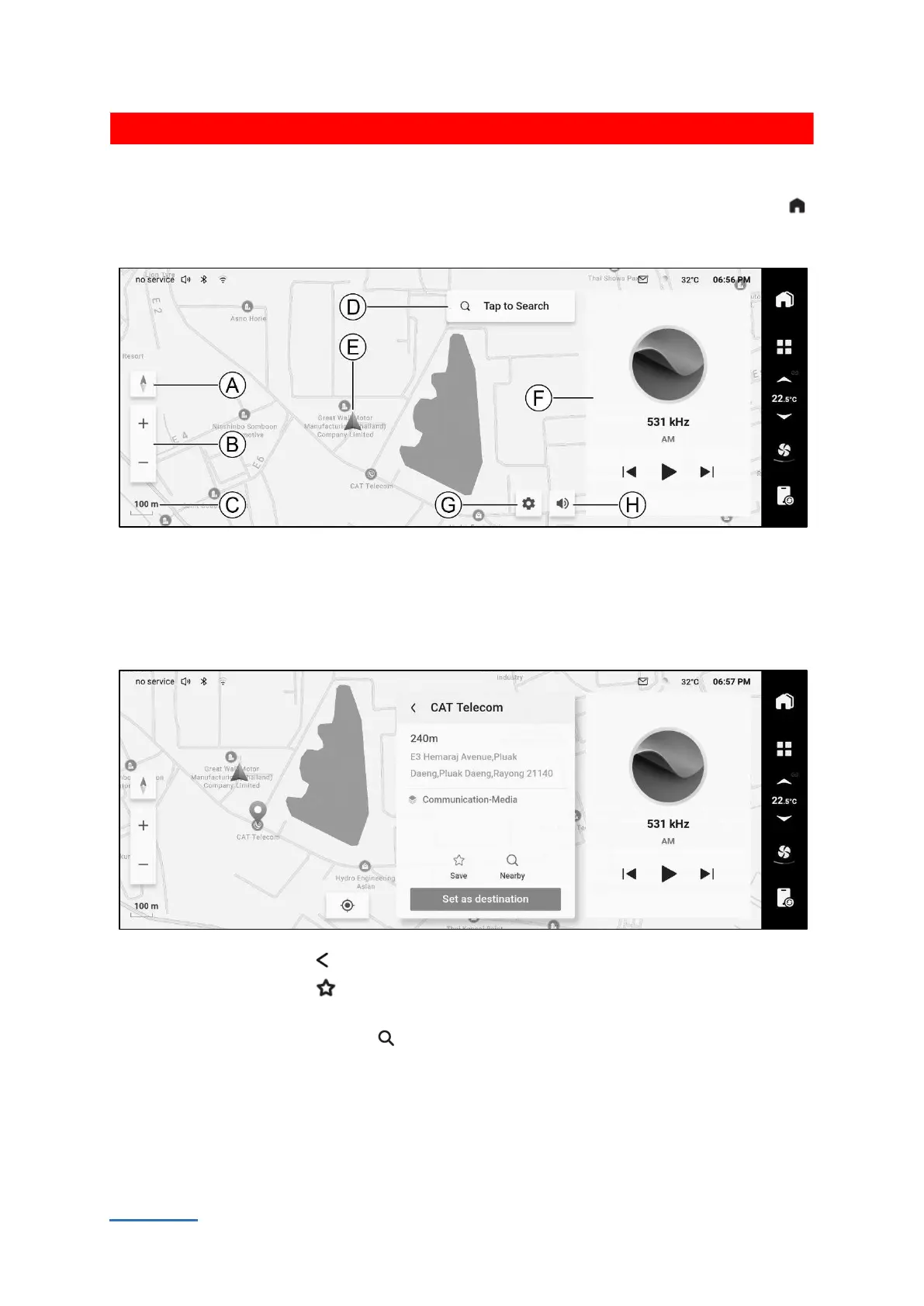
Ⓐ Map perspective Ⓒ Map scale Ⓔ Vehicle position Ⓖ Navigation setting
Ⓑ Map zoom Ⓓ Destination search Ⓕ Audio playback interface Ⓗ Mute navigation
Selecting points on the map
Touch and hold the map to select a location and switch to the location details page.
F6C4C0298C26
Touch the back button to return to the previous interface.
Touch the save button can favorite the current place. Touch this button again to remove
from favorite.
Touch the nearby search button can search the nearby places.
Touch the [Set as destination] button to set the current place as destination.



 To Next Page