Destination searching
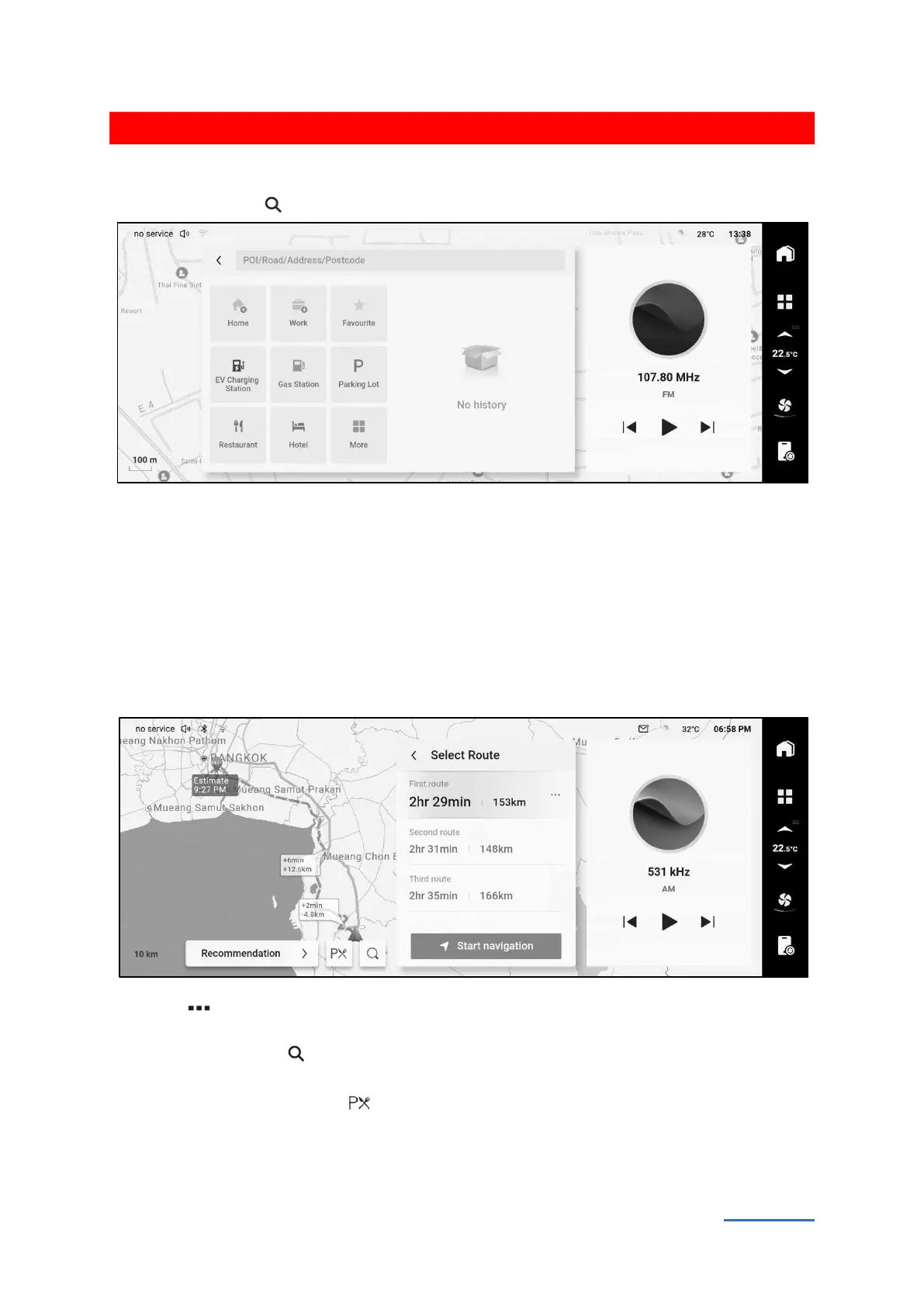
Touch search button in the map interface to switch to the destination search interface.
1A03E1D08EA3
Touch the [ Home] button to set your family address. After that, touch this button can set your
family address as destination.
Touch the [ Work] button to set your company address. After that, touch this button can set your
company address as destination.
Touch [Favorite] button to switch to your favorite interface, which shows the favorite places. It can
check, delete and set the favorite places.
Route planning
After set the destination in various ways, you can switch to the planning interface.
A8E948319121
Touch the more button after route to switch route details. It can display the route name on
current way according to the order from top to bottom.
Touch search button to switch to the destination search interface, you can also add passing
places or change destinations.
Touch the service area button , all the service area at present will be shown.
Touch the [Recommendation] button to display route preference menu and switch route
preference.


 To Next Page
 Loading...
