Vehicle equipment
Please note that this manual contains all
the standard equipment, country-specific
equipment and special equipment for this
model series. Thus, some equipment or
features described in this manual may not
be installed onto your vehicle or are only
available in so me markets. For further
configuration information, please refer to
relevant sales information or consult with your
di strib uto r sel ling the ve hi cle to y ou .
About the key
25AD69C6CC4B
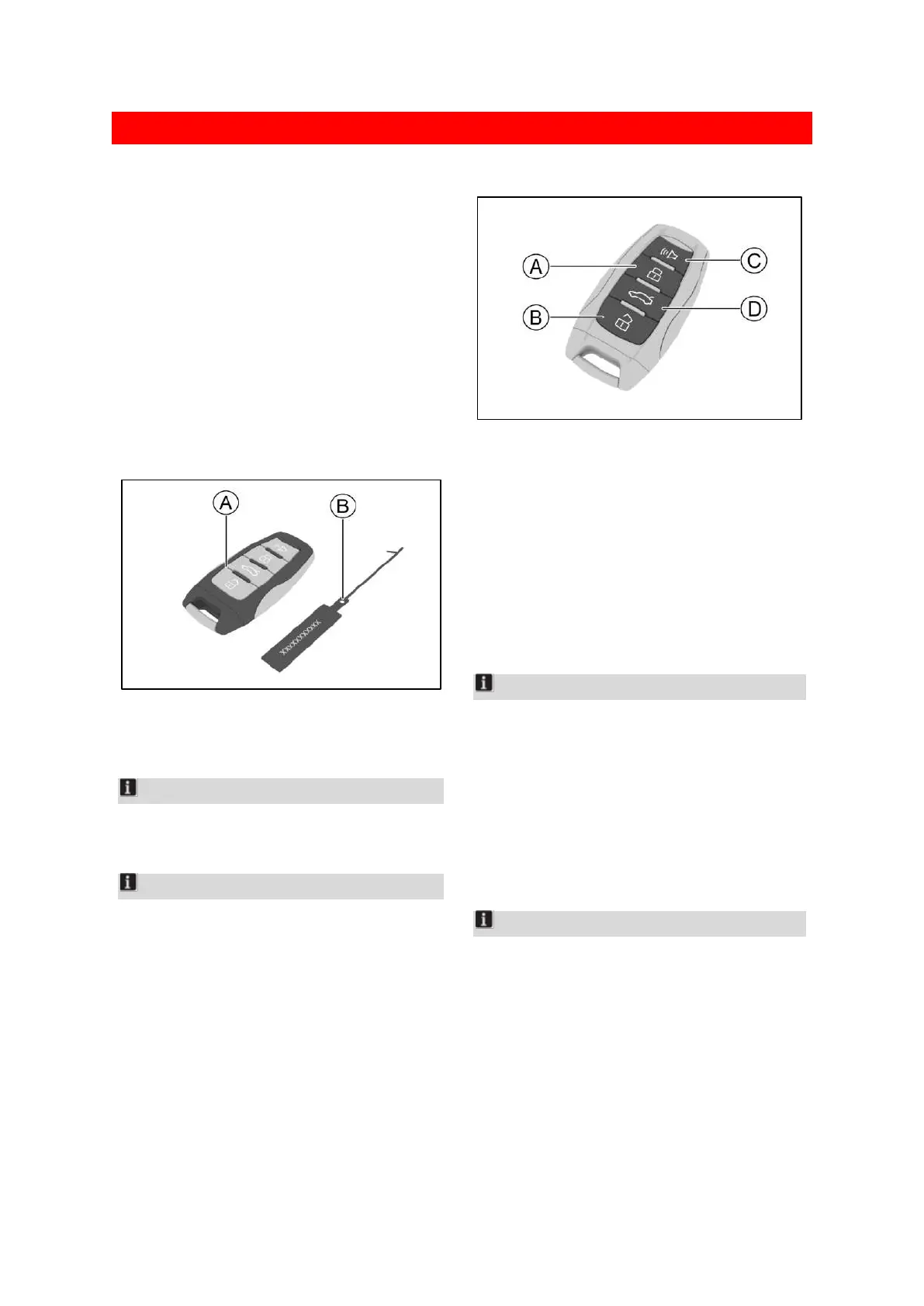
Ⓐ Smart key
Ⓑ Key number plate
Notice
The communication device conforms to the
standard and requirements of NBTC
Notice
Please keep track of the key number plate.
The code on the plate is required to make a
replacement key. You will need this code to
ask an authorized service center to make a
replacement key.
This number must be given to the owner
when buying or transferring the vehicle.
Button introduction
964859EEC481
Ⓐ Lock button
Ⓑ Unlock button
Ⓒ Vehicle locating button
Ⓓ Tailgate control button
Lock button
Press the lock button to lock all the doors and
the tailgate. In this case, the turn signal lamp will
flash once.
Notice
When the door is locked, if the turn signal lamps
do not flash, check whether all the doors and the
tailgate are closed fully.
Unlock button
Press the unlock button to unlock all the doors
and the tailgate. In this case, the turn signal lamp
will flash twice.
Notice
You can set the unlocking mode in [vehicle
setting] → [body] → [door lock] via the
multimedia display screen.
If the unlock mode is set to [driver unlock], when
the unlock button is pressed, only the driver's
door and tailgate will be unlocked. At this time,
if the unlock button is pressed again, all vehicle
doors will be unlocked.


 To Next Page
 Loading...
