Vehicle locating button
When all doors and tailgate are locked, press lock
button to turn on the locating function so that
you can quickly find your vehicle in a parking lot.
Pressing the lock button again will switch off the
search function.
Notice
The vehicle locating mode can be set via the
[vehicle setting] → [light] on the multimedia
display screen.
Tailgate control button
Manual tailgate
The tailgate can be unlocked by pressing and
holding the tailgate control button. After
unlocking, press the tailgate microswitch
within 30 seconds to open the tailgate.
Electric tailgate
Press the tailgate control button twice within
2 seconds to open the tailgate.
Press the tailgate control button to close the
tailgate when it is fully open.
⚠ Caution
You must not change the transmitting
frequency or increase the transmitting
power rating (including by adding a radio-
frequency power amplifier) and must not
connect an external antenna or adapt any
other aerial.
Your usage must not interfere with any legal
radio communications operation. If any
interference occurs, usage should be stopped
and measures are taken to eliminate the
interference before usage continues.
Usage may be affected by various radio
devices, causing brief interruptions in
function.
Battery replacement
During this operation, be sure to wipe both
hands dry as moisture may rust the battery.
⚠ Warning
Old batteries must be kept away from
children; If swallowed or inserted into any part
of the body, the button battery can cause
severe or fatal injury.
Dispose of used batteries in accordance
with local laws. Incorrect disposal of used
batteries may cause environmental
damage.
⚠ Caution
Do not touch or move any other parts.
The positive and negative poles of the
battery must be fitted correctly.
When changing batteries, take care not to
lose components.
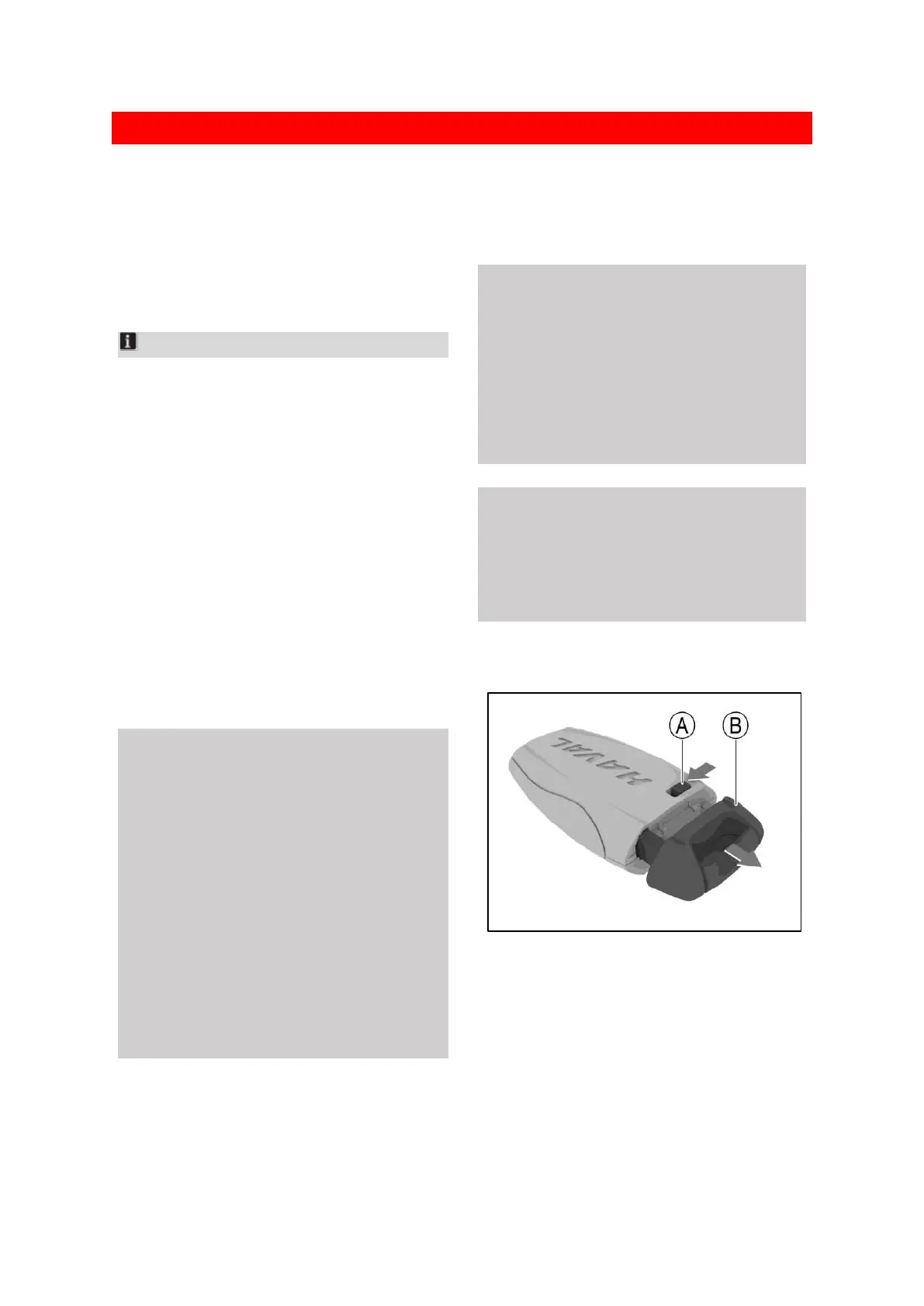
1. Press the release button of smart key to
eject the mechanical key.
C1BA6E3E9AB8
Ⓐ Release button
Ⓑ Mechanical key


 To Next Page
 Loading...
