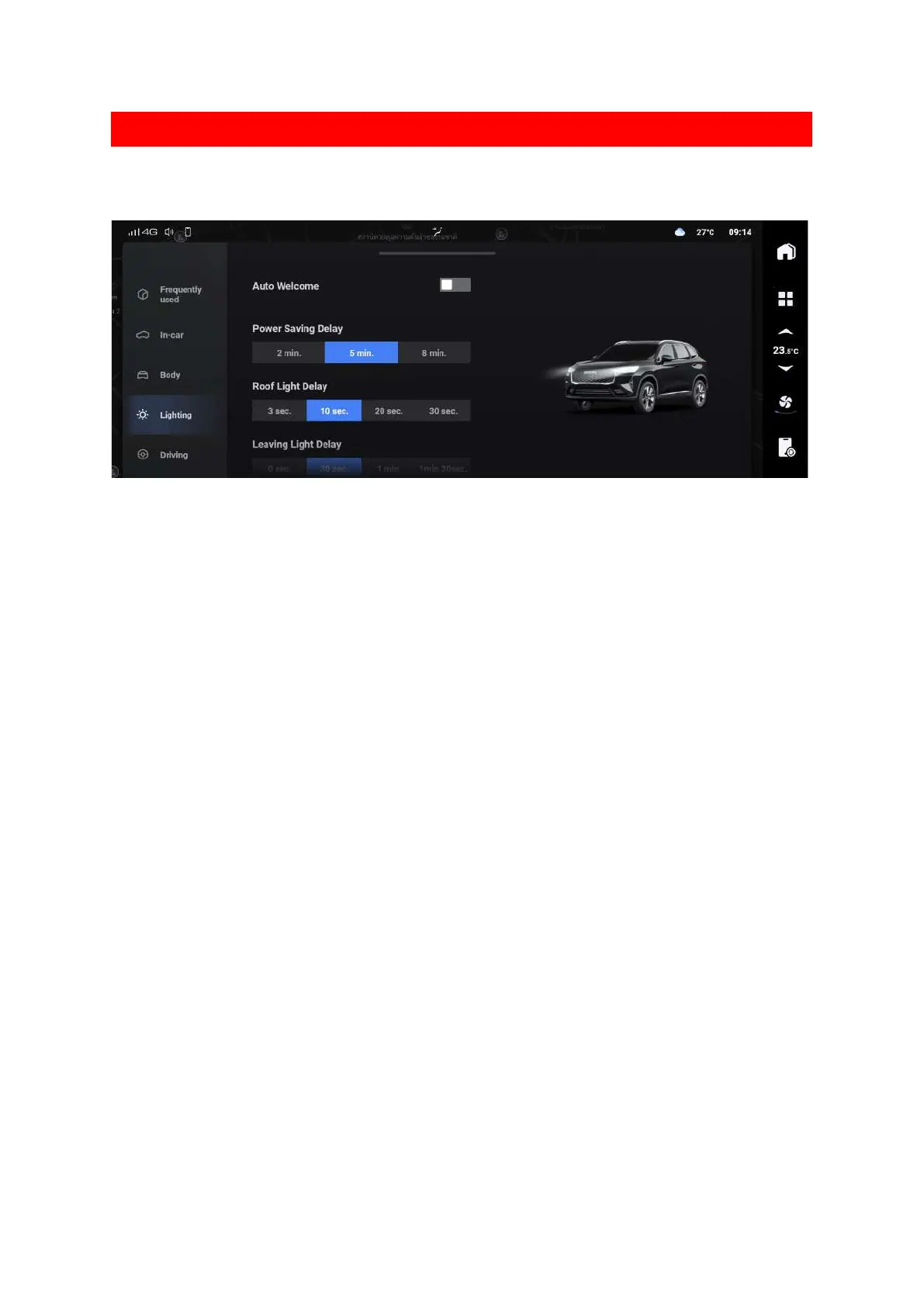
Lights setting
The light settings can be changed through the multimedia display screen.
3B8C52BA1B21
Tap the 【Power Saving Delay】setting button to set the delay effective time of the power saving
function.
After the power switch is turned to the LOCK position, if the state of the power switch of the
vehicle, the door locks or the hazard warning switch don’t change within the set time, the power
saving function will be activated automatically to save power.
Tap the 【Roof Light Delay】button to set the delay time for the interior lamps to go out after all
doors are closed when the interior lamps are on due to the door control function.
Tap the 【Follow me home】button to set the continuous lighting time of the position lamp and
the low beam headlamp after the “follow me home” function is triggered.
Tap the 【Find Car Mode Reminder】setting button to set the vehicle prompt status when the
vehicle locating function is triggered.



 To Next Page