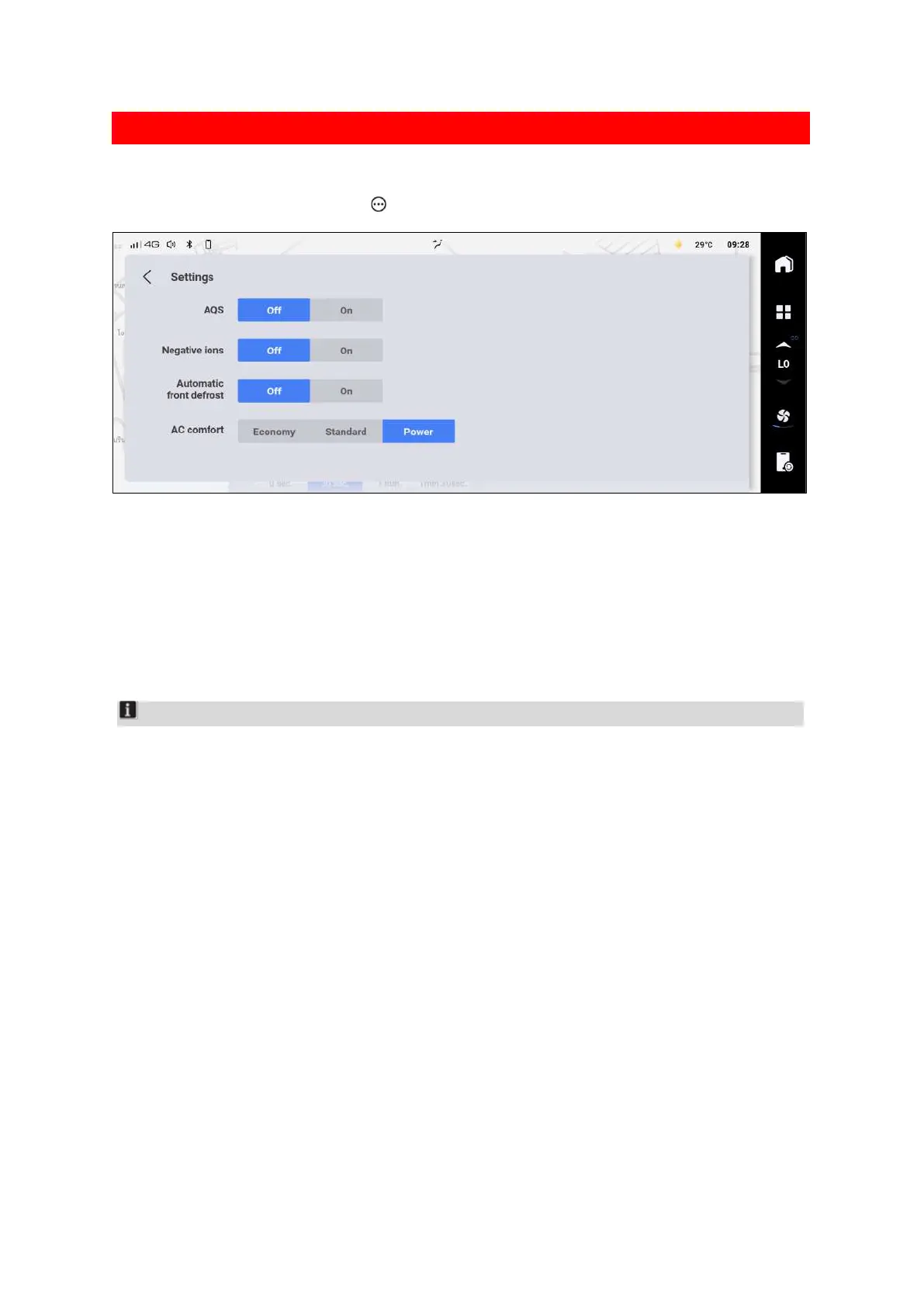
A/C comfort setting interface
On the A/C setting interface, tap the button to pop up the A/C comfort setting interface.
A42C56437B98
On the A/C comfort setting interface, you can set the following items:
Turn on or off the AQS function. When this function is enabled, the air conditioning system will
automatically detect the air quality and automatically switch between the internal and external
circulation modes.
Turn on or off the negative ions function. When the function is enabled, the negative ions
generated by the air conditioning system will circulate with the air in the vehicle, which can
effectively purify the air and increase comfort.
Notice
Do not close the blower outlet after activating the negative ion purifying mode. Otherwise,
negative ions will not enter the vehicle, and air purification will not be realized.
Check and replace air conditioning filter regularly to maintain the best effect of air purification
inside the vehicle.
You can turn on or off the automatic defrosting function. After the function is turned on, when
the air conditioner is in AUTO mode, the system automatically adjusts the air conditioner to
gradually alleviate the fogging of the front windshield.
Set the comfort effect of the A/C system in AUTO mode on the A/C setting interface:
Economy: The cooling or heating effect of the A/C system is softer with smaller air volume
compared with the standard mode.
Standard: The A/C system automatically controls the outlet temperature and air volume
according to the temperature set by the user.
Powerful: The cooling or heating effect of the A/C system is stronger with larger air volume
compared with the standard mode.


 To Next Page
 Loading...
