Vehicle equipment
Please note that this manual contains all
the standard equipment, country-specific
equipment and special equipment for this
model ser ies . Thus, some equip ment or
features described in this manual may not
be installed onto your vehicle or are only
avail abl e i n so me ma rk ets. Fo r fu rth er
configuration information, please refer to
relevant sales information or consult with your
di s tr ib u tor se ll i n g t he ve hi cl e to y o u .
Tips for safety
⚠ Warning
Stopping the vehicle on a steep slope
increases the risk of an accident. Drive safely
and avoid such risky stops.
The parking brake is not capable of
completely preventing the vehicle from
rolling on very steep slopes, so press down
the brake pedal as well to prevent the vehicle
from rolling.
Electronic parking brake
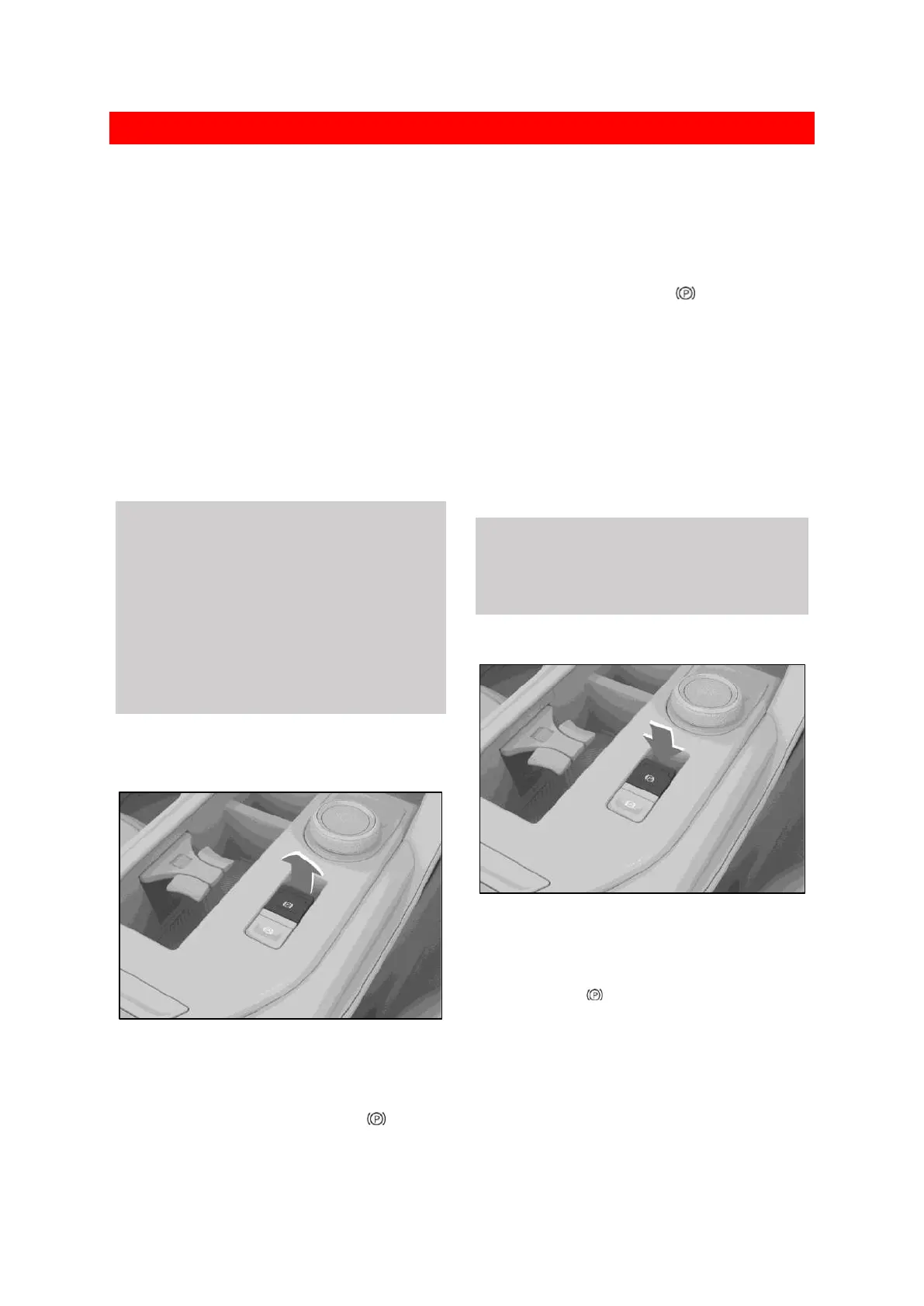
Apply the parking brake
50583FB82E9D
When the vehicle is stationary and the
power switch is switched to LOCK mode, the
electronic parking brake (EPB) will be applied
automatically. At this point, the parking
brake light on the instrument panel will come
on.
If the parking brake is not required, press and
hold the EPB switch while switching the
power switch to LOCK mode.
When the vehicle is stopped, pull up the EPB
switch to apply the electric parking brake
(EPB). At this point, the parking brake
light on the instrument panel will come on.
Emergency braking
In an emergency, pulling up the EPB switch and
then holding it up will cause the EPB system to
brake the vehicle.
Simply release the EPB switch or press the
accelerator pedal to cancel emergency braking.
⚠ Warning
The emergency braking function of the EPB
system should only be used in an emergency
(such as when the brake pedal is obstructed).
Release the parking brake
78C7A9A59FF9
When the vehicle power switch mode is ON,
pressing on the brake pedal and pushing down
the EPB switch releases the parking brake. At
this point, the parking brake light on the
instrument panel will turn off.


 To Next Page
 Loading...
