www.hawkeyeelectronics.com
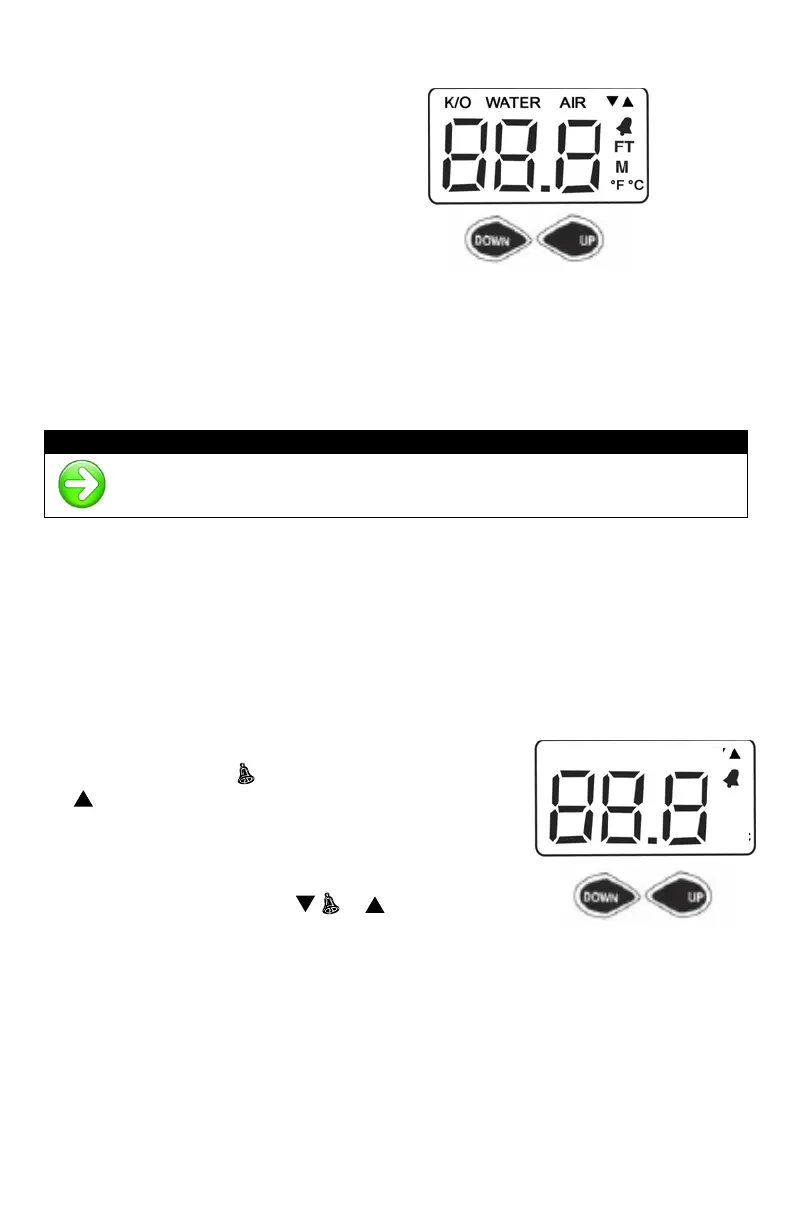
DISPLAY MODE SELECTION (TEMPERATURE MODELS ONLY)
The Temperature Models have 3
user selectable modes:
• Depth Sounder
• Water Temperature
• Air Temperature
To Change the Mode:
1. Press the “UP” Button to change the mode to the Right (The display will
change modes from Depth to Water Temperature to Air Temperature)
2. Press the “DOWN” Button to change the mode to the Left (The display
will change modes from Depth to Air Temperature to Water
Temperature)
When a Temperature Mode is selected the Water or Air indicator will
flash on the LCD for 5 seconds while the temperature is calculated.
SHALLOW WATER ALARM
The shallow alarm function can be set for depths ranging from 3 to 200 feet and
triggers an alarm when the depth is less than the setting. You must be in the
“Depth Sounder” mode to adjust this setting.
To set the SHALLOW ALARM (upper alarm):
1. Press the "UP" key to access the shallow water
alarm setting. The
icon will illuminate and the
indicator will blink.
• On depth finders with temperature,
press and hold BOTH the “UP” &
“DOWN” key for approximately 3
seconds until the ,
, & icons
blink, release the keys and Press the
“UP” key once
2. Pressing the "UP" key will increase the selected value. Pressing the "DOWN"
key will reduce the value.
3. Pressing and releasing the key will change the value in 1-foot increments per
second.
4. Holding down the key will change the value in 9 foot increments per second.
5. After the desired setting is achieved, the display will return to normal
operation after 5 seconds.



 To Next Page