4.
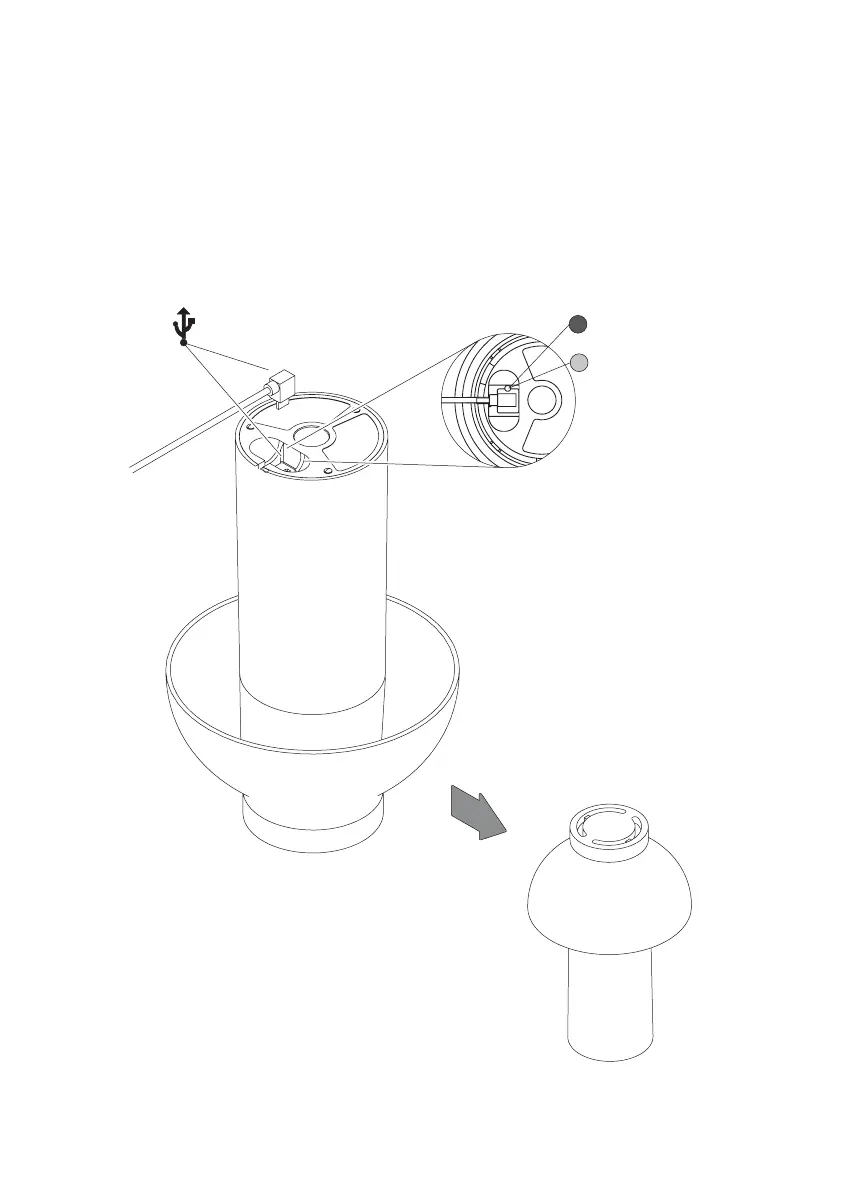
To charge the battery, insert the USB charger into the USB port on the bottom of the
lamp and connect the cable to a power supply. When the battery is charging, the light
on the bottom will show red. When the battery is fully charged, the light will show green.
The lamp can be used while charging, however this will extend the required charging
time for full capacity.
Charging (Red)
Fully charged (Green)


 To Next Page