4
How to Use the Kettle
1
4
5
2 3
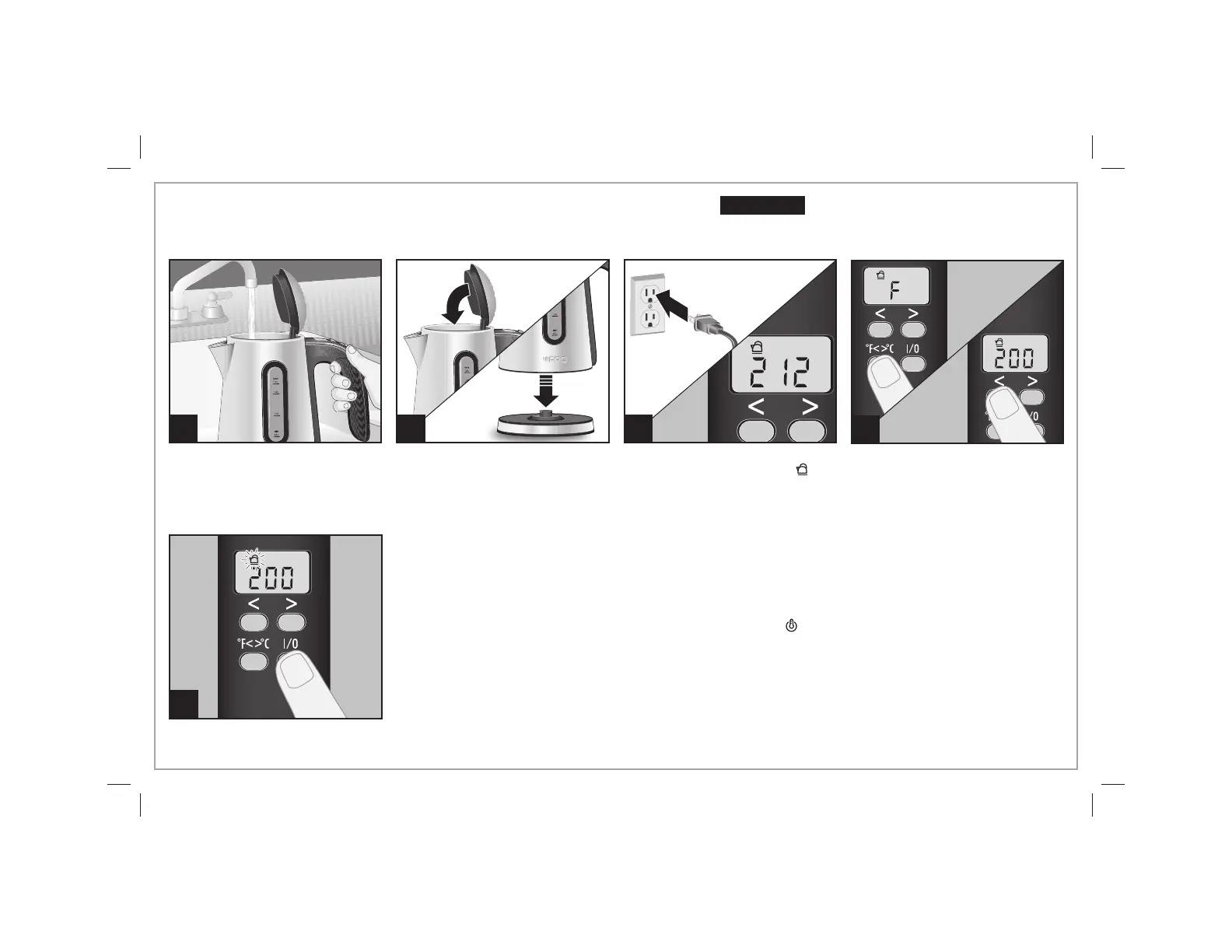
Press °F<>°C button to alternate
between Fahrenheit and Celsius
temperature displays. To set the
desired water temperature, press
the < or > buttons.
Once water temperature has
been set, press the ON/OFF (I/O)
button to start. The kettle icon
on the display will flash and the
actual water temperature will be
displayed.
After water has reached the set
temperature, the icon will change
to the “keep warm” icon ( ). If
the kettle is removed from the
base, display will show set
temperature once the kettle is
returned to the base. The kettle
will shut off automatically after
60 minutes.
Do not fill above the MAX fill line
or below the MIN fill line.
The display will show “212” as a
default and the kettle icon ( )
will show.
Burn Hazard.
Do not overfill kettle. Boiling water may
spit out of the spout.
w CAUTION
840225702 ENv01.indd 4840225702 ENv01.indd 4 7/3/13 10:47 AM7/3/13 10:47 AM



 To Next Page