System
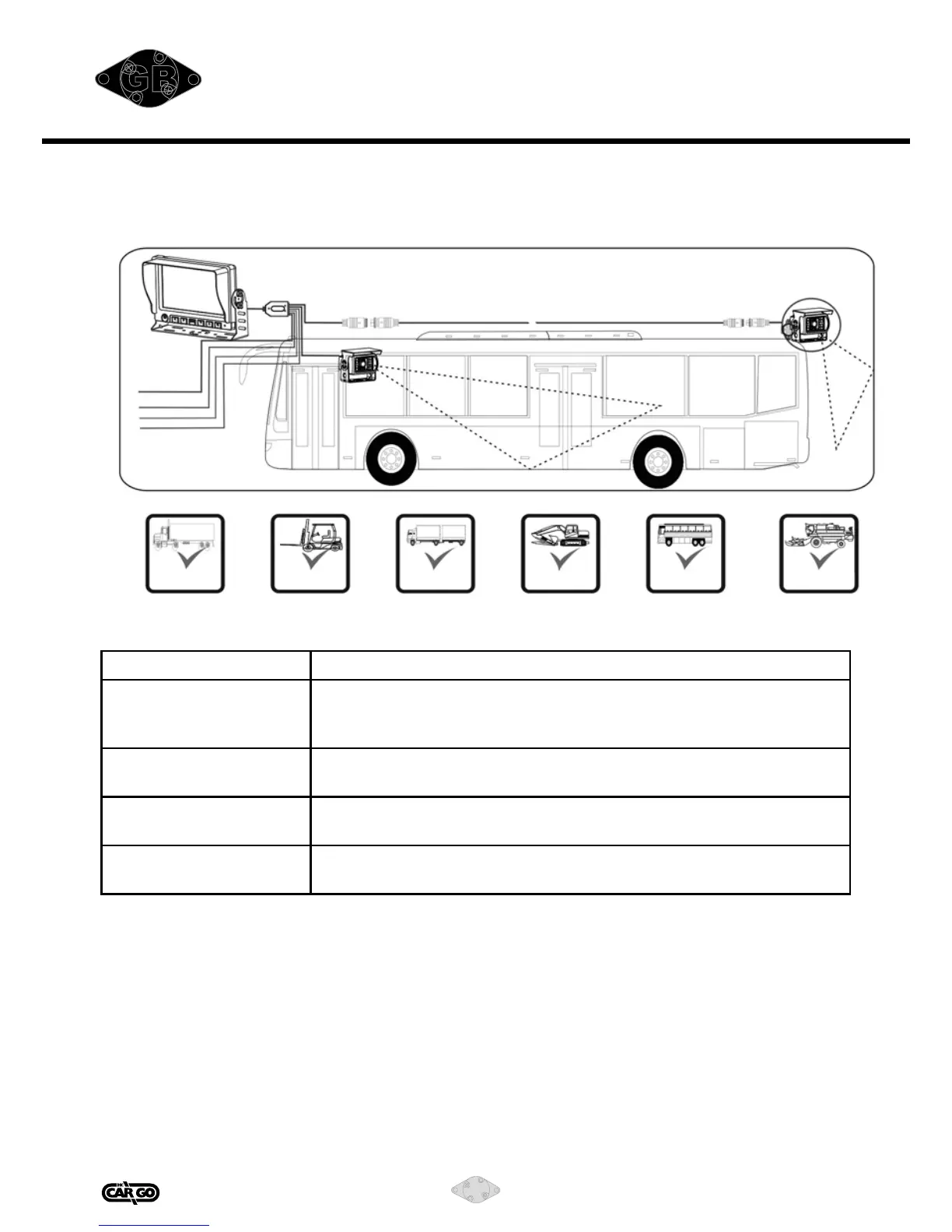
I. System connection diagram
Before you request a repair
Problem Possible Causes
Indicator not work/
No picture
Improper connection with automobile adapter.
Use of unauthorized power supply.
Power switch is in OFF position.
Dark picture Brightness or contrast should be adjusted correctly; environment
temperature may be too low.
No color Color should be adjusted or the color system may be wrong (this
monitor only supports PAL/NTSC)
No car-backing
function (i.e. picture)
Reverse cable is not connected properly.
Fleet &
Heavy truck Fork Lift Trailer & RV
Construction
machinery vehicles
School Bus AG Equipment
1) CAM2 trigger (blue)
2) CAM1 trigger (white)
Power input: DC11-32V
1)
2)
+(RED)
-(BLACK)


 To Next Page