EasyManua.ls Logo

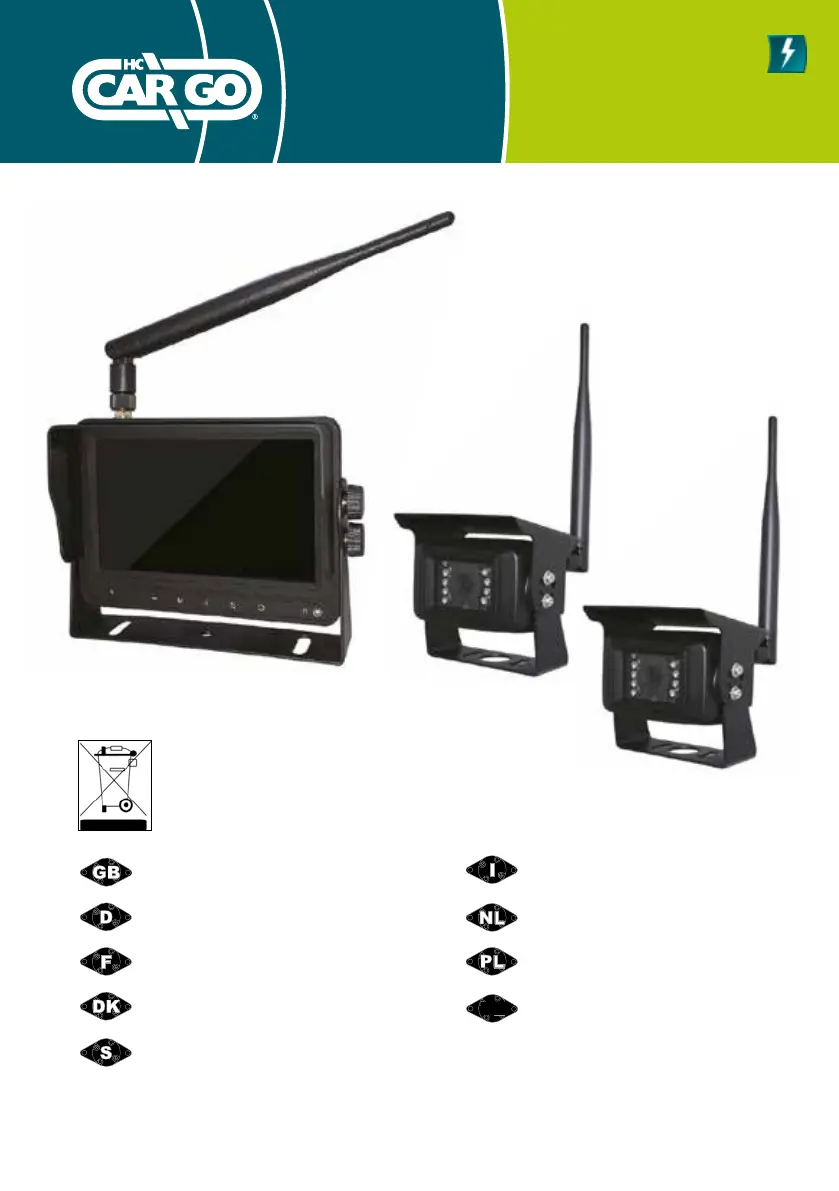
hc-cargo 161939 - User Manual

Default Icon
48 pages
Print Icon
To Next Page IconTo Next Page
Loading...
161939
1
Vedpak 228_Version 1_01.2020
Instruction Manual
Bedienungsanleitung
Manual De Instruction
Instruktionsmanual
Användarhandbok
161939
Manuale Utente
Gebruikshandleiding
Instrukcja użytkowania
Manual de instrucciones
ES

Questions and Answers

  • V
    Veronica SullivanAug 1, 2025
    What to do if my hc-cargo 161939 Automobile Accessories shows 'no signal'?
    • R
      Ryan MolinaAug 2, 2025
      If you're experiencing a 'no signal' issue with your hc-cargo Automobile Accessories, ensure the camera is powered and properly connected. Then, try pairing the devices again.
  • J
    Jacqueline MartinezAug 5, 2025
    How to fix no picture or sound on hc-cargo 161939 Automobile Accessories?
    • M
      Mary HernandezAug 5, 2025
      If your hc-cargo Automobile Accessories unit is showing no picture or producing no sound, try cutting off the power to the device and then restarting it.
  • S
    Samuel Huber MDAug 10, 2025
    Why is there no sound from my hc-cargo 161939 Automobile Accessories?
    • J
      Jennifer KimAug 10, 2025
      If you are not getting any sound from your hc-cargo Automobile Accessories, verify that the volume is turned on and is not set too low or too high.
  • R
    Rachel KelleyAug 14, 2025
    How to brighten a dark picture on hc-cargo Automobile Accessories?
    • M
      mary49Aug 14, 2025
      If the picture on your hc-cargo Automobile Accessories is too dark, check the brightness and contrast settings to ensure they are adjusted correctly.
  • J
    Jeffrey LoveAug 19, 2025
    What to do if my hc-cargo 161939 has no color?
    • S
      schneidernatalieAug 19, 2025
      If your hc-cargo Automobile Accessories display has no color, please adjust the color settings.
  • C
    cookrichardAug 23, 2025
    How do I resolve a 'no signal' error on my hc-cargo 161939?
    • R
      Ricardo SteeleAug 23, 2025
      If your hc-cargo Automobile Accessories displays 'no signal', first connect the monitor and select the pairing option. Then, connect the camera within the pairing countdown and wait a few seconds for the image to appear.
  • S
    sdavisAug 27, 2025
    What to do if the menu button on my hc-cargo Automobile Accessories is not responding?
    • W
      Wendy BurkeAug 28, 2025
      If the menu button on your hc-cargo Automobile Accessories is not responding, ensure that only the black and red wires are properly connected at the beginning. Then, try again.

Summary

Product Safety and Features

Safety Precautions

Important safety guidelines and warnings for operating the rear view system.

Screen Button Function Demonstration

Explanation of the monitor's screen buttons and their functions.

Product Features

Key features and capabilities of the 5" Wireless Rear View System.

Technical Specifications and Troubleshooting

Technical Specifications

Detailed technical parameters of the LCD monitor and camera system.

Trouble Shooting Guide

Solutions for common issues and error messages encountered with the system.

System Operation and Setup

OSD Menu Overview

Guide to navigating and using the On-Screen Display (OSD) menu for system configuration.

Camera Pairing Process

Step-by-step instructions for wirelessly pairing cameras with the monitor.

Picture and Display Settings

How to adjust picture quality and screen view settings.

Mirror;Flip Screen Functionality

Instructions on how to flip or mirror the camera view for optimal viewing.

Camera and System Settings

Configuring camera channels, display modes, and other system preferences.

Installation and Mounting

Bracket Installation Guide

Instructions for mounting the monitor using the included U-shape metal bracket.

Mounting Examples

Visual examples of recommended camera placement on various vehicle types.

hc-cargo 161939 Specifications

General IconGeneral
Brandhc-cargo
Model161939
CategoryAutomobile Accessories
LanguageEnglish

Related product manuals