If you have included an WLAN card make sure that the Wireless LAN module is on before installing the
driver.
Use the Fn + F2 key combination to toggle power to the Wireless LAN module. Make sure you install the
drivers in the order indicated.
Warning:
Wireless Device Operation Aboard Aircraft: The use of any portable electronic transmission devices aboard
aircraft is usually prohibited. Make sure the module(s) are OFF if you are using the computer aboard aircraft.
Use the Fn + F2 key combination to toggle power to the WLAN module, and check the indicator to see if the
module is powered on or not (or) use aeroplane hot key to switch off Wireless and Bluetooth simultaneously.
Connecting to a Wireless Network
Make sure the Wireless LAN module is turned on.
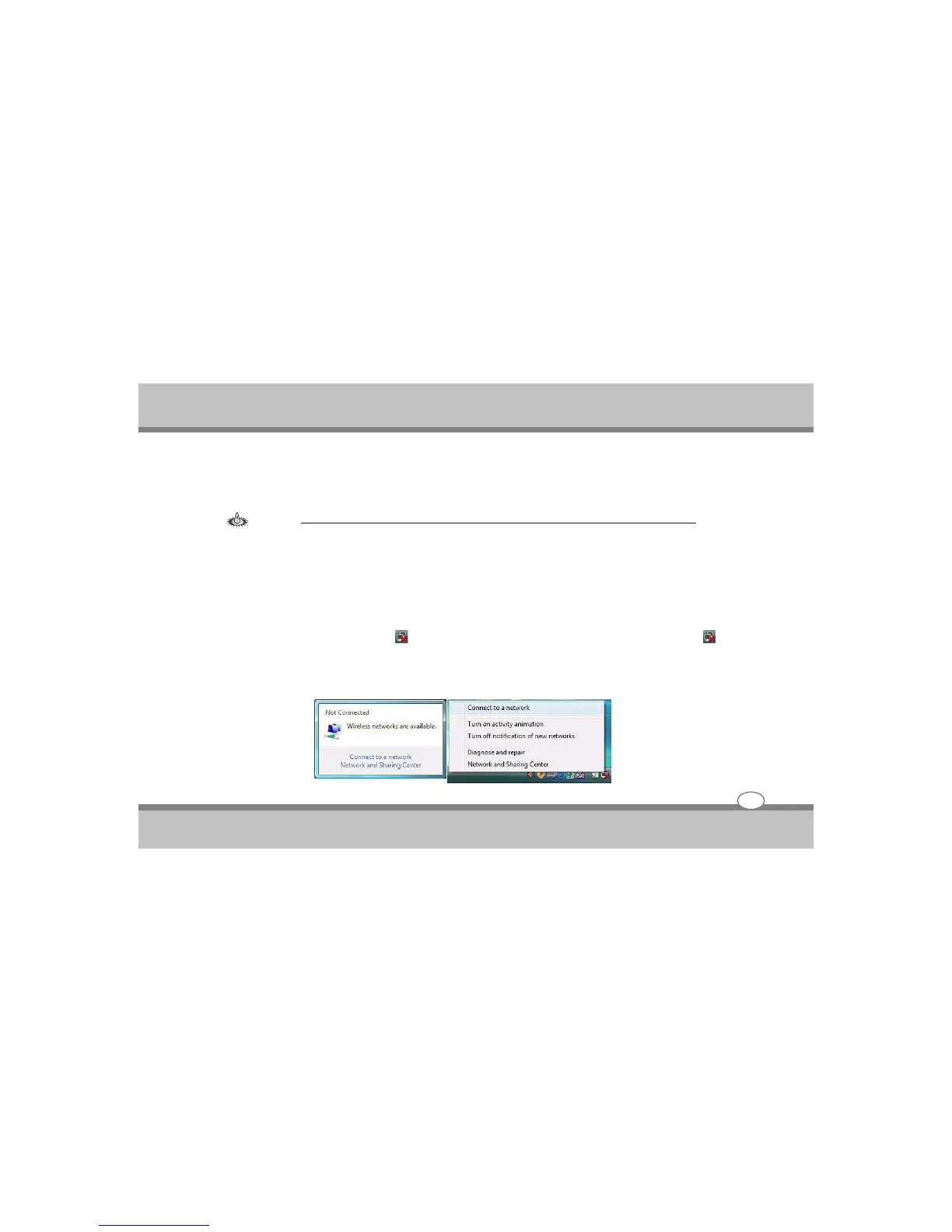
1. Click the taskbar wireless icon , and then click Connect to a network (or right click the icon , and
then click Connect to a network).
2. In the Show list, click to choose Wireless from the drop-down menu.
User's Guide
Using the Notebook PC
4-14



 To Next Page