Page 20 of 34
B: If not internally installing a 250W HiFi DC-ATX , extra storage drives may be
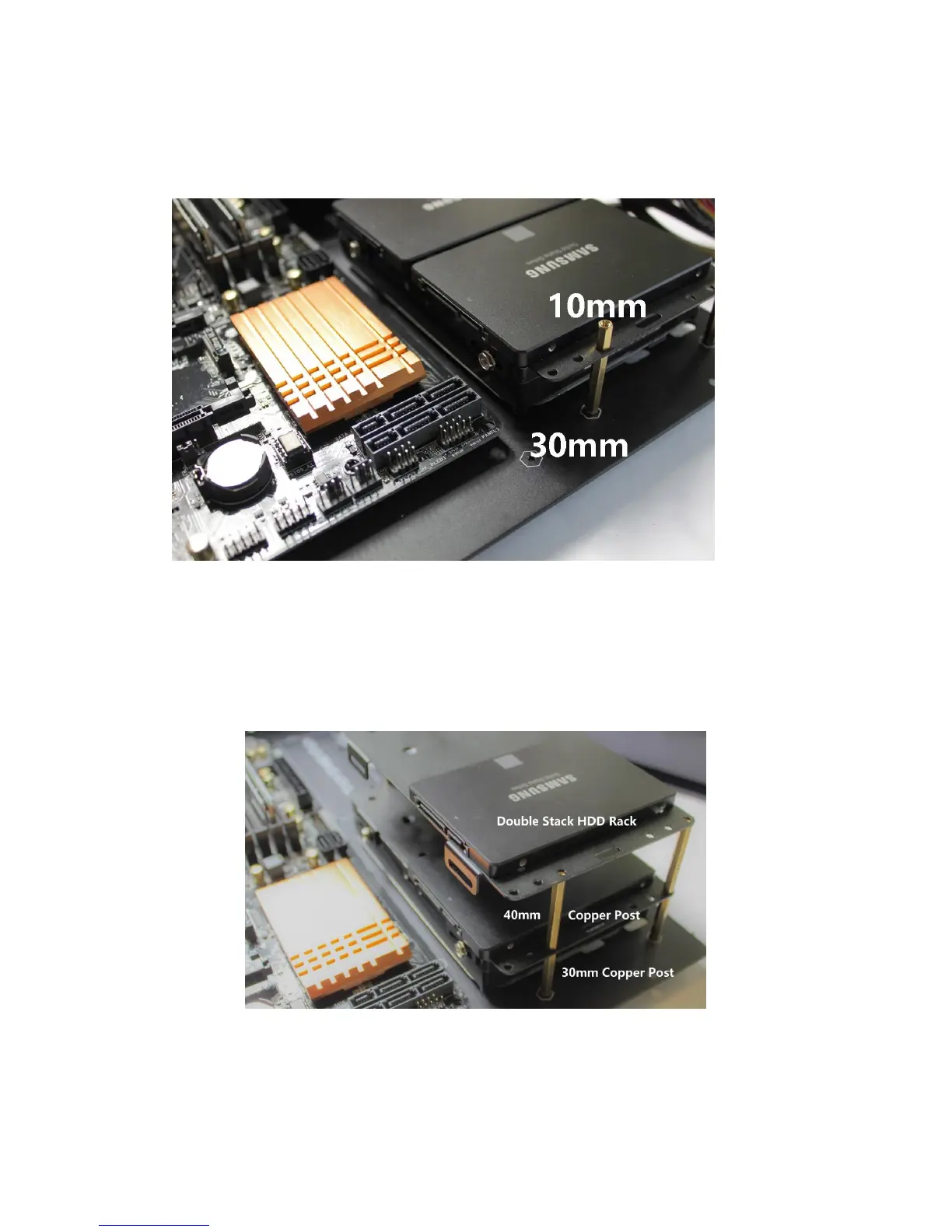
installed beneath the 5.25” device. To facilitate this, install four 30mm copper
posts G to the right side of the H5 base plate. Place a HDD rack with one
3.5”HDD on the bottom and two SSD on top, on the 30mm posts.
Using 10mm copper posts G, to screw down the HDD rack. Place the 5.25”
device on top of the 10mm copper post, and secure with 4pcs M3*5 A screws.
If no 5.25” Device is installed, HDD racks may be double stacked on the right
side.
The third HDD mounting position can only be utilized if using an ITX
motherboard, and not installing a horizontally oriented PCI card.
After all hard drive and optical driver are installed, the HDD racks can be
secured by installing M3 Self-Tightening Nuts J to the copper posts on the
bottom of the base plate. This will prevent the HDD racks from getting loose.


 To Next Page
 Loading...