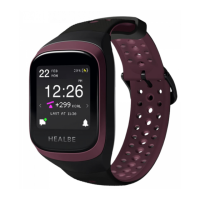
ACTIVATE GoBe3 AND SET UP A CONNECTION USING THE MOBILE APP:
Warning!
The initial installation of updates may take up to one hour. We recommend combining this
process with charging the device.
4
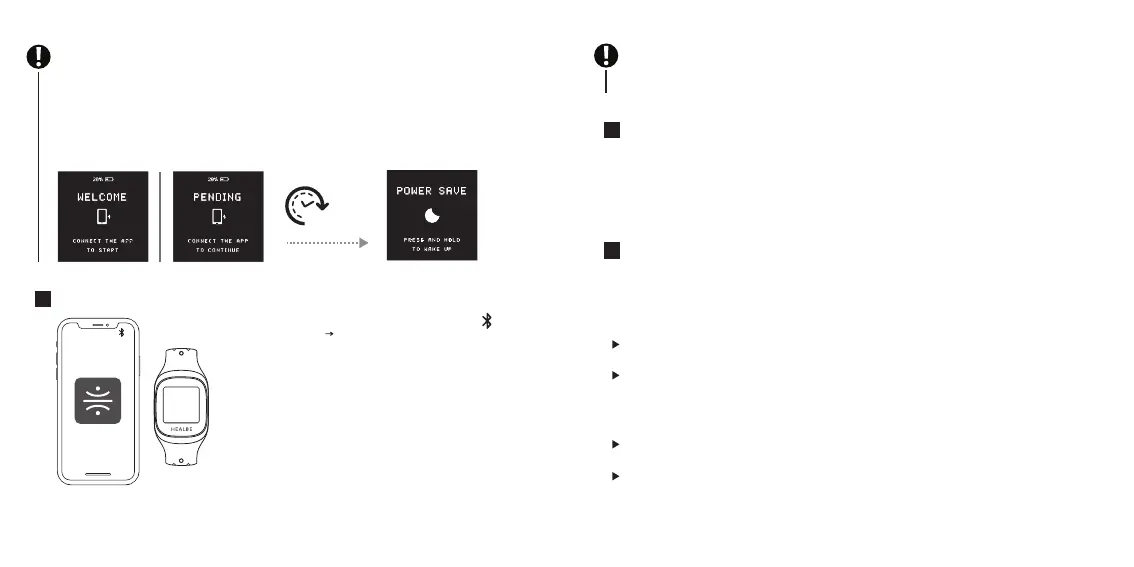
1. Make sure that your smartphone’s Bluetoothе ( ) is
turned on (Settings Bluetooth);
2. Open the HEALBE mobile app on your smartphone;
3. Connect GoBe3 using the HEALBE app, placing your
phone no further than 35 inches (90 cm) from the band;
4. Follow the instructions in mobile app;
5. Wait for the automatic setup process to be completed.
Your GoBe3 rmware will be updated during setup.
WAIT UNTIL GoBe3’s INTERNAL BATTERY IS FULLY CHARGED:
1. Leave GoBe3 connected to a power source. When the band is fully charged, you can see
the message that the battery is fully charged. This process normally takes no more than two
hours;
2. Unplug the USB cable from the power source and then unplug it from GoBe3 and close
the charging socket’s plug on the rear side of the band.
5
6
THE DEVICE IS READY TO WORK.
Put the band on your arm and fasten the strap so that the band’s sensors are rmly against
your skin but not too tight. This will maximize the device’s accuracy and keep you
comfortable at the same time.
HERE ARE SOME RECOMMENDATIONS THAT WILL IMPROVE YOUR GoBe3 EXPERIENCE:
When starting to use GoBe3, make sure it is turned on and ready to work. The display should
show the current time.
Wear the band on your arm without taking it o. It is important to wear the band throughout
most of the day (22–23 hours a day) in order to give it the opportunity to perform the most
accurate calculation of daily calorie intake and calories burned. If you cannot wear the band
permanently, it will aect all the measurements one or another way, but the accuracy of the
Energy balance will be one of the most severely aected.
The main measurement parameters and results are shown on the band display. A more
detailed analysis of your body’s state is available on the HEALBE mobile app.
We recommend charging the band after a night sleep and always before breakfast, for
example, when taking a shower.
In order not to forget the band at home while charging, put an important object nearby,
which will guarantee that you see the band too: house or car keys, travel card, work pass,
wallet, mobile phone.
Warning!
When the GoBe3 is in the state of waiting for the application to connect (this is indicated by
the word "WELCOME" or “PENDING” on the screen), the band automatically enters the power
saving mode following eight minutes of inactivity.
In the Power save mode, the GoBe will not be available for connection via the mobile
application. To set the device to normal mode, tap and hold your finger anywhere on the
«POWER SAVE» screen until it switches back to the "WELCOME" (or “PENDING”) state, and
then connect to the smart band via the HEALBE application.
8 minutes
6 7


 To Next Page
 Loading...