FR / EN
33
2) Quick start
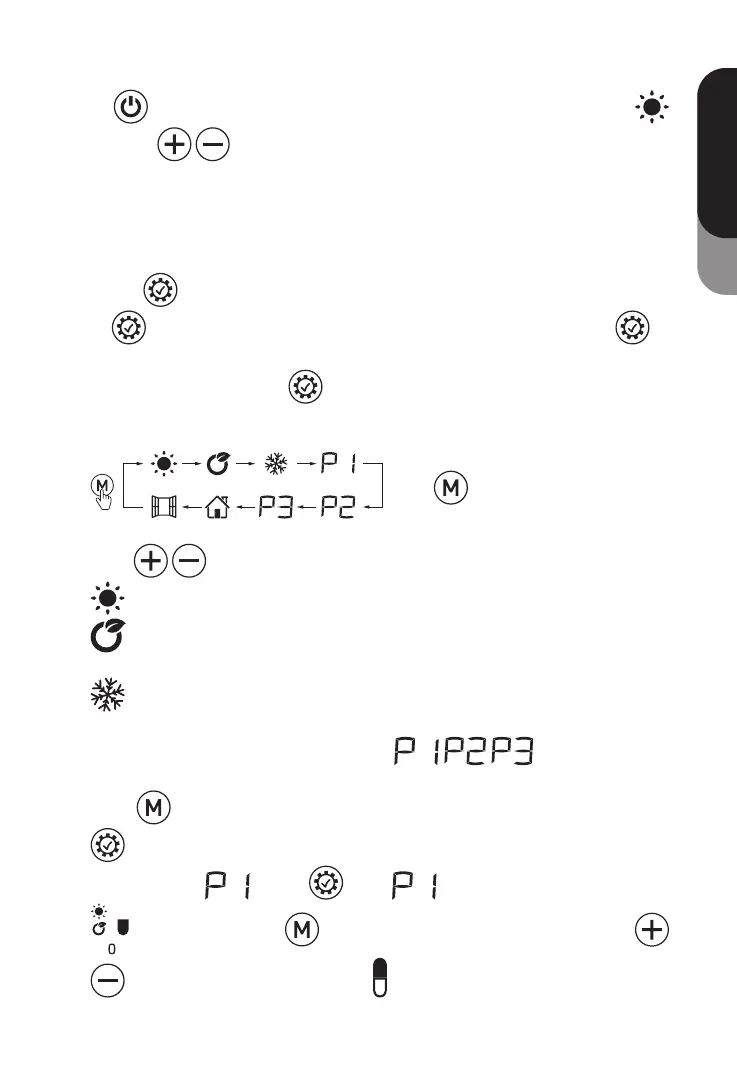
Press
to turn on the screen, the equipment will work under COMFORT
mode, press
to set the desired temperature.
3) Clock setting:
For first using of program, the clock will required setting before use the P1/P2/P3,
only when the clock setting is finished, the program can work.
When in clock setting, the hour will twinkle first, press +/- to set the right time (0-23)
and press
to get into minute setting, press +/- to set the right time (0-59) and
press
to get into date setting, press +/- to set the date from 1-7, press to
finish the date setting.
Clock modification: Long press
3 seconds to modify the clock.
4) Function setting:
1.
Press to choose the mode or the
program;
2. Press
to choose the temperature.
Comfort mode: Setting temp. from 5°C to 35°C
ECO mode: Setting temp. from 1.5°C to 31.5°C; 3.5°C less than comfort
mode, when you set up the temp. of comfort mode.
Anti-frost mode: Setting 7°C for room temp; Cannot change the temp.
3. Program modification:
It’s with factory presetting of the program
, this program can
get modified according to the requirement of customer.
Press
to choose the program, only when the program get selected, press
to modify the program.
When you’re in
, press once, LOGO and the fist hour LOGO
start to twinkle. Use to choose the mode for each hour and use
to move the twinkle hour LOGO till finish 24 hour mode setting. Press



 To Next Page