FR / EN
34
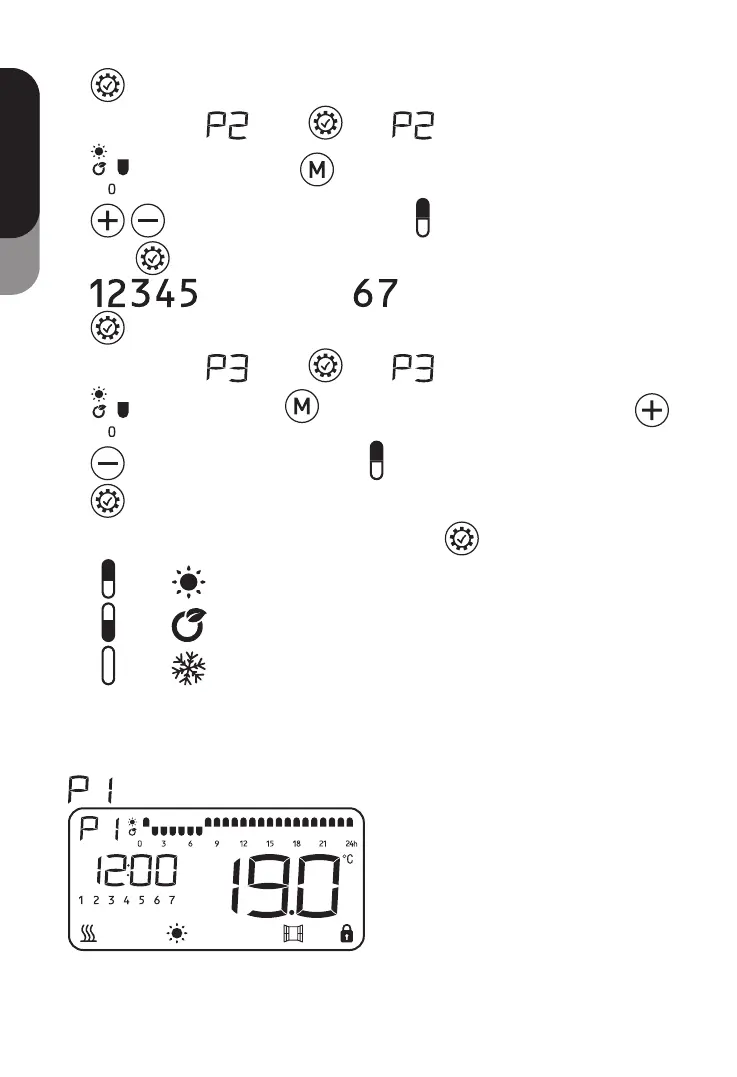
to confirm the 24 hour setting and quit the setting status.
When you’re in
, press once, LOGO and the fist hour LOGO
start to twinkle. Use to choose the mode for each hour and use
to move the twinkle hour LOGO till finish 24 hour mode setting.
Press
to confirm the 24 hour setting and turn from working days program
to weekend program setting. When finish the setting press
to confirm and quit.
When you’re in
, press once, LOGO and the fist hour LOGO
start to twinkle. Use to choose the mode for each hour and use
to move the twinkle hour LOGO till finish 24 hours mode setting. Press
to confirm the 24 hour setting and turn from Monday program to Tuesday
program setting. When finish 7 days setting press
to confirm and quit.
-
means comfort mode;
-
means ECO mode;
-
means Anti-frost mode;
NOTE: the block against the clock will twinkle when the block against the program is
working.
5) Program factory presetting:
: Same program from Monday to Sunday, custom can modify the program.



 To Next Page