Need help?
Do you have a question about the HEALTH ONE HERA-9000 and is the answer not in the manual?
Detailed technical specifications for the HERA-9000 Android treadmill, including motor, speed, incline, and programs.
Guidelines for prohibited actions and warnings to prevent severe or fatal injury during treadmill use.
Precautions to prevent possible damage or injury, including proper usage and maintenance.
Rules for safe exercise practices, including speed changes, user assistance, and body posture.
Identification of the main assembled parts of the treadmill, including console, posts, and body.
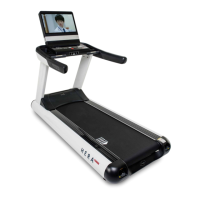
Detailed description of the HERA-9000 Android treadmill's advanced features and specifications.
Guidelines for selecting a suitable and safe location for treadmill installation, considering environment and space.
Instructions for safely removing the motor cover and preparing for treadmill assembly.
Step-by-step guide for securely attaching the treadmill posts to the main frame body.
Instructions for connecting and securing the console assembly to the treadmill posts.
Guide to connecting various cables, including audio, HDMI, and TV antenna, to the console.
Procedure for connecting the treadmill to a grounded power source and safety precautions.
Steps to adjust the treadmill's level feet for stability and optimal operation.
Instructions for adjusting belt tension and correcting side-drifting for smooth treadmill operation.
Diagram and list of all components and parts belonging to the treadmill's console.
Diagram and list of all components and parts belonging to the treadmill's main body.
Identification of parts located within the motor cover and exterior components.
Details about the treadmill's name plate, including model, serial number, and production date.
Overview of the treadmill's idle screen and basic interactive functions.
Demonstrates various workout screens including Manual, TV, and Cardio modes.
Steps for pairing Bluetooth devices and inputting personal data for workouts.
Explanation of the displayed workout data such as time, calories, incline, speed, and heart rate.
Description of control buttons like Start/Stop, Speed, Incline, and Cool Down mode.
Details on using the TV control buttons and remote for channel and volume adjustments.
Explanation of the functions of the main control board buttons: Start/Stop, Speed, Incline.
Instructions for using the emergency stop button and safely exiting a workout.
Guide to connecting headphones, USB devices, and pairing Bluetooth accessories.
Explanation of contact and wireless heart rate monitoring systems available on the treadmill.
Provides guidelines for target heart rate zones based on age for optimal workout intensity.
Procedure for measuring body fat using the handgrip sensors and inputting personal data.
Instructions on how to save body fat data to a USB device and view measurement graphs.
Step-by-step guide on how to perform a manual workout on the treadmill.
Instructions for setting and performing workouts based on specific targets like time, distance, or calories.
Details on performing a cardiovascular workout, focusing on maintaining target heart rate zones.
Instructions for the fat burn workout, designed to maximize aerobic benefits using fat stores.
Guidance on setting up workouts to achieve specific heart rate goals for improved cardiovascular fitness.
Instructions for selecting and performing preset or custom profile workouts.
Steps to access and adjust various system parameters via the touch screen interface.
Detailed list of system parameters, their classifications, descriptions, and default values.
Instructions for connecting the treadmill to the internet using Ethernet cable or Wi-Fi.
Guide for tuning television channels and setting up the TV function on the treadmill.
Instructions for connecting external video sources like DVD players via composite or HDMI.
Detailed steps for disassembling and replacing key treadmill components like the deck and belt.
Instructions for applying lubricant to the treadmill belt for smooth operation and longevity.
Checklist for daily, weekly, and monthly maintenance tasks for the treadmill.
Guide to diagnosing and resolving common error messages displayed on the treadmill.
Steps for self-diagnosing and resolving common treadmill problems before contacting support.
Details on customer entitlements to free warranty services and the conditions.
List of services that will be charged, outlining customer responsibilities for product care.
Forms for recording customer and product details for service and warranty purposes.
 General
| Brand | HEALTH ONE |
|---|---|
| Model | HERA-9000 |
| Category | Treadmill |
| Language | English |

 To Next Page